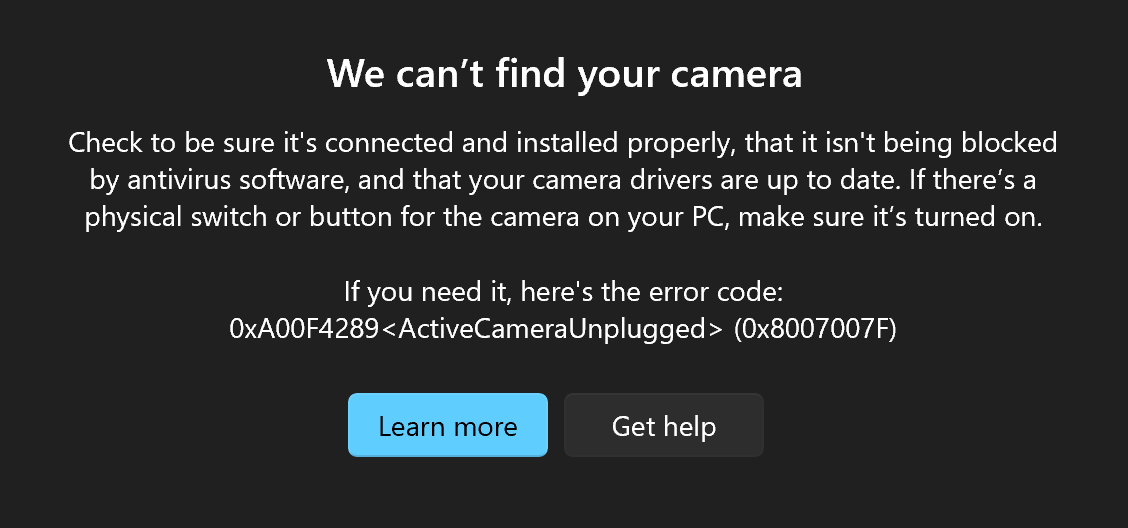
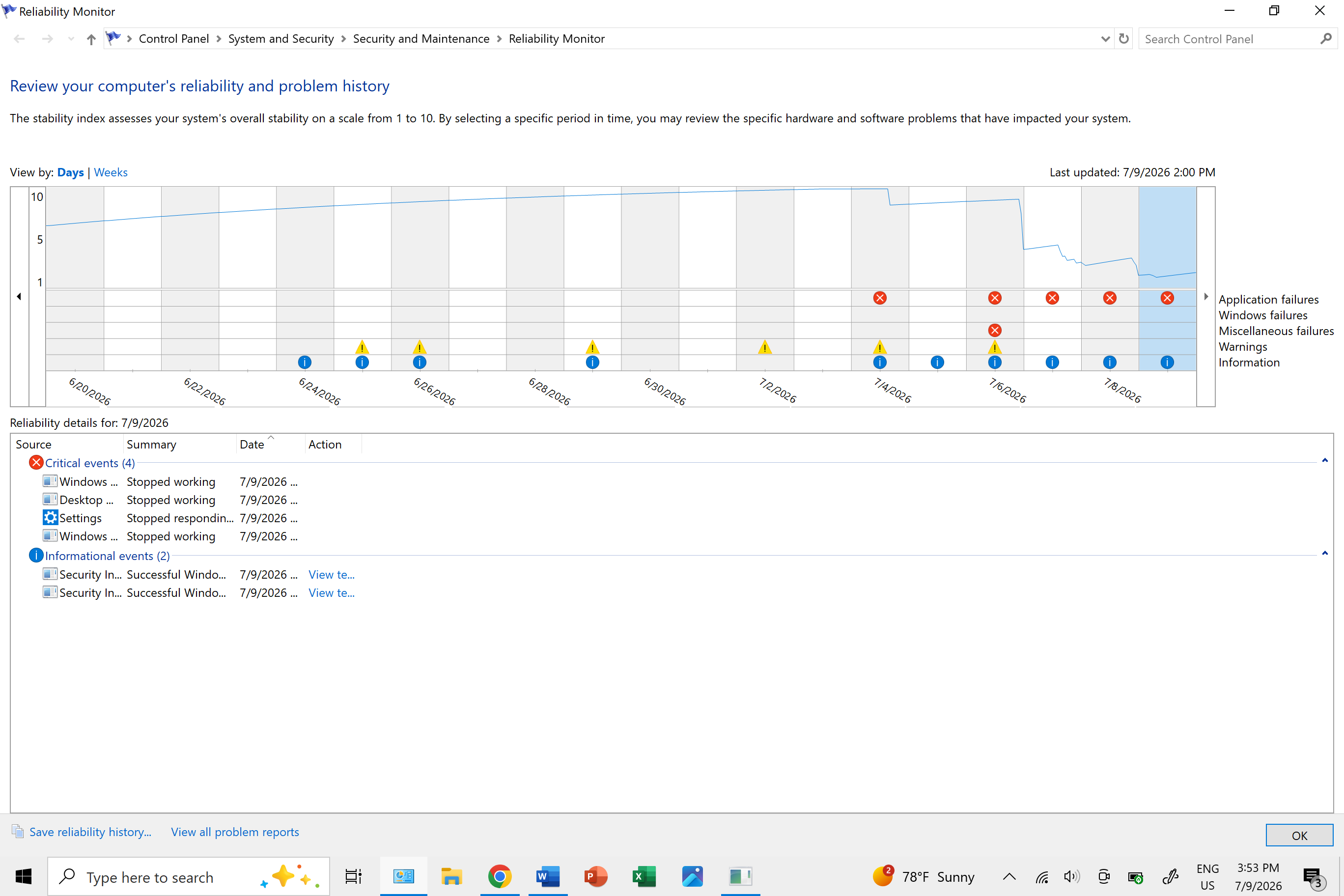
When I open the Windows Camera App, I get three error codes, one after the other:
- first, 0xA00F429E <PageOpenFailed> 0x8007007F appears...
- then, after a few seconds, it changes to 0xA00F429F <WindowShowFailed> 0x8007007F...
- then, a few seconds after that, it changes to 0xA00F4289 <ActiveCameraUnplugged> 0x8007007F.
The crash is in the same place and of the same nature every time: Faulting module name: MFCORE.dll Exception code 0xc0000005 Fault offset: 0x0000000000017fff.
I first ran into the issue when I opened Windows Camera on July 6th at 10:00 PM. The previous time I had opened Windows Camera was the evening of July 1st. Up until then, Windows Camera had zero problems whatsoever. I had been regularly using Windows Camera throughout June with no issues.
The camera is built-in to my Surface Pro 6 laptop and the hardware has no issues. It was perfectly able to run on Zoom, Teams (it passed every test under test calls), and every browser-based camera I could find. Even the previews under those site permission dialogs worked like charms. The "recording" light turned on with all of these, too - again, just as it used to with Camera. I have no other cameras and have never plugged an external camera into this laptop before.
According to Device Manager, the only device under "Cameras," all the Imaging Devices (which only consist of printers), and all the devices under "Sound, video and game controllers" are all up to date and working properly, and the system could find no updates of any kind for any device (it said all were up to date and had the most updated drivers in use for them all).
I temporarily disabled all antivirus software for several minutes and, during that time, opened and closed the Windows Camera App several times, each time configuring yet one of the other remedies.
I manually uninstalled and reinstalled the Windows Camera App.
I manually Terminated the Windows Camera App and opened it up again.
I checked three times that all camera and microphone permissions were enabled on all fronts related to the Windows Camera App.
In this whole process, I restarted my computer three times.
And it didn't seem to be an update issue, either. My Camera app runs ver. 2026.2605.7.0.
In Command Prompt, I tried running DISM /Online /Cleanup-Image /RestoreHealth and then sfc /scannow as an administrator (the operations were successful), then restarted. The problems remained, and still remains, the same.
I went to Event Viewer and found the Error has Error ID 1000. Specifically:
Faulting module name: MFCORE.dll
Exception code 0xc0000005
Fault offset: 0x0000000000017fff
The crash is in the same place and of the same nature every time and can be replicated as such every time.
Moved from: Windows for home | Windows 10 | Apps
' cx='32' cy='32' r='32' /%3E%3Ctext x='50%25' y='55%25' dominant-baseline='middle' text-anchor='middle' fill='%23FFF' %3EQQ%3C/text%3E%3C/svg%3E)

' cx='32' cy='32' r='32' /%3E%3Ctext x='50%25' y='55%25' dominant-baseline='middle' text-anchor='middle' fill='%23FFF' %3EA%3C/text%3E%3C/svg%3E)
' cx='32' cy='32' r='32' /%3E%3Ctext x='50%25' y='55%25' dominant-baseline='middle' text-anchor='middle' fill='%23FFF' %3ECN%3C/text%3E%3C/svg%3E)
' cx='32' cy='32' r='32' /%3E%3Ctext x='50%25' y='55%25' dominant-baseline='middle' text-anchor='middle' fill='%23FFF' %3EDN%3C/text%3E%3C/svg%3E)