Hi @VISHAL CHELANI,
Thank you for posting your question in the Microsoft Q&A forum.
Based on your sharing, this issue happens because the email that you're composing is set to Plain text. In Plain text mode, Outlook cannot render formatting so any HTML that copilot generates will show up as html tags/code instead of formatted text. It is suggested to set the Message format in html for the best support and integration with Copilot.
However, you cannot change this setting directly in New Outlook for Mac desktop app since there is no option for to configure this feature in Settings (Command + ,) > Composing. You will need to sign in with your account into Outlook for the web in Safari > click the gear icon on the top right > Mail > Compose and reply > set format to HTML
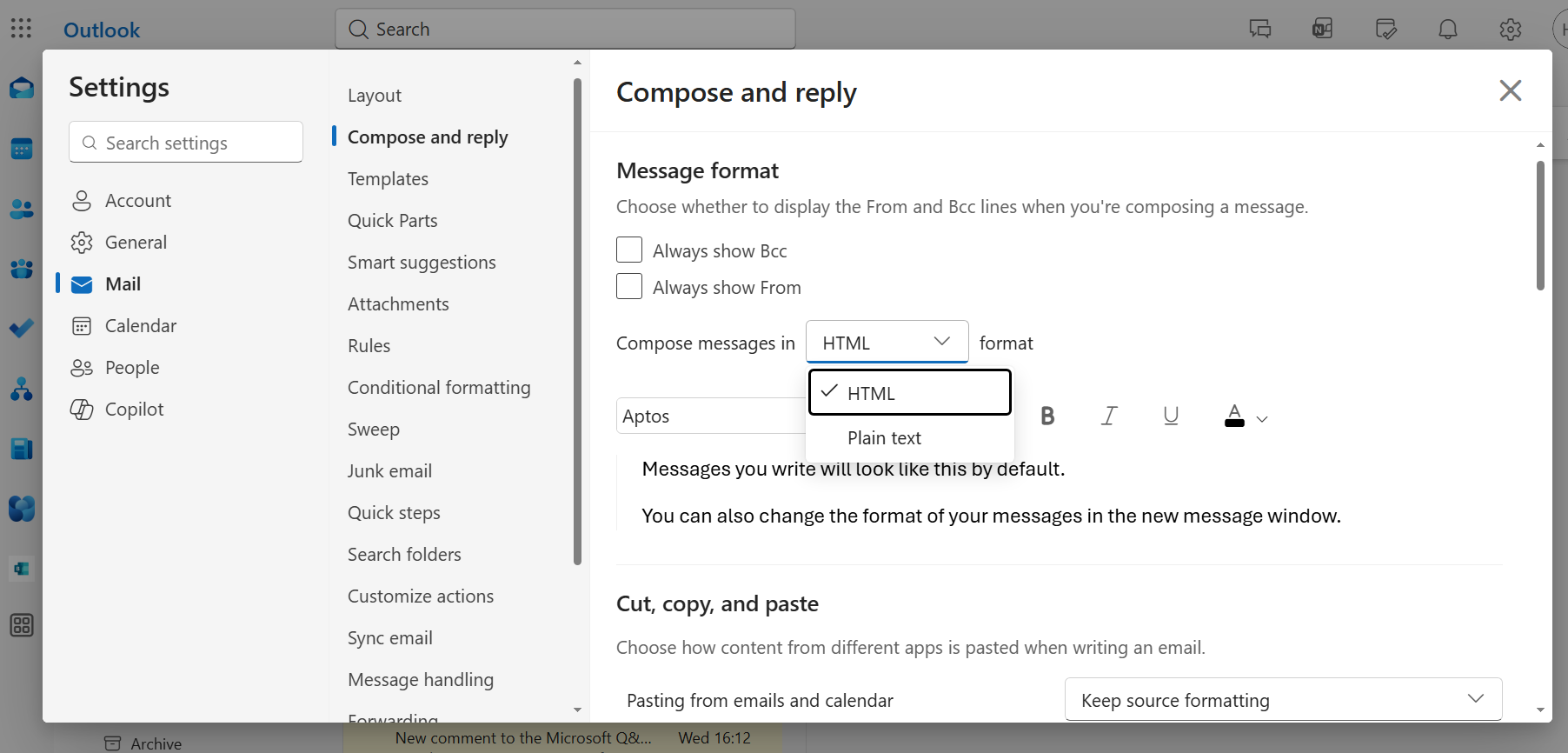
Hope this information will help. Please follow these steps and let me know if it works for you. If you have any questions or need further assistance, please feel free to share them in the comments so I can continue to support you.
Thank you for your patience and understanding. I'm looking forward to your reply.
If the answer is helpful, please click "Accept Answer" and kindly upvote it.
Note: Please follow the steps in our documentation to enable e-mail notifications if you want to receive the related email notification for this thread.
' cx='32' cy='32' r='32' /%3E%3Ctext x='50%25' y='55%25' dominant-baseline='middle' text-anchor='middle' fill='%23FFF' %3EVC%3C/text%3E%3C/svg%3E)

' cx='32' cy='32' r='32' /%3E%3Ctext x='50%25' y='55%25' dominant-baseline='middle' text-anchor='middle' fill='%23FFF' %3EST%3C/text%3E%3C/svg%3E)
' cx='32' cy='32' r='32' /%3E%3Ctext x='50%25' y='55%25' dominant-baseline='middle' text-anchor='middle' fill='%23FFF' %3EHC%3C/text%3E%3C/svg%3E)
' cx='32' cy='32' r='32' /%3E%3Ctext x='50%25' y='55%25' dominant-baseline='middle' text-anchor='middle' fill='%23FFF' %3EJF%3C/text%3E%3C/svg%3E)
