Hi,
Seems like a draft message is stuck. Is the language correct at https://account.microsoft.com/profile page?
The symptoms point that your account was hacked, and the hackers probably added your account to an organisation.
- Go to https://account.microsoft.com and sign in with your Microsoft account.
- Change the password
- Select Security.
- Click Password security.
- Enter your current password.
- Enter and confirm the new password.
- Select Save.Sign out everywhere
- Open Security → Advanced security options.
- Scroll to Sign me out.
- Select Sign me out everywhere to end all active sessions on devices and browsers.
- Enable two-factor authentication (2FA) Go to Security → Advanced security options.
- Find Two-step verification.
- Select Turn on.
- Follow the prompts to add a verification method such as the **Microsoft Authenticator app, phone number, or email.
- Complete the setup to activate two-step verification.
#2: Consider checking the following guide:
https://www.yourwindowsguide.com/2026/02/outlook-hacked-draft-email.html
#3:
You can also try to leave the Guest account using Teams and see if that helps.
If you want to remove the Guest account, you can open the Teams App > Settings > Accounts and Orgs. Click the button to leave the organisation.
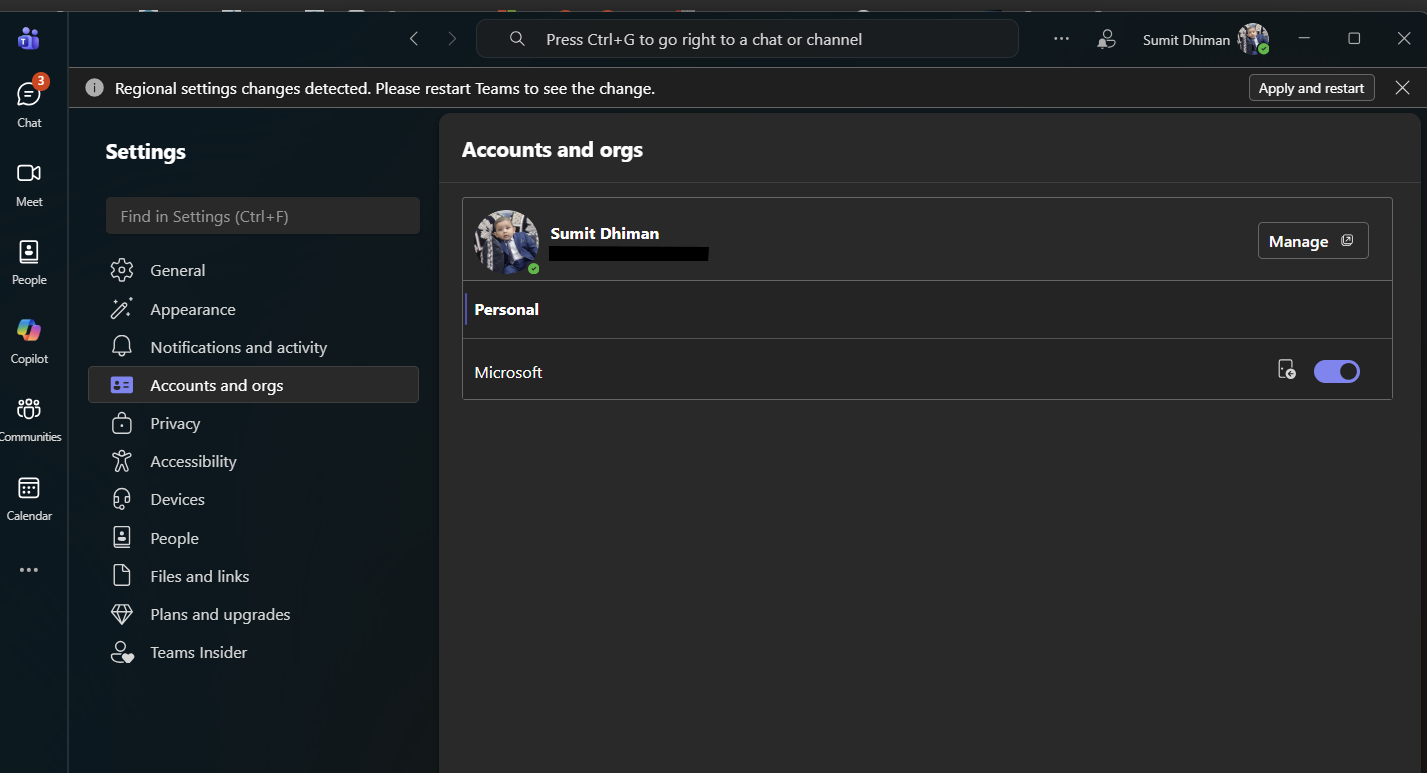
I hope this information helps. If you have any more questions, don't hesitate to reach out.
Otherwise, please take a moment to rate the answer. Wishing you good luck!
A Windows MVP writes content on the above website, so it is safe. However, do watch out for the ads. It should translate into your Browser language automatically.
' cx='32' cy='32' r='32' /%3E%3Ctext x='50%25' y='55%25' dominant-baseline='middle' text-anchor='middle' fill='%23FFF' %3EHV%3C/text%3E%3C/svg%3E)

' cx='32' cy='32' r='32' /%3E%3Ctext x='50%25' y='55%25' dominant-baseline='middle' text-anchor='middle' fill='%23FFF' %3ESD%3C/text%3E%3C/svg%3E)