Use the Customer details feature
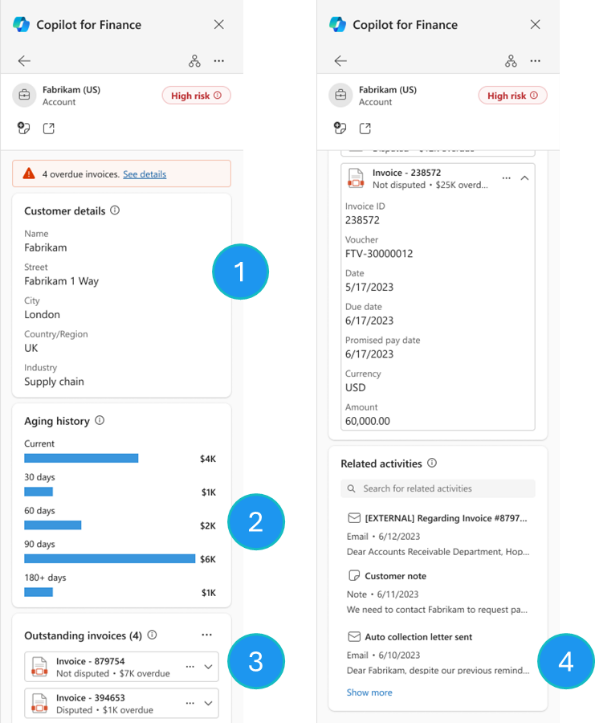
Finance agents provide details about the customers that were identified in an email. When you drill down from the customer card, four sections are available for the selected customer:
Customer details - This section provides details about the customer's address, legal entity, and industry.
Aging history - This section provides a read-only graphical summary of the aged invoice balances, based on the preconfigured period groupings in Dynamics 365 Finance.
Outstanding invoices - This section provides a list of outstanding invoices. From this section, customers can download free text invoices and sale order invoices. Those invoices can then be attached to draft email replies.
Related activities - This section provides a list of the most recent activity records that are related to the selected customer record that's stored in Dynamics 365 Finance.