Introduction
Network Attached Storage (NAS) is a way for a centralized storage system to present data to multiple networked clients across a wide area network (WAN) or local area network (LAN).
Datasets in the NAS environment are either: - Structured (data in a well-defined format, such as databases) or - Unstructured (data not stored in a structured database format, such as images, media files, logs, home directories, etc.)
Regardless of the structure, the data is served through a standard conversation between a NAS client and the Azure NetApp Files NAS services.
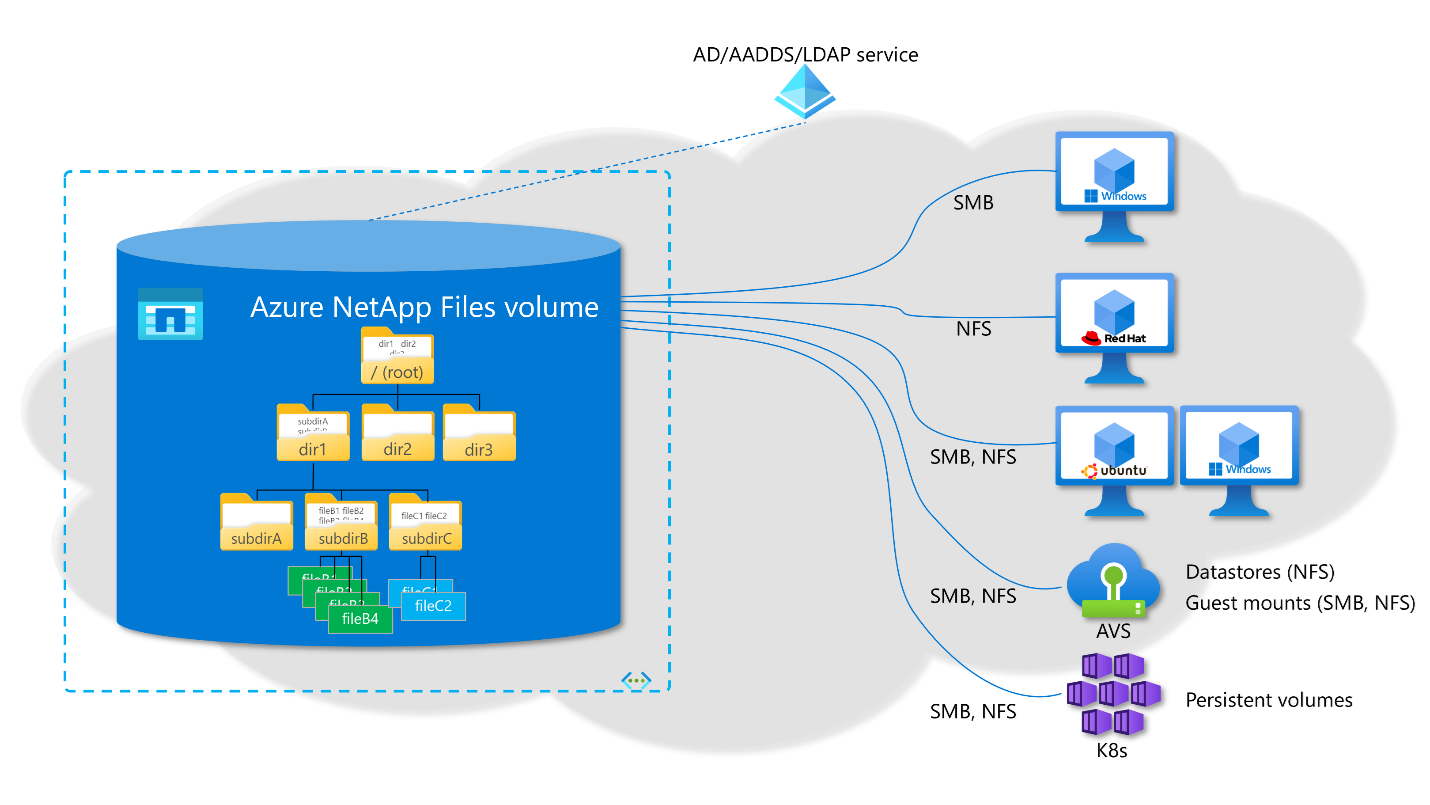
The Azure NetApp Files volume is presented to Azure virtual machine (VM) instances and other VMs as network drives containing files and folders just like a local drive but connected through a file protocol. Drive formatting is therefore not required, and when mounted is immediately ready for use.
The conversation between the NAS client and the Azure NetApp Files NAS service happens in five basic steps:
- A client requests access to a NAS share in Azure NetApp Files using either SMB or NFS.
- Azure NetApp Files receives this request and checks the access controls to verify if the client is allowed to access the NAS share.
- Once the share-level access has been verified successfully, the client attempts to populate the NAS share’s contents using a basic read/listing.
- Azure NetApp Files checks file-level permissions. If the user attempting access to the share doesn't have the proper permissions, access is denied even if the share-level permissions allowed access.
- Azure NetApp Files configuration handles share permission controls. File and folder permissions are always controlled from the NAS clients accessing the shares by the NAS administrator.
NAS use cases
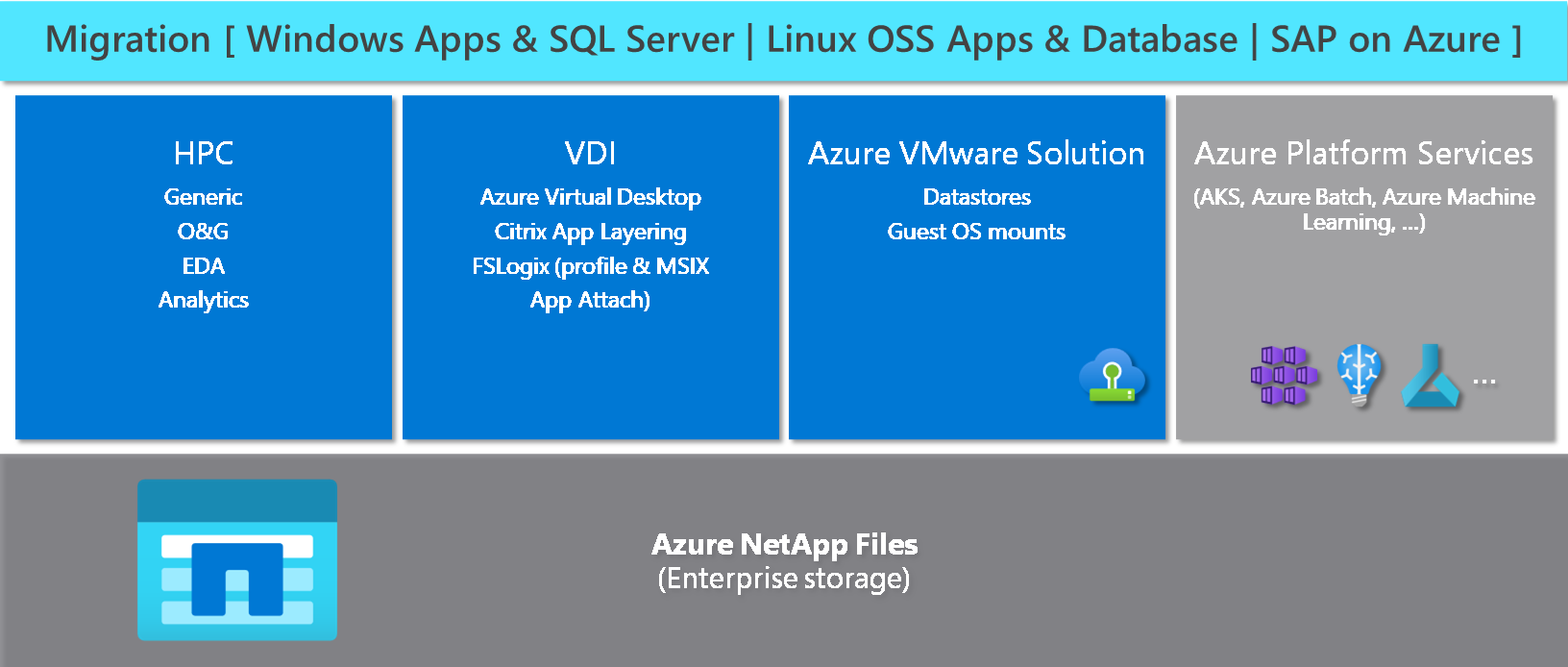
NAS is a common protocol across industries including oil and gas, high performance computing (HPC), media and entertainment, electronic design automation (EDA), financial services, healthcare, genomics, manufacturing, higher education, and many others. Workloads can vary from simple file shares and home directories to applications with thousands of cores pushing operations to a single share, or more modernized application stacks, such as Kubernetes, container deployments, or AI/ML.