Regional capacity quota for Azure NetApp Files
Learn about regional capacity quota of Azure NetApp Files.
Regional capacity quota
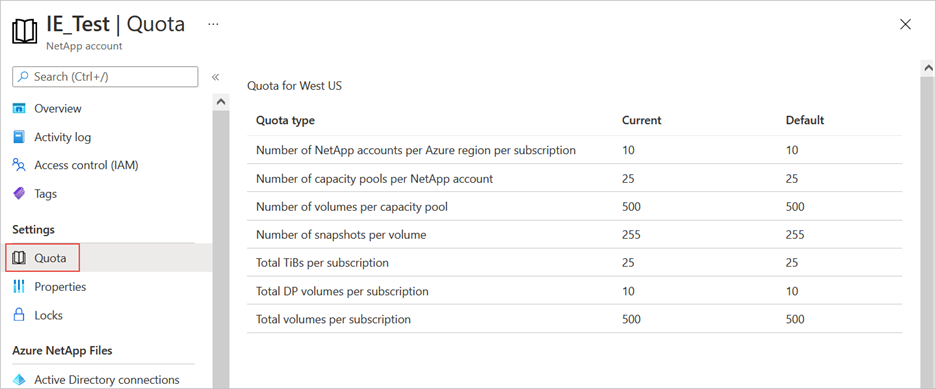
In the Azure portal, select Quota to display the current and default quota sizes for the region.
Request regional capacity quota increase
You can submit a support request to increase regional capacity quota without incurring extra cost. The support request is sent to the Azure capacity management team for processing. A response typically arrives within two business days; you might hear from the Azure capacity management team if your request is large.
A regional capacity quota increase doesn't incur a billing increase. Billing is still based on the provisioned capacity pools. For example, if you currently have 25 TiB of provisioned capacity, you can request an increase to 35 TiB. Within two business days, your quota increase is applied to the requested region. When the quota increase is applied, you still pay for only the current provisioned capacity (25 TiB). But when you actually provision the additional 10 TiB, you will be billed for 35 TiB.