Performance benchmark test recommendations for Azure NetApp Files
You should test performance with a variety of workload patterns to simulate real-world scenarios. This section provides information about testing and recommendations based on those tests.
Azure NetApp Files volume sizing
Ensure that you choose the correct service level and volume quota size for the expected performance level.
Virtual network recommendations
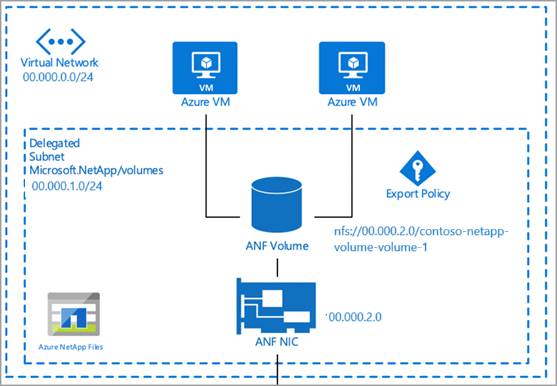
You should perform the benchmark testing in the same virtual network (VNet) as Azure NetApp Files. The example below demonstrates the recommendation:
Performance benchmarking tools
Let’s look at tools for performance benchmarking.
| Tool | Description |
|---|---|
| SQL Storage Benchmark (SSB) | SQL Storage Benchmark (SSB) is an open-source benchmark tool written in Python. It is designed to generate a "real-world" workload that emulates database interaction in such a way to measure the performance of the storage subsystem. SSB aims to allow organizations and individuals to measure the performance of their storage subsystem under the stress of an SQL database workload. |
| Flexible I/O Tester (FIO) | FIO is a free and open-source disk I/O tool used both for benchmark and stress/hardware verification. FIO is available in binary format for both Linux and Windows. |
Volume metrics
Azure NetApp Files performance data is available through Azure Monitor counters. You can view historical data for the following information:
- Average read latency
- Average write latency
- Read IOPS (average)
- Write IOPS (average)
- Volume logical size (average)
- Volume snapshot size (average)
The counters are available using the Azure portal and REST API GET requests.
Azure Monitor
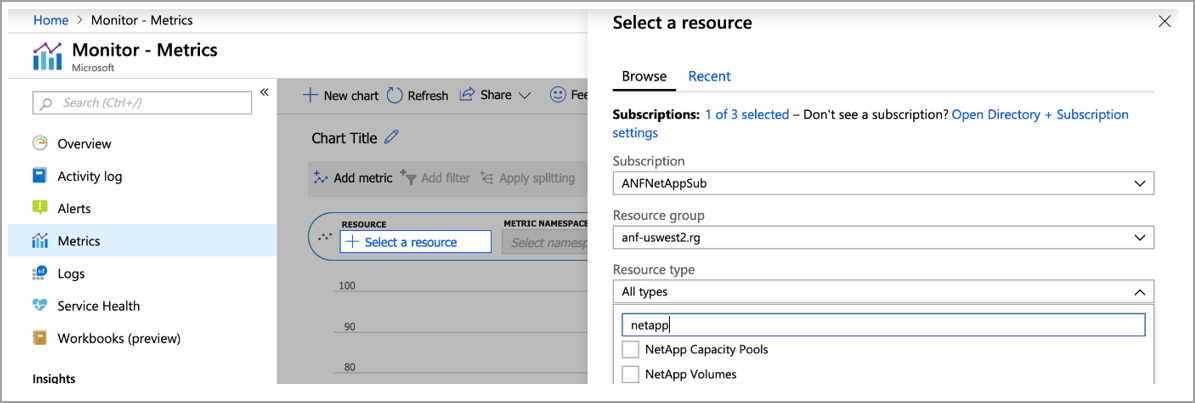
You can access Azure NetApp Files counters on a per-volume basis from the Metrics page.
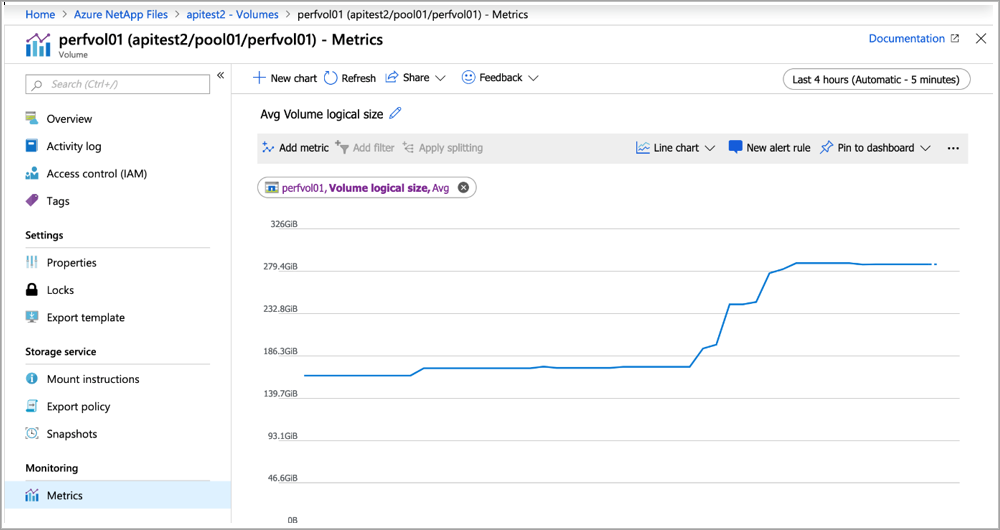
You can also create a dashboard in Azure Monitor for Azure NetApp Files by going to the Metrics page, filtering for NetApp, and specifying the volume counters of interest.