Note
Access to this page requires authorization. You can try signing in or changing directories.
Access to this page requires authorization. You can try changing directories.
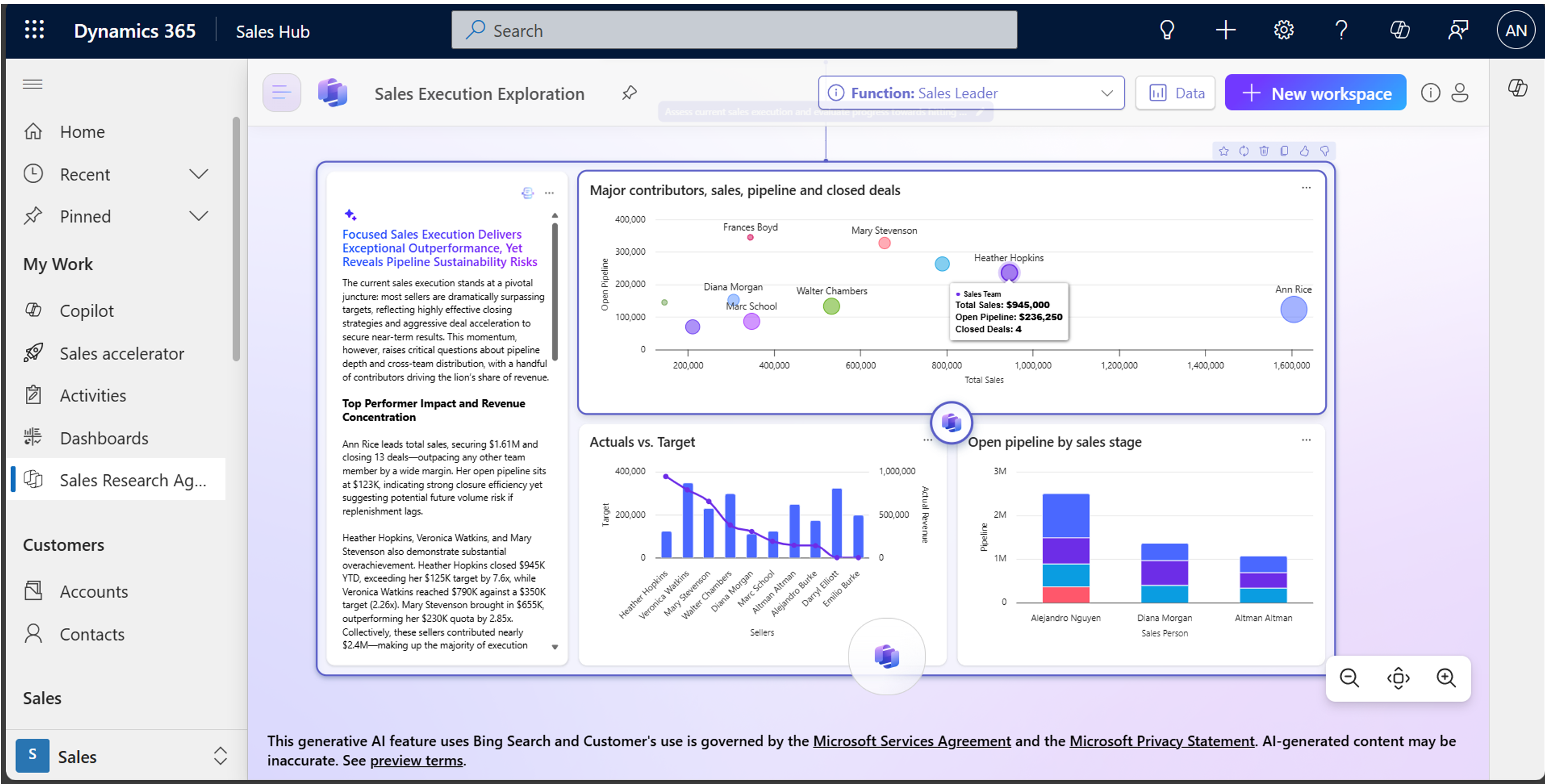
The Sales Research Agent in Dynamics 365 Sales empowers you to solve complex business questions through a dialog with your data using natural language. This AI-powered research canvas offers rich insights into all aspects of your sales data, empowering you to make informed decisions taking a myriad of variables into account. You can provide general and business context to the agent to improve the relevance and consistency of the content generated. Learn more in Provide context to enhance the Sales Research Agent.
Use the agent to:
- Get insights from your Dynamics 365 Sales data and offline files (CSV, Excel, or PDF) to help you make informed decisions. The agent specializes in answering strategic business questions in areas such as pipeline exploration and sales operations.
- Leverage the research blueprint that includes a summary of the agent's research, key findings, and suggested next steps that are based on the business context and data you provide.
- Interact with the research findings using natural language. Ask follow-up questions, change visualizations, and add more data to your research.
How the agent works
The Sales Research Agent connects to your Dynamics 365 Sales data by default. You can connect it to other data sources such as other Dataverse environments or Fabric Lakehouse, or upload Excel, CSV, or PDF files to further enrich the basis of your explorations. Learn more in Connect the agent to a different data source.
When you ask the agent a question using one of the starter prompts or in natural language, the agent responds by generating a research blueprint containing data visualizations with a text-based overview. Ask follow-up questions, change visualizations, and add more data to your research. Learn more in Analyze your sales performance using the Sales Research Agent.
The agent uses the context you provide and the data it has access to in order to generate insights. The more context you provide, the better the insights will be. You can provide either general context about your business or create specific business functions to tailor the agent's output to specific use cases. Learn more in Provide context to enhance the Sales Research Agent.
Show work on the research blueprint explains how the agent arrived at its conclusions, including what data it used and, the steps it took to analyze the data. Learn more in Start your research journey.
How to set up and use the agent
Depending on your role, use the following links to learn about configuring and using the Sales Research Agent:
| Role(s) | Which app to use? | Link to documentation |
|---|---|---|
| System administrators, makers | Power Platform admin center | Set up and configure Sales Research Agent |
| Sellers and Sales managers | Sales Hub app | Analyze your sales performance using the Sales Research Agent Connect the agent to a different data source Provide context to enhance the Sales Research Agent Connect Sales Research Agent to Microsoft Fabric Lakehouse |
Legal and regulatory considerations
Organizations need to evaluate potential specific legal and regulatory obligations when using the Sales Research Agent. Sales Research Agent is not designed for social scoring and must be used in accordance with the Microsoft Product Terms and Generative AI Code of Conduct. The Sales Research Agent may use Microsoft Bing Search for its responses, but only based on the content of the prompt the user submits, and only if the Bing search consent setting is enabled. When this setting is disabled, the agent operates solely on internal data sources the user is already permitted to access. Your use of Bing is governed by the Microsoft Services Agreement and the Microsoft Privacy Statement.
Related information
Frequently asked questions about Sales Research Agent
Responsible AI FAQ about the Sales Research Agent