Note
Access to this page requires authorization. You can try signing in or changing directories.
Access to this page requires authorization. You can try changing directories.
| Enabled for | Public preview | General availability |
|---|---|---|
| Users by admins, makers, or analysts | - |  Feb 28, 2026
 |
Business value
Custom instructions help Copilot deliver consistent, on‑brand, and preference‑aligned responses without requiring users to restate context. Organizations can define how Copilot should behave including tone, depth, format, and constraints to improve response quality, user satisfaction, and trust.
Feature details
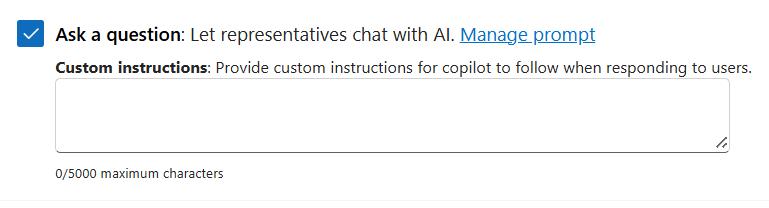
Custom instructions let organizations define persistent preferences that guide how Copilot responds in Ask a question. Instead of providing the same guidance in every prompt, customers can specify upfront how they want Copilot to behave across conversations.
Instruction types can include:
- Preferred tone (for example, concise, formal, or conversational)
- Level of detail (summary versus in-depth analysis)
- Formatting preferences (bulleted lists, tables, or structured sections)
- Role or context for Copilot to assume (for example, a customer service representative)
- Constraints to follow (such as avoiding jargon or asking follow-up questions when input is unclear)
How it works
After you save custom instructions, Copilot automatically applies them to future interactions. Copilot uses these instructions as a guiding layer when generating responses, helping ensure consistent behavior while still adapting to each prompt.
Geographic areas
Visit the Explore Feature Geography report for Microsoft Azure areas where this feature is planned or available.
Language availability
Visit the Explore Feature Language report for information on this feature's availability.