Note
Access to this page requires authorization. You can try signing in or changing directories.
Access to this page requires authorization. You can try changing directories.
As an administrator or a supervisor, you can export and import visual customization of analytics reports between different organizations in Dynamics 365. This capability eliminates the need to manually recreate customizations in each organization. You can export visual customizations from your current organization and import published visual customizations into another organization.
You can:
- Move visual customizations from development to production without manual rework.
- Maintain version control offline.
- Download and store report versions for audit, rollback, and historical tracking.
Note
- Export and import support: The export or import APIs support published visual customizations only. You can't export or import draft customizations.
- Version compatibility: You can import an older report into a newer organization version. Importing a newer report into an older organization version might not work.
- Power BI file access: You can't access Power BI files directly. You can only manage entity records.
You can export and import visual customizations for the following dashboards:
- Customer Service historical analytics
- Omnichannel historical analytics
- Omnichannel real-time analytics
- Real-time analytics for record routing
Prerequisites
- You have the Analytics Report Author role. Learn more in Assign roles to users. Users with the System Administrator role already have the permissions by default.
- The target organization needs to enable the out-of-the-box feature. If not, the import might fail.
Make sure that the target organization is at the same or a higher version than the source. This requirement guarantees that all metrics and columns used in visual customizations exist in the target environment, allowing imported customizations to render correctly.
Export or import report visuals from the dashboard
Select Edit on a report, to view the Export and Import options.

When you select Export, you see the Export a dashboard customization dialog. Select Download export to download your current published dashboard as a file that can be imported.

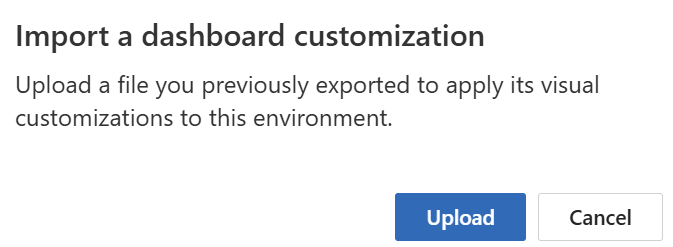
When you select Import, you see the Import a dashboard customization dialog. Select Upload to upload the file from which you want to apply visual customizations.
Export or import report visuals through APIs
You can export and import report visuals using API to automate workflows, integrate with external systems, and manage large-scale customizations without manual effort.
Export API
The Export API allows users to extract report content from a source organization.
API Endpoint:
POST /api/data/v9.0/msdyn_ExportVisualCustomReport

Payload Example:

{
  "msdyn_datainsightsandanalyticsfeatureid": "<GUID>"
}
Response: You receive a bodybinary value, which is a base 64-encoded string representing the report.
Import API
The Import API enables users to apply the exported content to one or more target organizations.
API Endpoint:
POST /api/data/v9.0/msdyn_ImportVisualCustomReport

Payload Example:

{
  "msdyn_datainsightsandanalyticsfeatureid": "<GUID>",
  "bodybinary": "<base64 string from export>"
}
Existing customizations are replaced. If not, a new report record is created and bound to the out-of-box report.
Feature IDs for common analytics reports
| Analytics report | Feature ID | Pages included |
|---|---|---|
| Customer Service Manager | 8fef4d92-fba9-ea1.1-a81c-000d3a6ce6ca | Summary, Agent, Topics |
| Copilot | 435b99cc-ec86-4b26-a2d2-ec7f1334e99 | Copilot |
| Omnichannel | c7cb0a2e-38d2-ea11-a813-000d3a8ab15e | Conversation, Queue, Agent, Bot, Topics |
| Omnichannel Voice | 91174517-fd95-4541-bca5-eeed468c0ec6 | Voice |
| Omnichannel Voicemail | 6eabc4dc-680f-40eb-a7bb-47eb93779ca2 | Voicemail |
| Omnichannel Bot | e6ae9ba0-7784-4646-9fff-0dfdf97b9737 | Summary, Bot |
| Omnichannel Real-Time | e67a1ada-6c62-4b45-b758-0b246f32c1a5 | Summary, Ongoing Conversation, Agent, Voice |
| Real-Time Persist Chat | 7459d485-4cba-47b1-a230-d7668e80a5f9 | Backlog conversation |
| Real-Time Bot | 2ebd21bc-94a3-433c-b76a-dea95f161d3d | Bot |
| Record Routing Real-Time | 7c2946dd-7694-4587-8c67-a3c8849278e9 | Summary, Queue, Ongoing Work items, Agent, Backlog Work items |