Note
Access to this page requires authorization. You can try signing in or changing directories.
Access to this page requires authorization. You can try changing directories.
This article explains how to use the Microsoft Purview Information Protection policy and security settings inside the Edge management service to ensure that Office documents are kept secure inside your organization with Microsoft Edge for Business.
About the use of Microsoft Purview Information Protection
Microsoft Purview Information Protection enables data loss prevention (DLP) controls in Microsoft 365 documents by limiting or preventing certain actions on documents with specific sensitivity levels. After a sensitivity label is applied to a document, an admin can prevent actions such as editing, printing, copying/pasting, taking screenshots, and more. This functionality, previously only available in Microsoft 365 desktop applications, is extended to online Office documents and Outlook on the web via Microsoft Edge to help protect sensitive information.
When administrators enable Microsoft Purview Information Protection in the Edge management service, the policy enforces secure enterprise browser access for Microsoft Word, Excel, PowerPoint, and Outlook on the web. Outlook on the web is supported starting in Microsoft Edge version 147. This helps ensure that sensitivity labels and rights management restrictions remain enforced, preventing users from bypassing these protections by opening labeled or restricted content in browsers that don’t support Microsoft Purview Information Protection.
Note
Policies should be scoped at the user identity level. When you assign a policy to a user, it automatically applies to that user’s account and all associated devices.
Turning on Microsoft Purview Information Protection
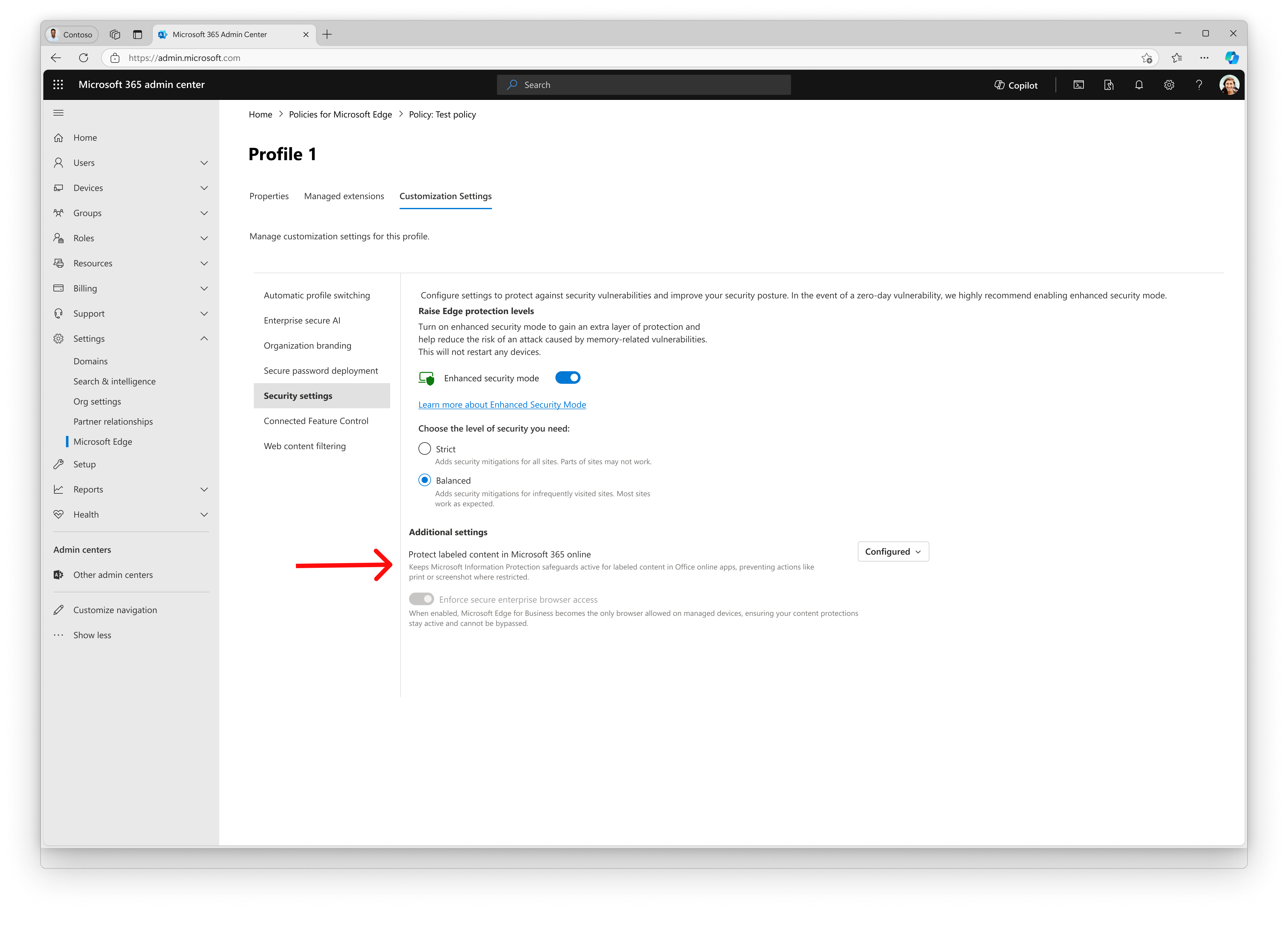
How to enable the Microsoft Purview Information Protection setting inside a policy
To enable this setting in the Edge management service, navigate within a configuration policy to the Customization Settings tab. From there, navigate to the Security settings page.If you would like to turn on this setting, check the box that is labeled "Protect labeled content in Microsoft 365 online" and then select "Save changes. For users assigned to this configuration policy, Microsoft 365 online will now be able to access labels managed by Microsoft Purview Information Protection.
Starting with Microsoft Edge 142, enforcing secure enterprise browser access is a requirement to retain Microsoft Purview Information Protection (MIP) functionality. Support for Outlook on the web requires Microsoft Edge version 147 or later. If this setting is not enabled, MIP, including screenshot blocking for Office Online files, will not be available for your tenant. This change ensures that MIP protections are enforced only through Microsoft Edge for Business. And served to keep your data secure by preventing users from trying to avoid sensitivity labels through other browsers.