Note
Access to this page requires authorization. You can try signing in or changing directories.
Access to this page requires authorization. You can try changing directories.
Note
These preview recommendations are going to be deprecated on April 13, 2026. Deprecation of preview of container and container images vulnerability recommendations
Note
This page describes the new risk-based approach to vulnerability management in Defender for Cloud. Defender for CSPM customers should use this method. To use the classic secure score approach, see View and remediate vulnerabilities for registry images (Secure Score).
Defender for Cloud offers you the capability to remediate vulnerabilities in container images while they're still stored in the registry. Additionally, it conducts contextual analysis of the vulnerabilities in your environment, aiding in prioritizing remediation efforts based on the risk level associated with each vulnerability.
Microsoft Defender for Cloud performs vulnerability assessment for container images and running containers across supported environments. Findings are surfaced as individual security recommendations in Defender for Cloud, generated based on the cloud provider, resource type (container registries or running containers), and the enabled Defender plans. Rather than relying on a fixed set of recommendations, Defender for Cloud dynamically evaluates container workloads and images and presents the relevant recommendations in the Recommendations experience, where they can be filtered and prioritized based on risk and scope. This approach ensures that vulnerability assessment results remain accurate and up to date as new environments, threats, and capabilities are introduced.
In this article, we review the Container images in Azure registry should have vulnerability findings resolved recommendation. For the other supported environments, see the parallel recommendations in Vulnerability assessments for supported environments.
View vulnerabilities on a specific container image
Sign in to the Azure portal.
Go to Microsoft Defender for Cloud > Recommendations.
Search for the recommendation Container images in Azure registry should have vulnerability findings resolved.
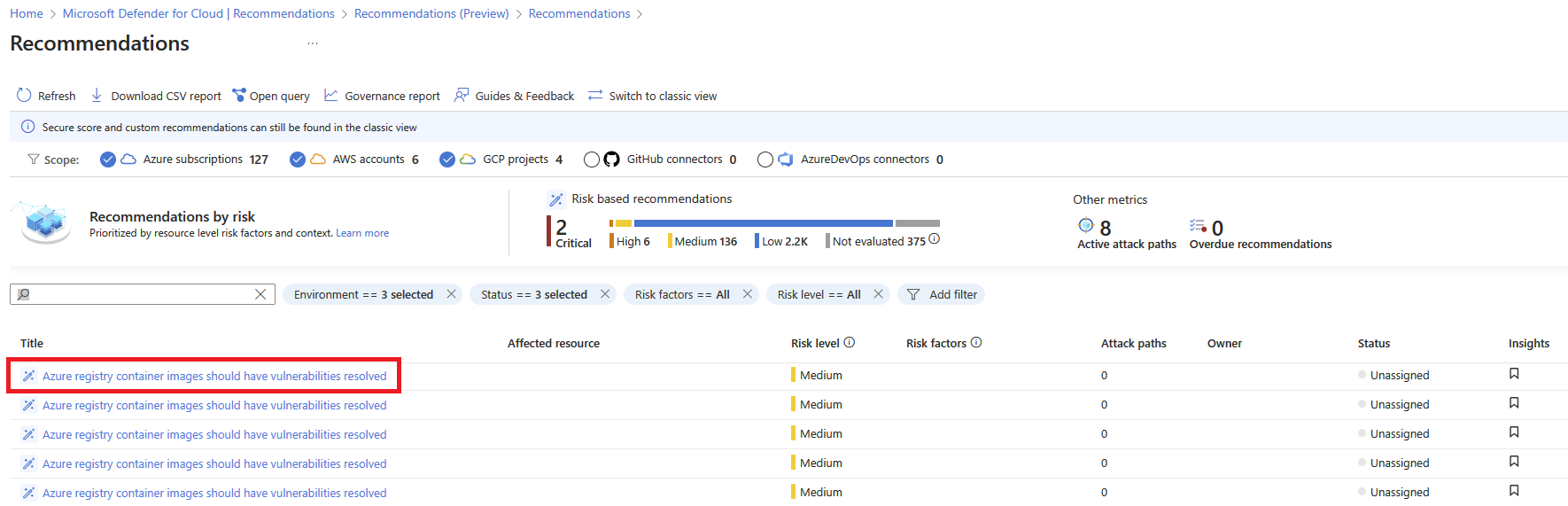
Select the recommendation.
Review the recommendation details.
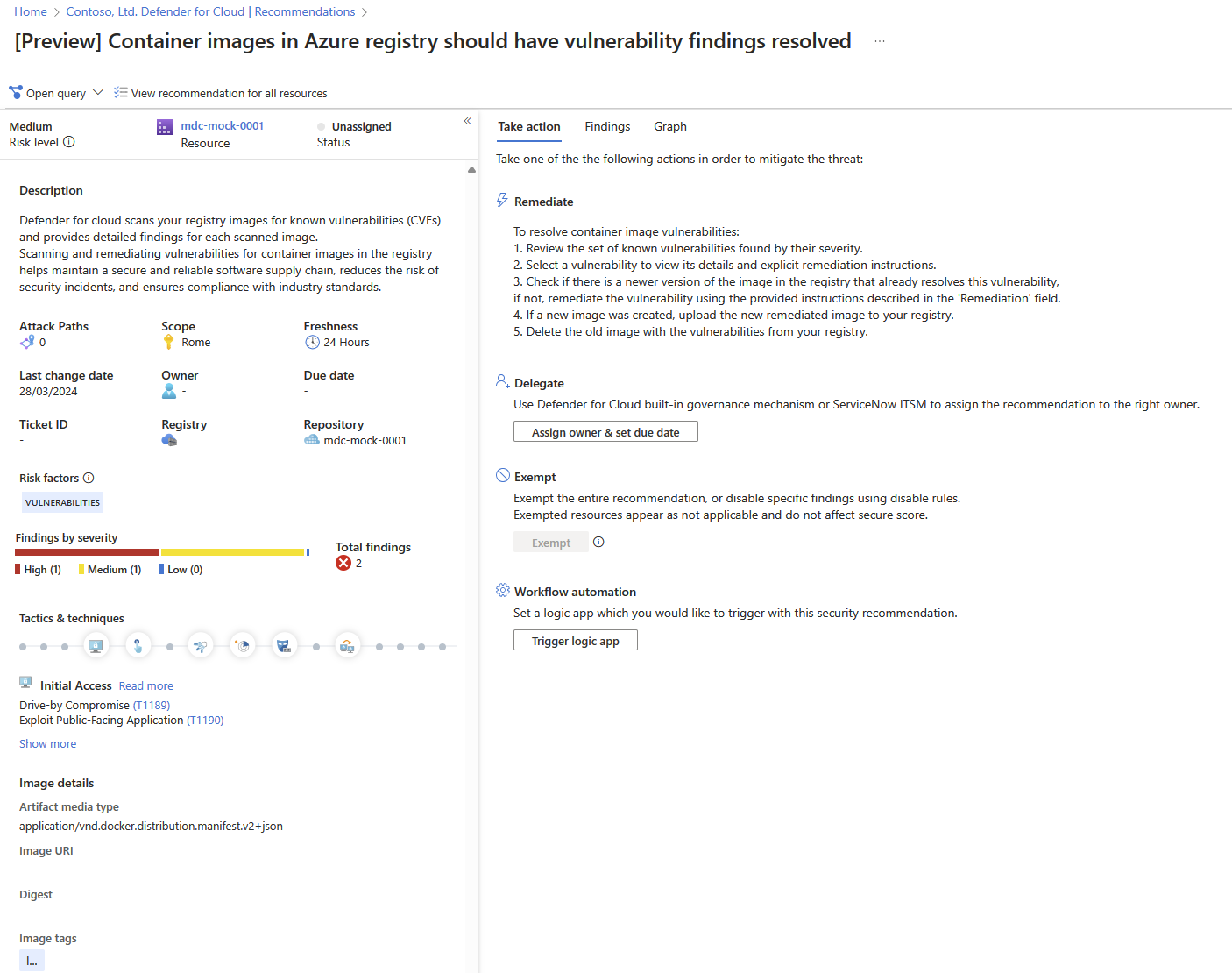
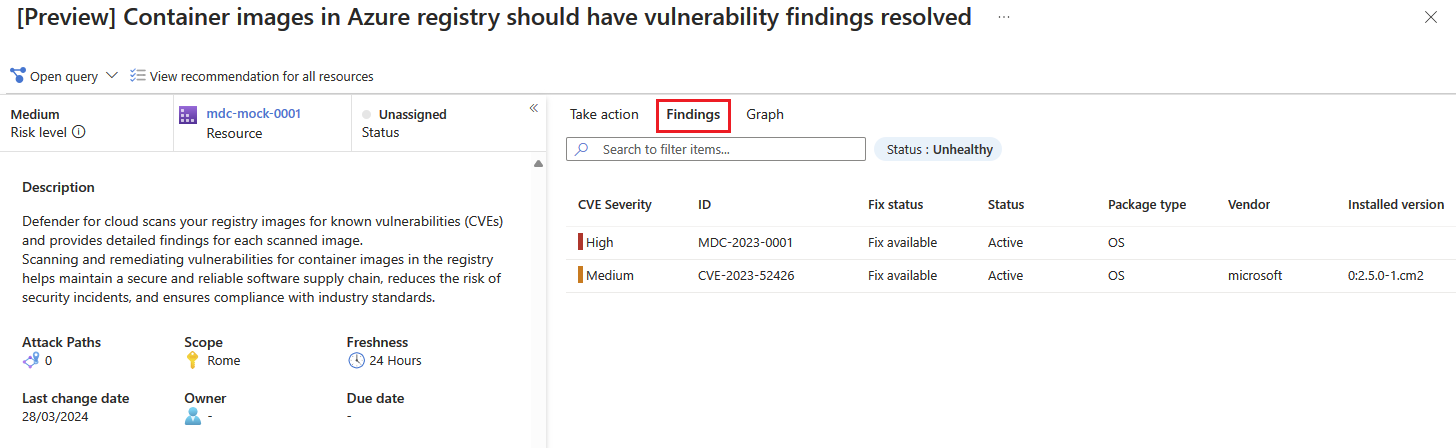
Select the Findings tab to see the list of vulnerabilities impacting the registry image.
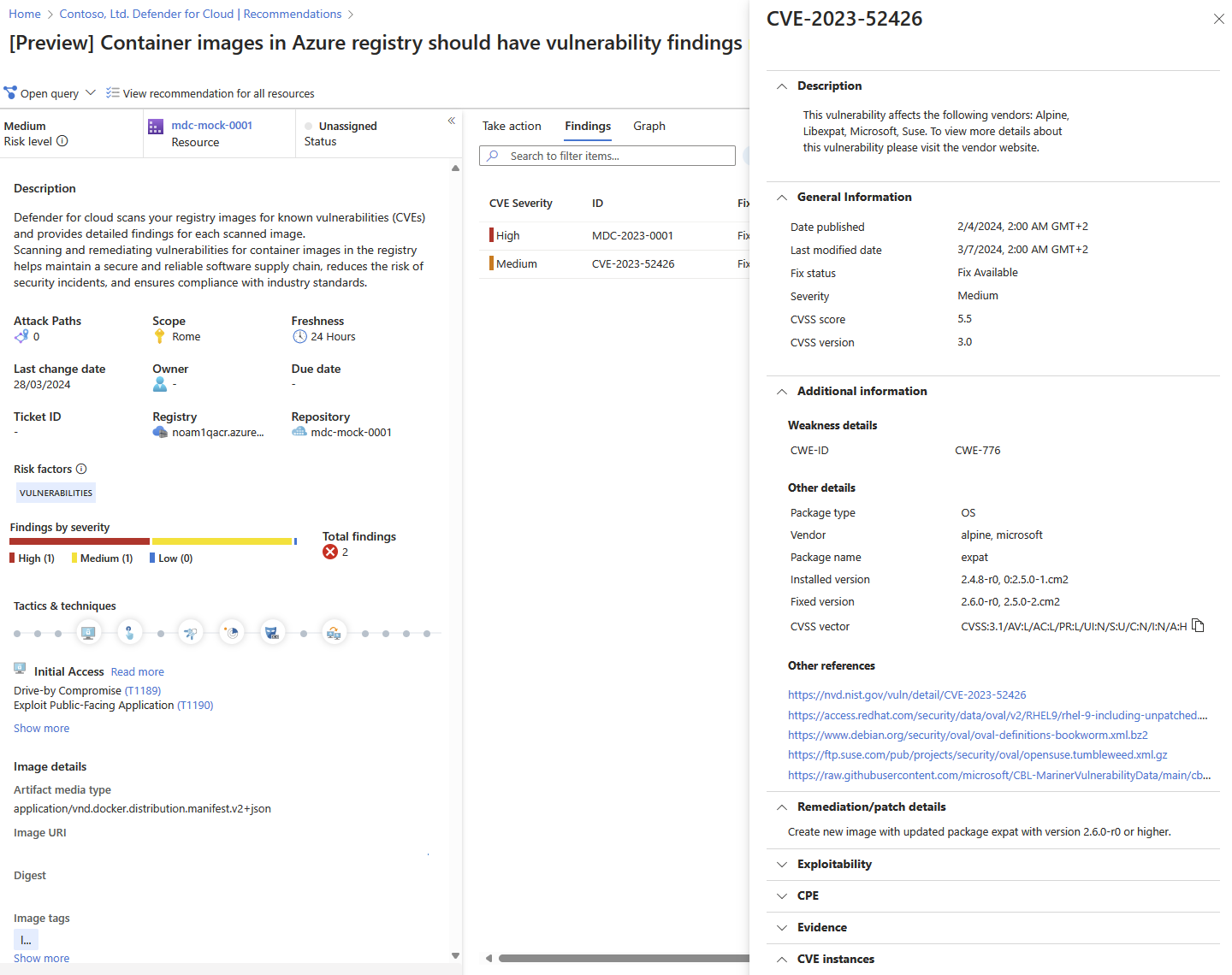
Select each vulnerability for a detailed description of the vulnerability.
To find all images impacted by a specific vulnerability, see Group recommendations by title.
For information on how to remediate the vulnerabilities, see Remediate recommendations.