Note
Access to this page requires authorization. You can try signing in or changing directories.
Access to this page requires authorization. You can try changing directories.
This article explains how the drift detection framework identifies configuration deviations, improves troubleshooting, and helps reduce configuration-related issues in your Azure Local environment.
Overview
Drift detection ensures Azure Local component states align with the Validated Solution Recipe (VSR). It compares installed component metadata with supported versions during regular update checks to identify configuration or version mismatches by continuously monitoring the system’s current state against a known‑good configuration. This process helps improve reliability, simplifies troubleshooting, and reduces configuration‑related issues.
Azure Local uses a validated baseline (derived from the approved software bill of materials) as the source of truth and compares it against the component versions you installed on the system. The framework identifies any deviation from this baseline as drift, indicating that a component no longer aligns with the supported configuration.
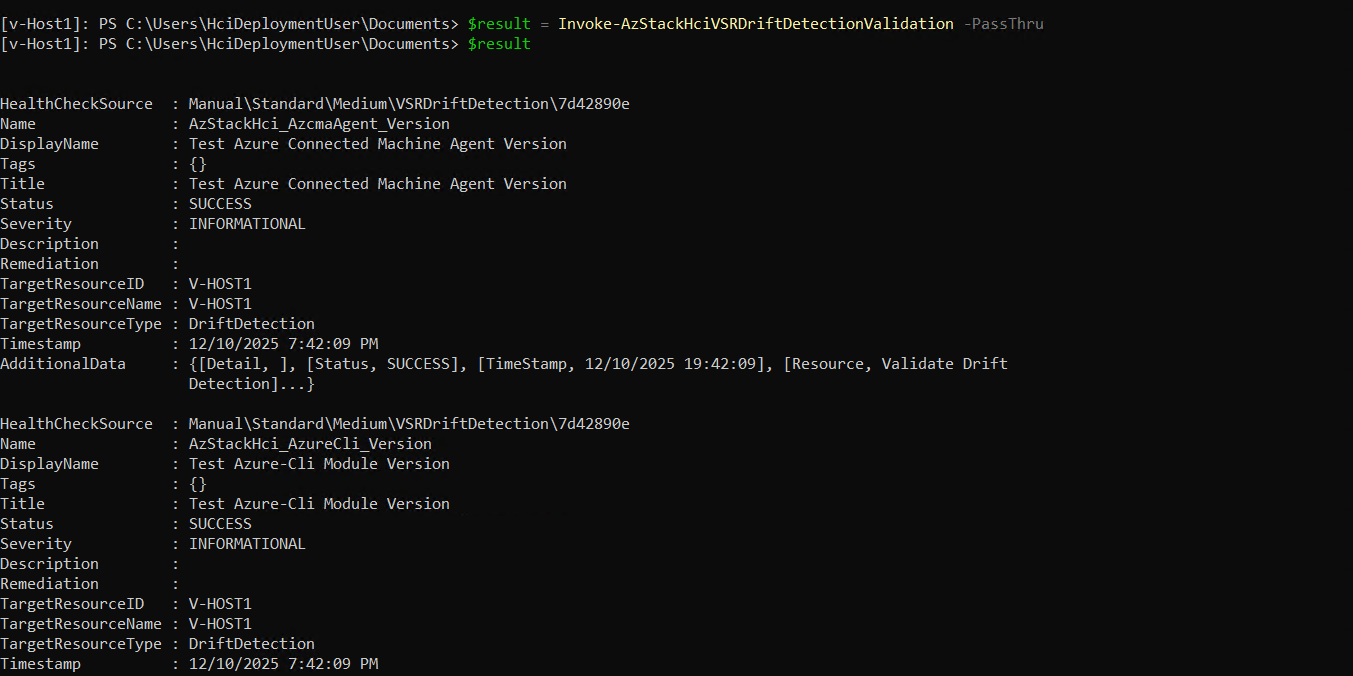
Currently, administrators can manually trigger validation by using the Invoke-AzStackHciVSRDriftDetectionValidation cmdlet to generate detailed drift reports for build components.
When drift detection runs
Azure Local performs drift detection at multiple points in its lifecycle to ensure that it detects issues as early as possible.
Before the cluster is created: Drift detection runs as part of operating system (OS) image recipe validation.
After the cluster is running: Drift detection runs continuously through the health checker framework, and validation runs at the start of an update.
What drift detection checks
Drift detection validates a prioritized set of components that are critical to Azure Local operations. Currently, the system surfaces drift findings as Informational alerts and provides manual remediation recommendations for Azure Command-Line Interface (CLI) and PowerShell modules.
The following table lists the components that drift detection validates and the available remediation options:
| Supported Components | Type of Drifts | Remediation |
|---|---|---|
| Azure PowerShell modules | Informational | Manual remediation; recommendation provided |
| Azure Arc agent | Informational | Manual remediation; recommendation provided |
| Azure CLI extensions | Informational | Manual remediation; recommendation provided |
| Azure CLI | Informational | Manual remediation; recommendation provided |
Note
Review drift findings before updates or node operations, and follow the recommended remediation guidance.
Manual validation
To manually validate drift and generate a detailed report of configuration deviations, use the Invoke-AzStackHciVSRDriftDetectionValidation cmdlet.
Here's an example output: