Note
Access to this page requires authorization. You can try signing in or changing directories.
Access to this page requires authorization. You can try changing directories.
Question
Tuesday, July 31, 2018 12:40 PM
Hello
a brief request for a best practices.
In the case of the problem, we use W2016 std with Workfolders, the Clients are W7 or W10 Prof. with Workfolders and Outlook 2010 or 2016.
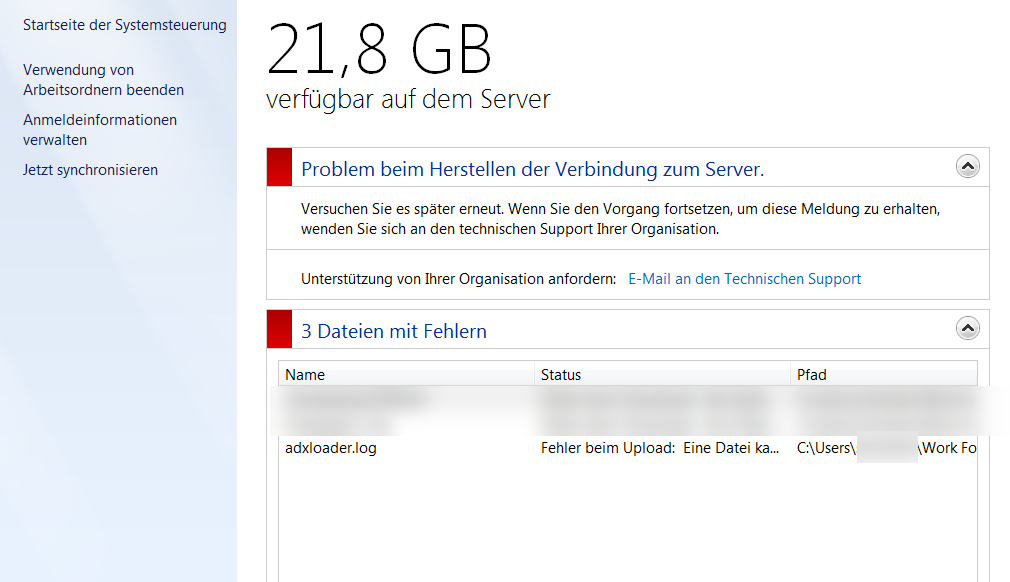
Outlook always writes the adxloader.log to the directory structure that is in sync with Workfolders. As a result, there are constant problems with failed synchronization.
My question would be:
Is it possible to maintain an exclude list with the Workfolder so that the adxloader.log is not included? (preferred variant, because also usable for other similar cases)
Or should you routing the path of the adxloader.log? (would be suboptimal for me because it would bend something in the MS Office and might not be update safe.
Who could give me a hint?
Thanks for all.
Danke und liebe Grüße Oliver Richter
All replies (3)
Wednesday, August 1, 2018 4:06 AM ✅Answered
The Work Folders sync exclusion list is hard coded and cannot be modified. I recommend storing the log file outside of the Work Folders sync directory.
Wednesday, August 1, 2018 2:49 AM
Hi Oliver,
Based on my understanding of Work Folders, all the files/folders in Work Folders location would be synchronized automatically/manually. Personally, I'm afraid we couldnot directly exclude this in workfolder.
You may consider to routing the path of the adxloader.log.
And of course, you could also consult the workfolder Team mentioned in the thread https://social.technet.microsoft.com/Forums/windowsserver/en-US/01269b82-4f70-43ea-8a60-b12df030830a/issues-with-work-folders-after-1803-upgrade?forum=winserverfiles
Best Regards,
Mary
Please remember to mark the replies as answers if they help.
If you have feedback for TechNet Subscriber Support, contact [email protected].
Thursday, August 2, 2018 7:43 AM
Thanks @Jeff Patterson
Danke und liebe Grüße Oliver Richter