Note
Access to this page requires authorization. You can try signing in or changing directories.
Access to this page requires authorization. You can try changing directories.
Question
Monday, November 4, 2013 3:24 PM
Hi.
We are running on Exchange 2010 with Outlook 2007, 2010 and 2013 connected. Almost all clients experience the below strange behavior, a single user didn't experience it, that's how we found out that there was a problem.
A specific message (actually an autoreply from an external sender) is send to a mailbox that everyone has full access to and that they open along with their own mailbox. But not all users can see this mesage I am told.
I test it by logging on to the shared mailbox (OWA) and confirm that the message is there. I log on to a different users mailbox from an Outlook 2013 client and access the shared mailbox. I cannot see the message here. I play around a bit with the sorting and grouping and then suddenly I can see the message. Then I access another users mailbox this time from the users own computer with Outlook 2007 installed and Again the message is not seen in the shared mailbox. I then Again play around with view and sorting and then suddenly it's there.
I conclude that it must have something to do with the type of the message as the message has a small yellow envelope symbol on it, almost similar to the old "unread message" symbol. In the below screeshot the message text has been removed by me and my paint skills ;) The symbol is the one marked in the red square.
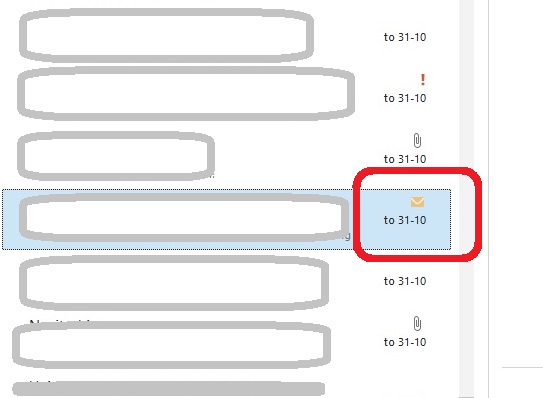
Can anyone tell me what that symbol means and if it could have anything to do with the fact that the message is not immediately viewable for the users?
Best
Thomas
Denmark
All replies (5)
Wednesday, November 6, 2013 2:39 PM ✅Answered
Hi Steve and thanks for your reply.
Yes it is from Outlook 2013. The envelope is also there in the other versions. I've tested if other autoreplies shows the same"envelope" but they don't. Also the same sender has previously auto-replied and those replies don't hve the envelope icon on 'em.
The users are satisfid with the solution/workaround I explained to them (don't sort by type) so I will not probably not do more troubleshooting for now. Only if it starts being more common will I dig further.
Thanks for your help and time so far.
Best
Thomas
Wednesday, November 6, 2013 9:41 AM
Hi,
Is the image above a screenshot from Outlook 2013?
In Outlook 2010, the envelope icon means Unread Message, but in Outlook 2013, we use Blue Bar instead of unread envelope icon.
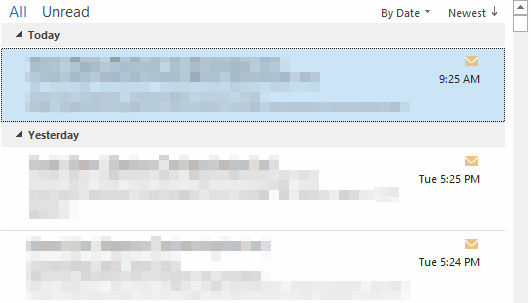
In my Outlook 2013, I can only see the envelope icon in the Conversation History folder which is used to store the conversation from Lync 2013. See the screenshot below:
Which email client does the external sender use? Have you tested this issue with another email account which is using Automatic Replies? Please test it and check if you will get the envelope icon.
In addition, could you please tell what view and sort items did you set to see the email?
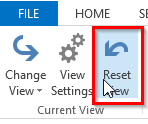
Meanwhile, please try to click Reset View button and check if you can see the email without setting other view and sorting items.
Best Regards,
Steve Fan
TechNet Community Support
Thursday, November 7, 2013 11:37 AM
Hi Thomas,
I'm glad to hear the users accept the workaround.
And thank you for taking time to test and sharing your experience here. It will be helpful to other community members who have similar issue. If you need further support, please feel free to post back. I will be happy to help.
Cheers,
Steve Fan
TechNet Community Support
Thursday, November 27, 2014 5:43 AM
So what does this yellow envelop icon mean anyway? I've got an email with it on my outlook 2013 client. The email was an auto reply as well
Thursday, November 27, 2014 8:01 AM
Sorry but I never did find an answer to that.