Note
Access to this page requires authorization. You can try signing in or changing directories.
Access to this page requires authorization. You can try changing directories.
Question
Wednesday, September 20, 2017 7:28 PM
Hi,
Before I start, I have no knowledge in how to deal with arrays and decryption stuff which makes it complicated for me .
I have an encrypted file fill with raw binary data I guess, the problem is I can't figure out what is it and how can I decompile it,
here is the file take a look at it .
I know this is short too be a thread because I don't have enough information,
What I'm asking is what is this binary, type, how to encrypt/decrypt it, or some good information about this type of binaries .
Any help is appreciated.
All replies (10)
Wednesday, September 20, 2017 11:38 PM
.
I have an encrypted file fill with raw binary data I guess, the problem is I can't figure out what is it and how can I decompile it,
What I'm asking is what is this binary, type, how to encrypt/decrypt it, or some good information about this type of binaries .
The whole point of encrypting a file is to prevent unauthorized access
to the file's contents. To decrypt it a specific key or password is
needed, as well as knowledge of the encryption algorithm used. You can't
just look at an encrypted file's binary contents and be able to tell
what it contains.
- Wayne
Thursday, September 21, 2017 10:45 AM
The whole point of encrypting a file is to prevent unauthorized access
to the file's contents. To decrypt it a specific key or password is
needed, as well as knowledge of the encryption algorithm used. You can't
just look at an encrypted file's binary contents and be able to tell
what it contains.
- Wayne
I've been told that this isn't even encrypted, this is a raw binary data and I have no Idea about the format of the data,
Thursday, September 21, 2017 11:45 AM
I've been told that this isn't even encrypted, this is a raw binary data and I have no Idea about the format of the data,
Arbitrary "binary" (non-textual) data is just as unintelligible to
human readers as is encrypted data. Such files typically have their
own - often proprietary - formats. Without having so much as a clue
to what the file *might* contain - its origin, usage, etc. - it's
virtually impossible to tell what such a file contains.
Even code-breakers have a known target - a particular natural language
used by a select group of individuals within a defined context. To
pluck a bunch of unintelligible characters out of nowhere - without
any contextual constraints - and hope to be able to interpret the
data is unrealistic.
If there are no fragments of intelligible (readable) data in the file,
then there isn't much likelihood that anyone can discern its origin,
usage or contents. Unless the presence of recurring, familiar patterns
in the data are recognizable to someone who has seen them before.
Note that a file extension of .bin is often arbitrarily used by
programmers for "binary" files. It also has some commonly known
uses. See:
http://fileformats.archiveteam.org/wiki/Category:File_formats_with_extension_.bin
Also see:
http://www.forensicswiki.org/wiki/File_Format_Identification
- Wayne
Thursday, September 21, 2017 11:59 AM
As a footnote to my prior comments, the file name "Honor_price_table.bin"
appears to be associated with a video game. Why do want to know its
format and contents? Are you trying to program a game crack?
- Wayne
Thursday, September 21, 2017 11:50 PM
As a footnote to my prior comments, the file name "Honor_price_table.bin"
appears to be associated with a video game. Why do want to know its
format and contents? Are you trying to program a game crack?
- Wayne
Its an old-closed video game and I have the server files of it, built in C++ which makes it impossible to rebuild and discover, well I just want to edit the extra things like items in the game, etc. these are not important stuff and won't cause any harm .
Friday, September 22, 2017 3:52 AM
Yup. When I look at the file content length, it occurs to me that the file content is not likely to be encrypted one (at least not be any of the "secure" modern algorithm) because the length end with 5 in Hex.
Friday, September 22, 2017 6:07 PM
Yup. When I look at the file content length, it occurs to me that the file content is not likely to be encrypted one (at least not be any of the "secure" modern algorithm) because the length end with 5 in Hex.
I bet that, here's another file I can access to, It is really obvious:
       byte[] array = System.IO.File.ReadAllBytes(optSetBinPath);
            for (int i = 4; i < array.Length; i++)
            {
                array[i] -= 100;
            }
            byte[] bytes = System.Text.Encoding.ASCII.GetBytes("ServerName");
            for (int j = 0; j < 50; j++)
            {
                array[j + 4] = 0;
            }
            for (int k = 0; k < bytes.Length; k++)
            {
                array[k + 4] = bytes[k];
            }
            bytes = System.Text.Encoding.ASCII.GetBytes("ServerIp");
            for (int l = 0; l < 15; l++)
            {
                array[l + 260] = 0;
            }
            for (int m = 0; m < bytes.Length; m++)
            {
                array[m + 260] = bytes[m];
            }
            bytes = System.Text.Encoding.ASCII.GetBytes("ServerPort");
            for (int n = 0; n < 5; n++)
            {
                array[n + 516] = 0;
            }
            for (int num = 0; num < bytes.Length; num++)
            {
                array[num + 516] = bytes[num];
            }
            Save(array);


        // saving the binary after edits
    private static void Save(byte[] file)
        {
            for (int i = 4; i < file.Length - 4; i++)
            {
                file[i] += 100;
            }
            System.IO.File.WriteAllBytes(optSetBinPath, file);
        }
basically this code sets values into array .. I guess,
and I think its the same for the other files, but in a little different way in code .
Tuesday, September 26, 2017 9:43 AM
Hello Zuher Laith,
>>basically this code sets values into array .. I guess,and I think its the same for the other files, but in a little different way in code .
For all file , they include binary data and context. The context determines how are the binary data encoded . for example , the file extension is stored in the value of context. and all the file could be convert to bit stream and transfer via high and low voltage.
For your simple demo, it could be a way of encrypted files with a simple algorithm.
And there is a way that encrypts a file using Rijndael algorithm .
Sincerely,
neil hu
MSDN Community Support
Please remember to click "Mark as Answer" the responses that resolved your issue, and to click "Unmark as Answer" if not. This can be beneficial to other community members reading this thread. If you have any compliments or complaints to MSDN Support, feel free to contact [email protected].
Thursday, September 28, 2017 9:50 AM
Hello Zuher Laith,
Is there anything updated?
And if the issue has been solved or have a good direction ,you could mark the useful reply as answer , this can be beneficial to other community members reading this thread.
Sincerely,
neil hu
MSDN Community Support
Please remember to click "Mark as Answer" the responses that resolved your issue, and to click "Unmark as Answer" if not. This can be beneficial to other community members reading this thread. If you have any compliments or complaints to MSDN Support, feel free to contact [email protected].
Sunday, October 15, 2017 2:06 PM
For your simple demo, it could be a way of encrypted files with a simple algorithm.
And there is a way that encrypts a file using Rijndael algorithm
I agree, it seems like that's the right encryption,
but it requires a password key which is unknown to me, also I'm talking about decrypting at first
I found some binary data on the top of a few of my binary files, its the same, its a table and on top of it a small data looks like a key: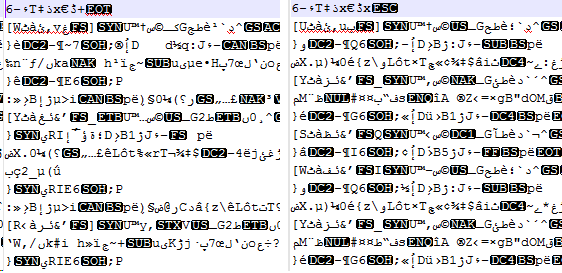
else, no idea to be honest .
Best Regards .
Zuher