Note
Access to this page requires authorization. You can try signing in or changing directories.
Access to this page requires authorization. You can try changing directories.
Question
Tuesday, April 7, 2020 2:00 AM
Hi,
I'm trying to assign a co-worker the correct RBAC roles to allow them to upload blobs to a specific container and generate SAS url's.
I have tried assigning them the "Storage Blob Data Contributor", which according to /en-us/rest/api/storageservices/create-user-delegation-sas#assign-permissions-with-rbac should allow them to do it. However the option is greyed out in the Azure Storage Explorer.

I'm trying to limit their permissions so they can't accidentally do something bad. Is there something i'm missing? What role do they need to be assigned.
They are logging in via Azure AD and they are in a AD security group that I'm assigning the RBAC roles to.
All replies (2)
Tuesday, April 7, 2020 1:23 PM ✅Answered
@Alastair Pitts Let me explain how this roles works and the define of the RBAC
Only roles explicitly defined for data access permit a security principal to access blob or queue data. Roles such as Owner, Contributor, and Storage Account Contributor permit a security principal to manage a storage account, but do not provide access to the blob or queue data within that account.
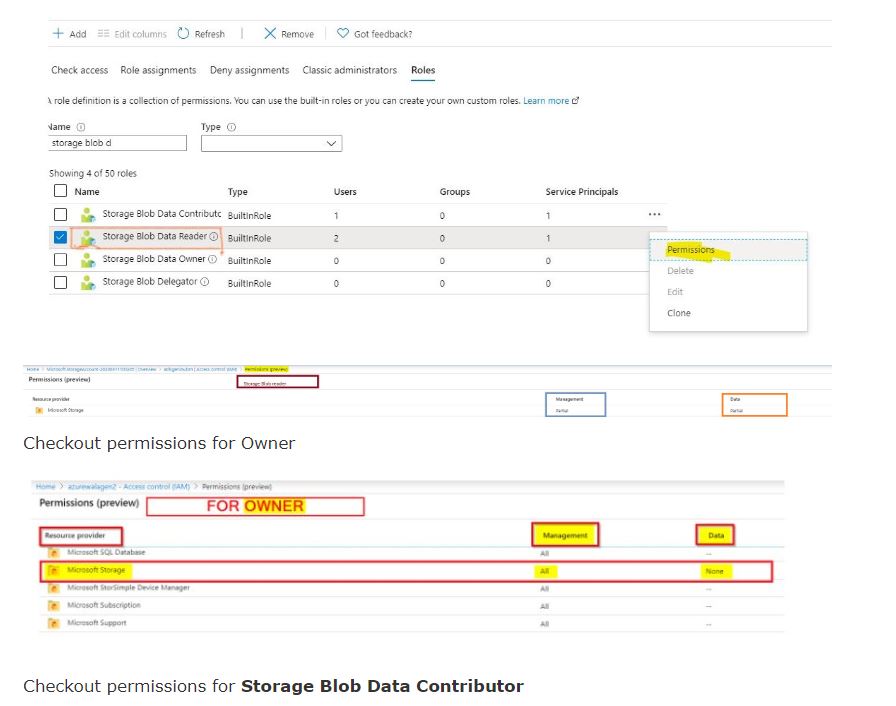
Only roles explicitly defined for data access permit a security principal to access blob or queue data. Roles such as Owner, Contributor, and Storage Account Contributor permit a security principal to manage a storage account, but do not provide access to the blob or queue data within that account.
You can grant the right to create a user delegation key separately from right to the data.
https://docs.microsoft.com/en-us/rest/api/storageservices/get-user-delegation-key is performed at the account level, so you must give this permission with something like the Storage Blob Delegator built-in role at the scope of the storage account.
You can then grant just the data permissions the user should have, using one of these 3 built-in roles at the scope of the blob container:
The User Delegation Token can then be generated to grant a subset of the users permissions for a limited time, and can be granted for an entire blob container OR for individual blobs.
Based on the error message you can refer to Troubleshoot Azure RBAC.
Please look into the article Add or remove role assignments using Azure RBAC and the Azure portal.
There are multiple ways of providing access to containers, this vary on what your customers are using, if they are part of AAD, Assigning them RBAC roles would solve your problem, RBAC documentation can be found here: /en-us/azure/storage/common/storage-auth-aad-rbac-portal
Hope this helps!
Kindly let us know if the above helps or you need further assistance on this issue.
Do click on "Mark as Answer" and Upvote on the post that helps you, this can be beneficial to other community members.
Wednesday, April 8, 2020 7:01 AM
Thank you for the information!
Yep, it turned out that they were missing the "Microsoft.Storage/storageAccounts/listKeys/action" permission, so I added them as a "Storage Account Contributor" and it worked in Azure Portal and storage explorer!
Thanks again!