Note
Access to this page requires authorization. You can try signing in or changing directories.
Access to this page requires authorization. You can try changing directories.
Question
Wednesday, May 23, 2018 6:04 AM
hi all,
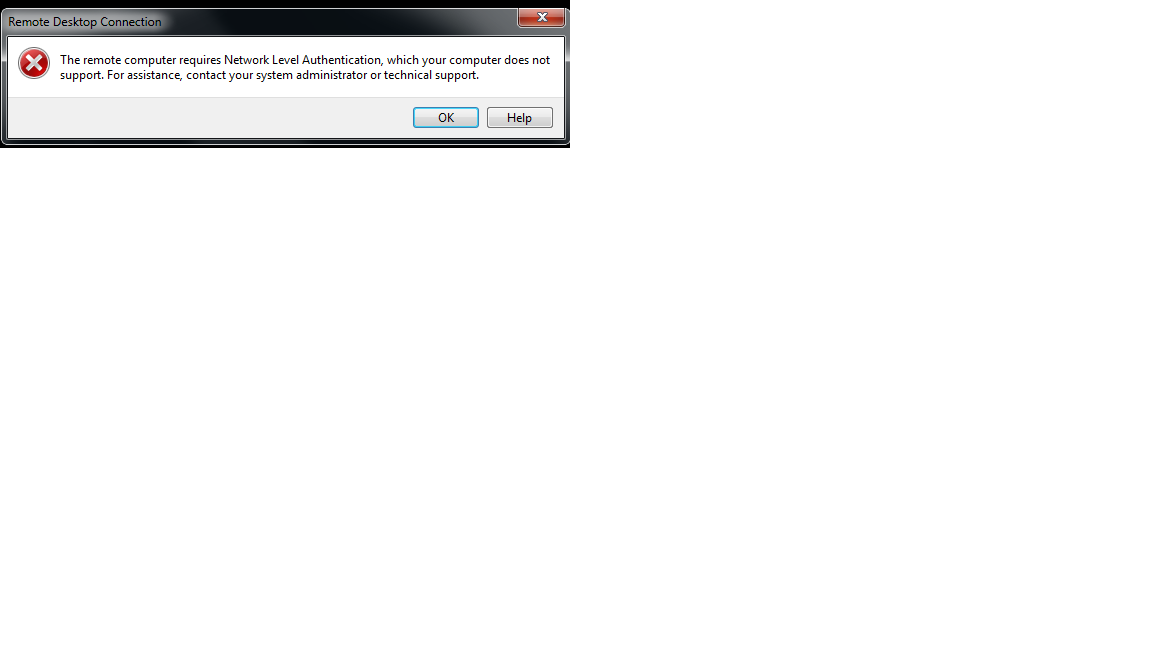
I want to disable Network Level Authentication (NLA) on a server 2012 R2 so that I can use remote desktop service to access the server. the following error message appears when trying to access via remote desktop:
1. allow logon via remote desktop option enabled
2. "allow connection from only computers running remote desktop throw NLA" option is disabled
3. tried the following to disable NLA with no luck:
Remote Registry
- Start > Run > Regedit. You may need to use "RunAs" to launch it using an account with admin priviliges on the target server.
- File > “Connect Network Registry…”
- Enter remote computer name and click OK.
- Navigate to HKLM\SYSTEM\CurrentControlSet\Control\Terminal Server\WinStations\RDP-Tcp
- Select “SecurityLayer” and change the value to 0.
Remote PowerShell
$TargetServer = "Server_with_NLA_Enabled"
(Get-WmiObject -class "Win32_TSGeneralSetting" -Namespace root\cimv2\terminalservices -ComputerName $TargetServer -Filter "TerminalName='RDP-tcp'").SetUserAuthenticationRequired(0)
Group Policy
Create and apply GPO to the server(s) via the Group Policy Management Console.
Edit the GPO and navigate to the following setting:
Computer Configuration\Administrative Templates\Windows Components\Remote Desktop Services\Remote Desktop Session Host\Security
Set the policy ""Require user authentication for remote connections by using Network Level Authentication" to DISABLED
any solution please?
Mohammad Naji senior exchange administartor
All replies (10)
Wednesday, May 23, 2018 6:21 AM ✅Answered
Hi,
1) Open Server Manager, go to Local Server
2) Click on the Remote Desktop link
3) Uncheck "Allow connections only from computers running Remote Desktop with Network Level Authentication (recommended)"
4) Click Apply/Ok to apply and save the changes.
See if this helps.
Kind regards,
Leon
Blog: https://thesystemcenterblog.com LinkedIn:
Wednesday, May 23, 2018 6:44 AM ✅Answered
Hello,
Please look at this thread it should solve your issue :
Best Regards,
Wednesday, May 23, 2018 10:17 AM ✅Answered
Ok,
I think you should check this support article to be sure that you are using the right certificate :
Best Regards,
Friday, May 25, 2018 2:02 AM ✅Answered | 3 votes
If you want to disable NLA it's probably because you want to access this server from another computer that the Remote Desktop Client does not support NLA.
In that case, just change the followng reg key
HKEY_LOCAL_MACHINE\SYSTEM\CurrentControlSet\Control\Terminal Server\WinStations\RDP-Tcp
REG_DWORD: SecurityLayer
Value: change 2 for 0
But the little check box that Enable or Disable NLA is actually the following registry key
HKEY_LOCAL_MACHINE\SYSTEM\CurrentControlSet\Control\Terminal Server\WinStations\RDP-Tcp
REG_DWORD: UserAuthentication
Value: change 1 for 0
hth
This posting is provided AS IS without warranty of any kind
Sunday, May 27, 2018 7:40 AM ✅Answered
hi,
thanks all for your comments,
the issue solved after uninstalling security update in KB 4093120, all your comments on the thread helps me to solve this issue also
thank you all again
Mohammad Naji senior exchange administartor
Wednesday, May 23, 2018 6:26 AM
thanks,
but already I did this as mentioned in the thread but without luck
Mohammad Naji senior exchange administartor
Wednesday, May 23, 2018 6:30 AM
Please check certificate for local computer (on server) under Remote Desktop store to see whether it's expired.
You may try to enroll for a new certificate to test.
Kind regards,
Leon
Blog: https://thesystemcenterblog.com LinkedIn:
Wednesday, May 23, 2018 7:51 AM
there is no certificate on "Remote desktop store", there was self signed certificate and I removed it yesterday (as one MS consultant asks me to do that).
the issue appears since one week
Mohammad Naji senior exchange administartor
Wednesday, May 23, 2018 7:52 AM
thank you for the link you provided, but I followed all recommendations with no luck
Mohammad Naji senior exchange administartor
Thursday, May 24, 2018 9:49 PM
" want to disable Network Level Authentication (NLA) on a server 2012 R2 so that I can use remote desktop service to access the server"
NLA is there to help protect Remote Desktop Services and provide pre-authentication. Why are you trying to disable it?