Note
Access to this page requires authorization. You can try signing in or changing directories.
Access to this page requires authorization. You can try changing directories.
Question
Wednesday, January 6, 2016 5:26 AM
I have some computers where I'm deploying the image via MDT currently and we just had all our printers upgraded/changed.
What would be the best way to push out the driver updates to all our users? Should I include it in the driver list for for each relevant machine? Have a ruleset that asks to install the printer? as an application?
I've read a few different methods online on how to do it, but looking for best practice and ease of deployment.
Thanks
All replies (2)
Thursday, January 7, 2016 7:27 AM ✅Answered
Hello angela,
Thanks for the post. In your case, it's hard to say what's the best way to deploy the drivers as the scenarios are different.
As you'd like to use the MDT to push the driver update, then I would suggest you to check the article which contains a detailed steps and you can refer to it:
Hope it helps.
Best Regards,
Elaine
Please remember to mark the replies as answers if they help and unmark them if they provide no help. If you have feedback for TechNet Subscriber Support, contact [email protected].
Sunday, January 24, 2016 11:59 PM
Hi Elaine
I had a look at a different number of options and have opted to deploy them via GPO instead.
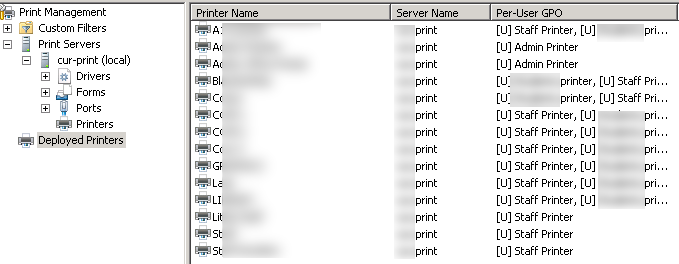
It seems to have worked very well. On AD for the Group Policy I put the following settings:
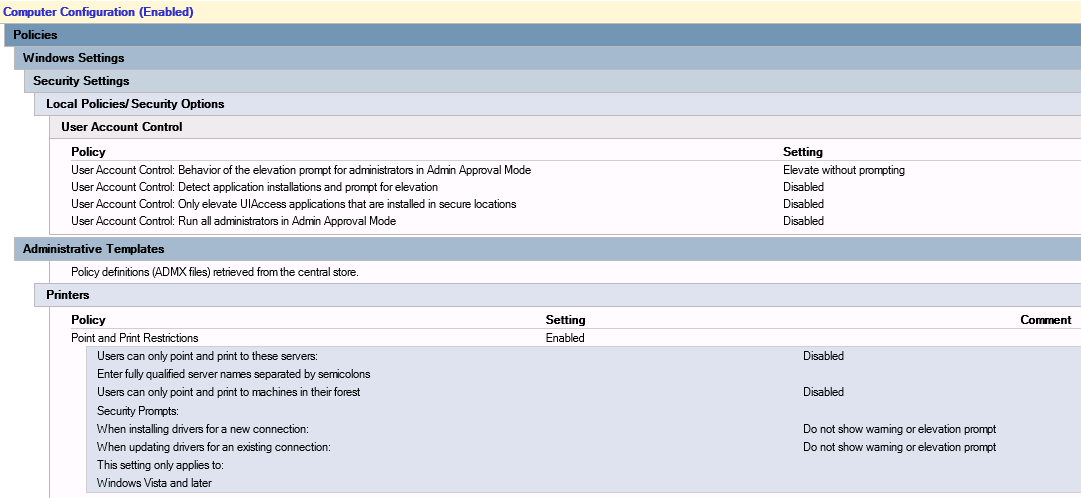
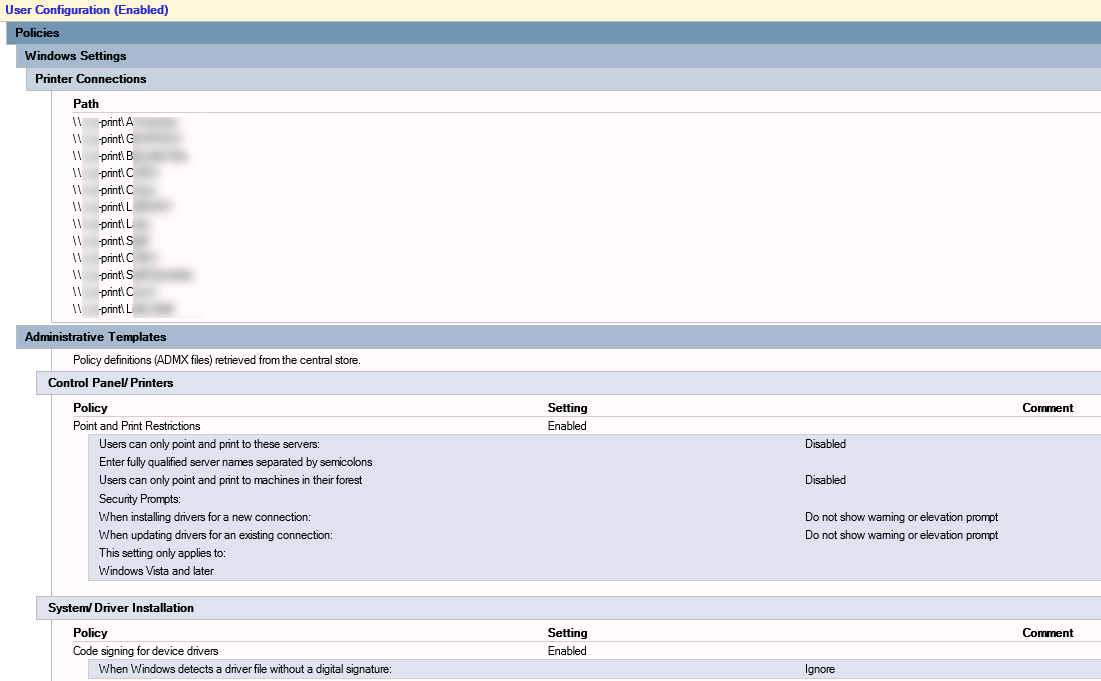
Doing it this way has worked very well, and I can adjust the deployed printers as I choose, so happy with this solution.
Resource used: https://technet.microsoft.com/en-au/library/cc753269.aspx#BKMK_DeployPrinterConnections