Note
Access to this page requires authorization. You can try signing in or changing directories.
Access to this page requires authorization. You can try changing directories.
Question
Thursday, August 9, 2018 4:01 AM
I am trying to go through the sample
I have my storage account created and my shell storage created. (both in East US, if that matters)
I get the website cloned and compiled fine.
When I run the command to upload I get this:
PS /home/chris/functions-first-xxxxxx-web-application/www/dist> az storage blob upload-batch -s . -d \web --account-name testxxxxxxxxxxx
uploading /home/chris/functions-first-xxxxxx-web-application/www/dist/README.md
The requested URI does not represent any resource on the server. ErrorCode: InvalidUri
<?xml version="1.0" encoding="utf-8"?><Error><Code>InvalidUri</Code><Message>The requested URI does not represent any resource on the server.
RequestId:-0000-0000-0000-000000
The storage account is named testxxxxxxxxxxxx
All replies (10)
Thursday, August 9, 2018 9:18 AM
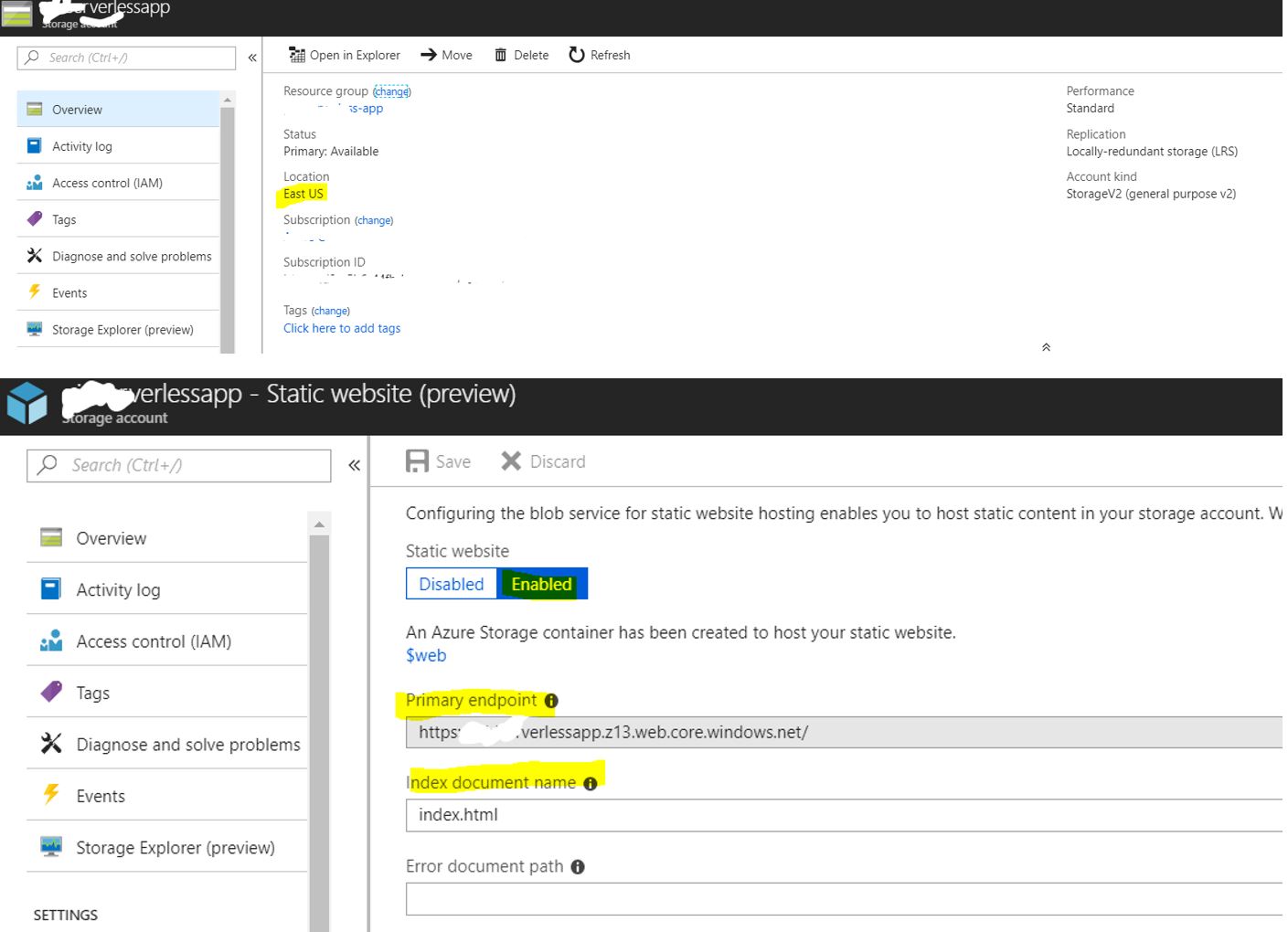
When you enable static websites on your storage account, a new web service endpoint is created of the form.
<account-name>.<zone-name>.web.core.windows.net.
The web service endpoint always allows anonymous read access, returns formatted HTML pages in response to service errors, and allows only object read operations. The web service endpoint returns the index document in the requested directory for both the root and all sub directories.
For more information, suggest you to refer Static website hosting in Azure Storage.
Let me know if there are still any additional issues I can help with.
If this answer was helpful, click “Mark as Answer” or “Up-Vote”. To provide additional feedback on your forum experience, click here
Thursday, August 9, 2018 1:56 PM
I had enabled Static Website and do see the primary endpoint. You can see in my post I do use testxxxxxxxxxxx as the account name which is what the url of the static website is testxxxxxxxxxxx.z13.web.core.windows.net.
So why can't I upload to the static website site?
Friday, August 10, 2018 6:33 AM | 3 votes
Cmdlet are need to use in BASH as that you are trying those cmdlet in PS,I would request you to change PS -> BASH in cloud shell and try to create.
“npm install” is skipping while your using PS mode.

Navigate to the Static website(preview) on primary end point to find the URL.

Let me know if there are still any additional issues I can help with.
If this answer was helpful, click “Mark as Answer” or “Up-Vote”. To provide additional feedback on your forum experience, click here
Tuesday, August 14, 2018 11:39 AM
Checking in to see if the above answer helped. Let me know if there are still any additional issues I can help with.
Thursday, September 13, 2018 5:09 PM | 2 votes
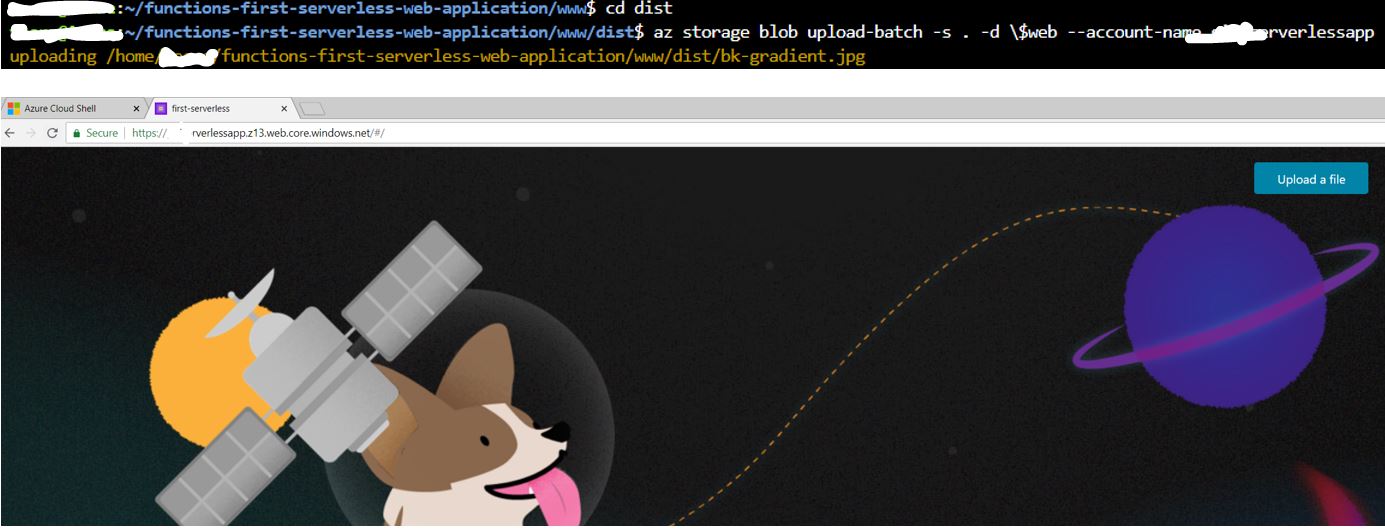
I had the same problem. I noticed that when I use windows' command line I don't need to escape the "$" character as suggested by the docs. I simply removed "\.
az storage blob upload-batch -s . -d $web --account-name my-storage-account-name
Friday, September 14, 2018 10:24 AM
Thanks for updating the forum with the solution that worked for you, which might help other community members.
Wednesday, October 24, 2018 12:40 AM
I have the same problem when trying to execute the command:
az storage blob upload-batch -s . -d \$web --account-name <account name>
Moreover
1) if i specify the account name, it says that it does not exist.
2) if i specify the connection string or using the access key, i get the following error:
PS /home/username/functions-first-serverless-web-application/www/dist> az storage blob upload-batch -s . -d \web --connection-string $ConnectionString
uploading /home/username/functions-first-serverless-web-application/www/dist/auth.js
The requested URI does not represent any resource on the server. ErrorCode: InvalidUri
<?xml version="1.0" encoding="utf-8"?><Error><Code>InvalidUri</Code><Message>The requested URI does not represent any resource on the server.
RequestId:XXXX-XXXXX-XXXX-XXXXX
Time:XXXXXXX</Message><UriPath></UriPath></Error>
Note: I have trimmed the rest of the error message since it is same as what this thread says
Wednesday, October 24, 2018 12:44 AM
This did not work for me either. I get the below error if i remove the "\ before "$web"
az storage blob upload-batch: error: argument --destination/-d: expected one argument
Wednesday, October 24, 2018 1:29 AM
Got this to work from Bash slightly by altering the steps as outlined in https://docs.microsoft.com/en-gb/azure/storage/blobs/storage-blob-static-website.
Tuesday, February 11, 2020 12:48 AM
These are some param examples that work on Azure CLI PowerShell (local) and Azure DevOps release pipelines:
Setting source as the current folder:
-s .\
Setting destination as the $web container (note I am not escaping the dollar sign):
-d '$web'
Full example that works correctly:
az storage blob upload-batch --account-name <account-name> --account-key <account-key> -s .\ -d '$web'
Now, some param examples that do not work and the errors they throw:
Wrong source Incorrect slash used. Error: [Errno 13] Permission denied: 'C:\hiberfil.sys'
-s /.
Wrong destination. Escaping the dollar sign or omitting the quotes:
The requested URI does not represent any resource on the server. ErrorCode: InvalidUri
-d '\web'
error: argument --destination/-d: expected one argument
-d $web