Note
Access to this page requires authorization. You can try signing in or changing directories.
Access to this page requires authorization. You can try changing directories.
Question
Thursday, September 5, 2019 8:44 AM
What ports are required to be opened on Firewall for Windows Server Backup to backup to a remote drive
All replies (1)
Thursday, September 5, 2019 9:39 AM
Hi,
Windows Server Backup uses the RPC as well as the SMB protocol to transfer files.
- SMB ports: TCP\445, TCP\135
- RPC ports: Dynamic TCP ports
If you're using the Windows Firewall you can also simply select the "Windows Backup" and the as exception programs on the Exceptions tab of the Windows Firewall Settings.
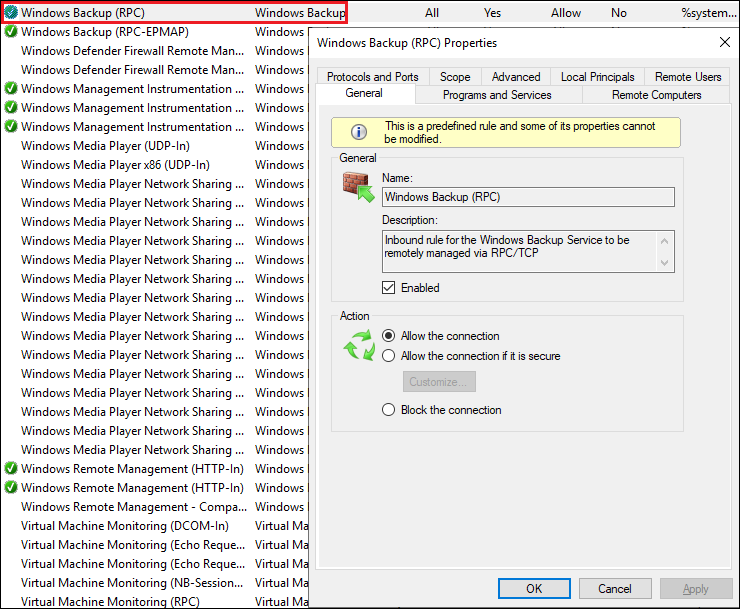
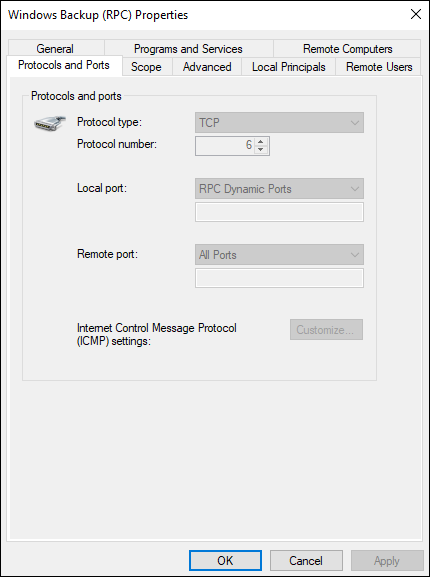
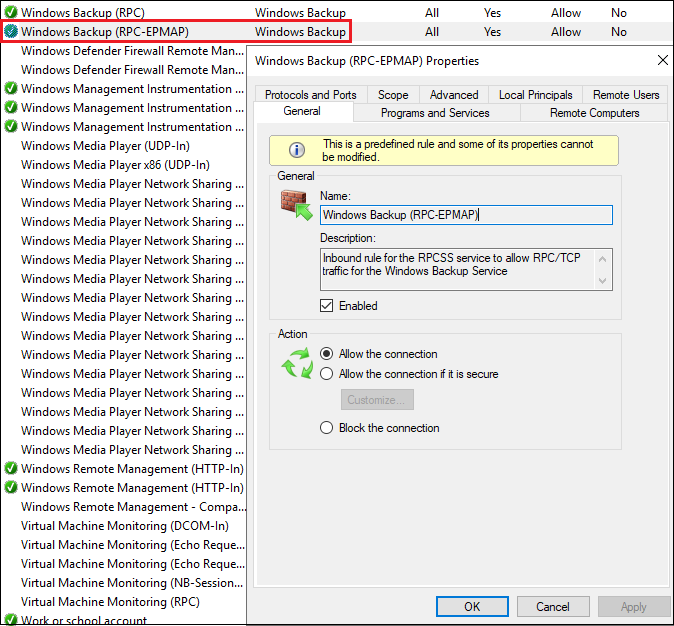
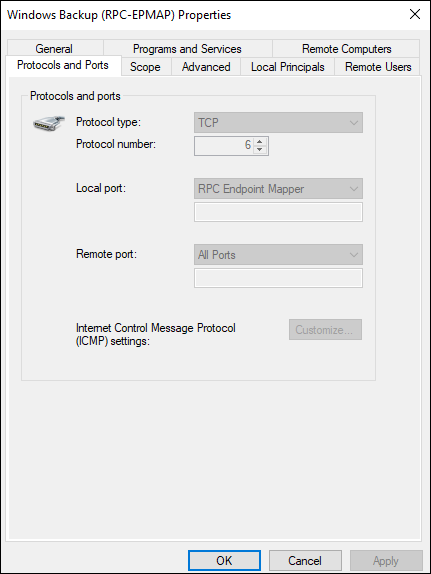
Another way of identifying which ports Windows Server Backup uses is to use a network monitoring software, like Wireshark or Microsoft Network Monitor or TCPView to monitor the activity.
Best regards,
Leon
Blog: https://thesystemcenterblog.com LinkedIn: