Note
Access to this page requires authorization. You can try signing in or changing directories.
Access to this page requires authorization. You can try changing directories.
Question
Thursday, June 13, 2013 9:44 PM
every time when I try to connect to the remote apps, it will come up with:
Select a session to reconnect to.....
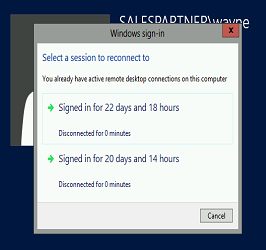
How can I make it automatically connect to the right one, or disable this message come up?
Wayne
All replies (7)
Friday, June 14, 2013 5:36 PM ✅Answered | 1 vote
Hi,
You will need to create a GPO and set the RDS session time out settings. I would set log offs and disconnected settings for around 120 mins.
Best Regards,
Tuesday, June 18, 2013 10:23 PM ✅Answered | 1 vote
The problem you have is that you have multiple sessions for the same user, If you don't want to terminate old sessions but want to stop the creation of multiple sessions you can disable muliple sessions from group policy. Please see the link below. http://support.powerdnn.com/KB/a1816/how-to-enable-disable-multiple-rdp-sessions-in-windows-2012.aspx Best Regards,
Monday, June 17, 2013 11:50 PM
HI Ryan,
Thanks for that, should I do that on RDS server or the Domain server?
cheers
Wayne
Tuesday, June 18, 2013 12:01 AM | 1 vote
Hi Wayne,
Create the Group policy on the domain controller, using the group policy manager.
Best Regards,
Tuesday, June 18, 2013 10:02 PM
HI Ryan,
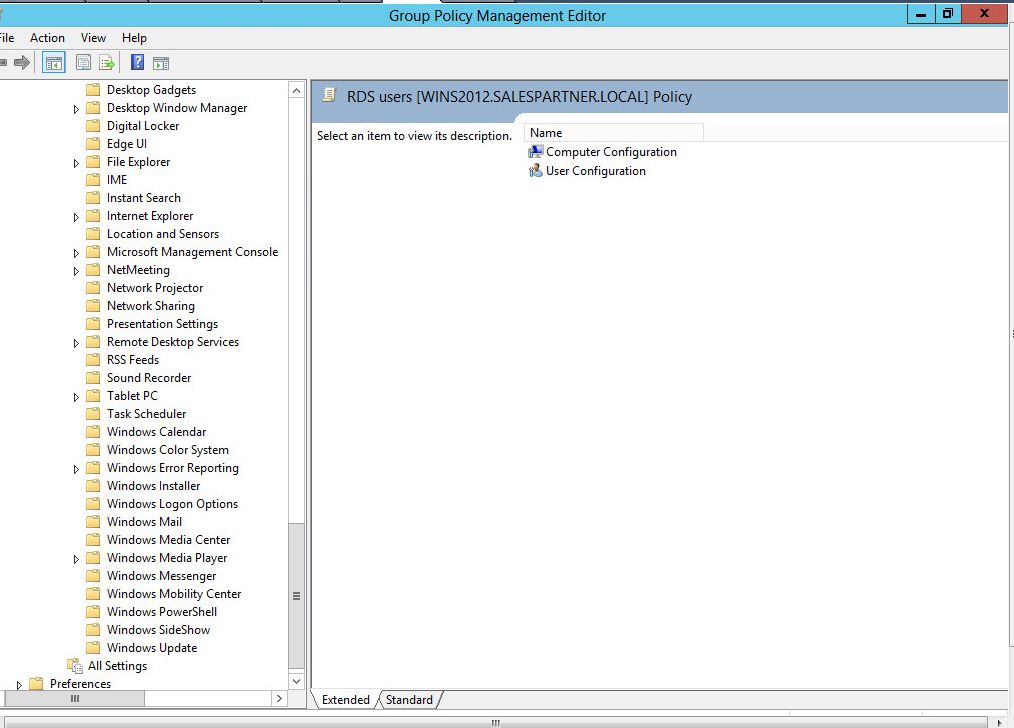
on the Group policy management editor, should I set RDS session time out settings on
User Configuration\Policies\Administrative Templates\Windows Components\Terminal Services\Terminal Server\Session Time Limits
but I can't find the terminal services on my domain server, any idea why?
cheers
Wayne
Tuesday, June 18, 2013 10:08 PM
another question is if I set log offs and disconnected settings for around 120 mins, will it force the user disconnect after 120mins
that's not what I want, I just want when they reconnect to the remote apps, the message will not come up.
cheers
Wayne
Tuesday, June 18, 2013 10:18 PM
The setting is under Remote Desktop services . Best regards,