Note
Access to this page requires authorization. You can try signing in or changing directories.
Access to this page requires authorization. You can try changing directories.
Question
Tuesday, July 7, 2020 8:35 AM
Hi All,
I know we can change the lockout duration to never from secpol/gpedit by setting it to 0.
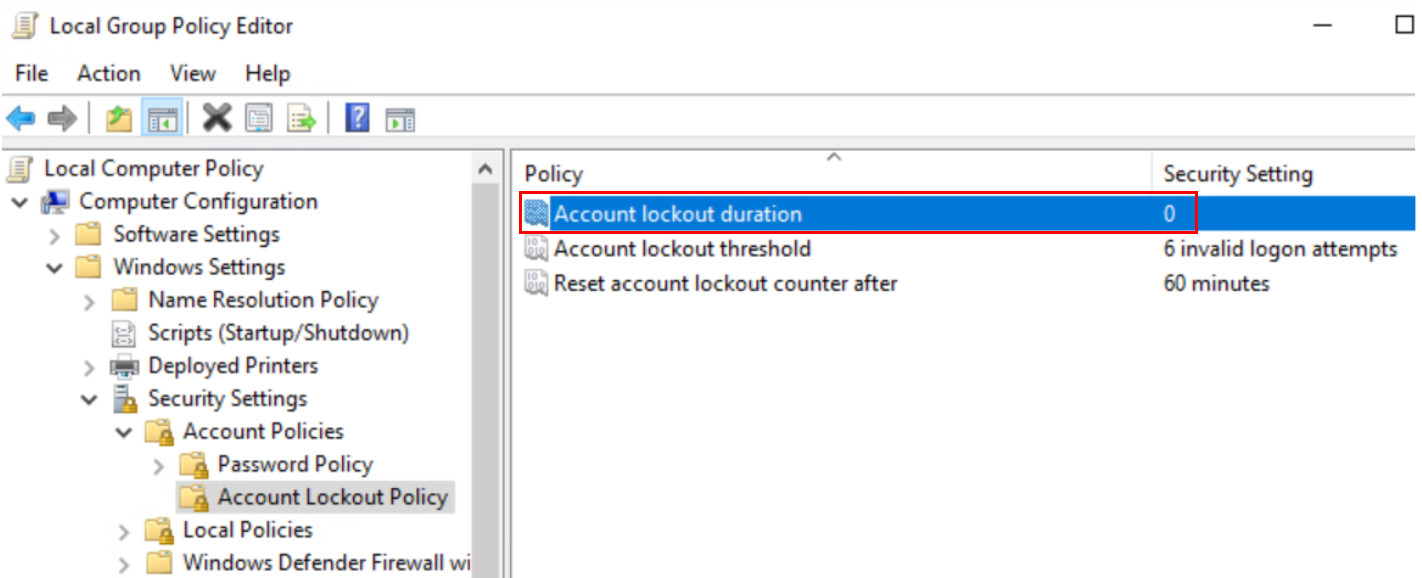
But I want a simply way to do it with command prompt. Tried to run the following command but getting some error.
##############################
C:\net accounts /lockoutduration:0
System error 87 has occurred.
The parameter is incorrect.
##############################
Any idea how to make it work? I just want to change the lockout duration to forever with command or powershell. As it will takes time for me if I need to do it from gpedit.msc, and change the value of Account Lockout Duration to 0.
The end result I want should be like below
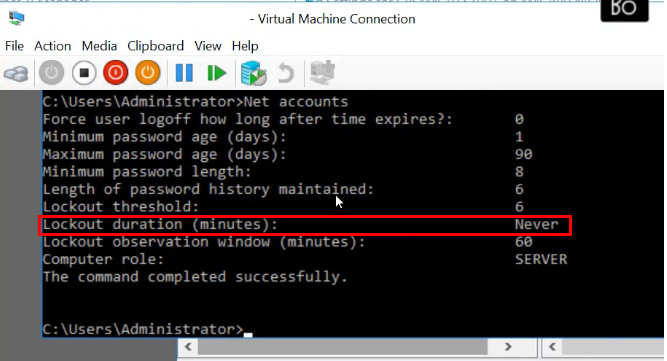
G
All replies (5)
Tuesday, July 7, 2020 8:50 AM | 1 vote
To decode basic command errors use the following method:
PS C:\scripts> net helpmsg 87

The parameter is incorrect.
There is no such parameter as "lockoutduration"
To check parameters of messages use /?
This is a PowerShell forum and you are asking a system utility question. Please post basic Windows questions in the Windows General forum.
\(ツ)_/
Wednesday, July 8, 2020 3:28 AM
My question is whether we can change the account lockout duration to never or not with powershell?
I have asked the same question in the following link. And she suggested me to check in in here
G
Wednesday, July 8, 2020 3:38 AM
Account lockout duration is a global setting and not per account. It can be set with Group Policy or local policy. There is no PowerShell command to set this.
\(ツ)_/
Wednesday, July 8, 2020 5:57 AM
I am able to set the account lockout duration with the following PowerShell command.
PS C:\ cmd /c net accounts /lockoutduration:45
But what I need to do is to set the lockout duration to "Never, while the lockout window/threshold set to 1.
G
Wednesday, July 8, 2020 6:18 AM | 1 vote
net accounts /lockoutthreshold:Number
\(ツ)_/