Note
Access to this page requires authorization. You can try signing in or changing directories.
Access to this page requires authorization. You can try changing directories.
Question
Monday, August 28, 2017 9:52 AM
Hi,
as title says I'm asking if there's a way to check if a Windows Form is actually visible on screen.
I'm not talking about .Visible Property.
For example, if Form1 object is shown, and then another application takes the screen, it covers Form1.
What I need is to check if user can actually see Form1 on the screen or not.
Thanks to anyone able to help.
All replies (14)
Monday, August 28, 2017 12:23 PM
You cannot.
The user owns the computer, not the programmer.
Be aware this question is one of those asked by them who make malicious software.
Success
Cor
Monday, August 28, 2017 12:39 PM
Hi,
at the bottom of your screen there is the Taskbar, showing all Applications that are open (though you cannot see their state (I mean minimized, windowed, maximized)). And in windows10 you can even see and jump to them in a mouse click. So even if a new opened window covers the former one, it is not hard to switch back ... unless you prevent this to happen and than I'm questioning your intents.
Have a nice day,
Richard Vanhees
Monday, August 28, 2017 12:56 PM
EnumWindows() then test GetWindowRect() - IntersectRect()
(GetClipBox() doesnt work with DWM)
(tested on Windows 10)
Tuesday, August 29, 2017 7:29 AM
You cannot.
The user owns the computer, not the programmer.
Be aware this question is one of those asked by them who make malicious software.
Success
Cor
Thanks for answering.
There's nothing "malicious" in my question.
Malicious is the coder, not the code. If I write a simple code that searches for all files in a directory and tries to delete them, well, that's a "malicious" code... :)
By the way, I've found a solution myself, using another way...
Tuesday, August 29, 2017 7:31 AM
EnumWindows() then test GetWindowRect() - IntersectRect()
(GetClipBox() doesnt work with DWM)
(tested on Windows 10)
Thanks.
That could be interesting. If you can provide a quick working example, I'd like to read.
Tuesday, August 29, 2017 12:41 PM
A window can be fully visible, partially visible or not visible at all so I guess it depends upon what you mean by "visible". A window can also be fully visible, but not necessarily active (if that is important to you). One way to check if the Form is visible at various points is to use the WindowFromPoint API function call. It looks like someone posted a VB.NET example at the below link:
Paul ~~~~ Microsoft MVP (Visual Basic)
Tuesday, August 29, 2017 6:59 PM | 1 vote
That could be interesting. If you can provide a quick working example, I'd like to read.
A small sample where it should "beep" when the main window is totally covered by another window or reduced in Taskbar (I did the test quickly in EnumWindowsProc(), maybe it can be simplified...) =>
    Public Shared Function EnumWindowsProc(ByVal handle As Integer, ByVal param As IntPtr) As Boolean
        Dim rc As Rectangle = New Rectangle(0, 0, 0, 0)
        GetWindowRect(handle, rc)
        Dim rcWndMain As Rectangle = New Rectangle(0, 0, 0, 0)
        Dim hCurrentProcess As New Process()
        Dim hWndMain As IntPtr = hCurrentProcess.GetCurrentProcess().MainWindowHandle
        GetWindowRect(hWndMain, rcWndMain)
        Dim rcIntersect As Rectangle = New Rectangle(0, 0, 0, 0)
        Dim fRes As Boolean = IntersectRect(rcIntersect, rcWndMain, rc)
        If ((fRes And IsWindowVisible(handle)) Or IsIconic(hWndMain)) Then
            If (handle <> hWndMain And GetForegroundWindow() = handle) Then
                If (EqualRect(rcIntersect, rcWndMain) Or IsIconic(hWndMain)) Then
                    Beep(1000, 10)
                End If
            End If
        End If
        Return True
    End Function

    Public Sub BackgroundTask()
        While Not isCanceled.WaitOne(0)
            EnumWindows(ecb, IntPtr.Zero)
            System.Threading.Thread.Sleep(20)
        End While
    End Sub

    Dim ecb As EnumCallBack

    Public ReadOnly isCanceled As New System.Threading.AutoResetEvent(False)
    Private Sub Form1_Load(sender As Object, e As EventArgs) Handles MyBase.Load
        ecb = AddressOf EnumWindowsProc
        Dim wth As New System.Threading.Thread(AddressOf BackgroundTask)
        wth.IsBackground = True
        wth.Name = "Background Task"
        wth.Start()
    End Sub
Declarations :
    <DllImport("Kernel32.dll", CharSet:=CharSet.Auto)>
    Public Shared Function Beep(dwFreq As UInteger, dwDuration As UInteger) As Boolean
    End Function

    Public Delegate Function EnumCallBack(ByVal handle As Integer, ByVal param As IntPtr) As Boolean

    <DllImport("User32.dll", CharSet:=CharSet.Auto)>
    Public Shared Function EnumWindows(ByVal cb As EnumCallBack, ByVal param As IntPtr) As Boolean
    End Function

    <DllImport("User32.dll", SetLastError:=True)>
    Public Shared Function GetWindowRect(hWnd As IntPtr, ByRef lpRect As Rectangle) As Boolean
    End Function

    <DllImport("User32.dll")>
    Private Shared Function IntersectRect(ByRef lprcDst As Rectangle, <[In]> ByRef lprcSrc1 As Rectangle, <[In]> ByRef lprcSrc2 As Rectangle) As Boolean
    End Function

    <DllImport("User32.dll")>
    Private Shared Function EqualRect(ByRef lprc1 As Rectangle, ByRef lprc2 As Rectangle) As Boolean
    End Function


    <DllImport("User32.dll")>
    Private Shared Function IsWindowVisible(hWnd As IntPtr) As <MarshalAs(UnmanagedType.Bool)> Boolean
    End Function

    <DllImport("User32.dll")>
    Private Shared Function IsIconic(hWnd As IntPtr) As <MarshalAs(UnmanagedType.Bool)> Boolean
    End Function

    <DllImport("User32.dll")>
    Private Shared Function GetForegroundWindow() As IntPtr
    End Function
Sunday, September 3, 2017 10:21 AM
You forgot to mention what it would be considered as if a window is partially covering your form. Do you consider that as the user being able to see it or not? What if there are only a few pixels of the form sticking out from behind a few other windows?
There are a few ways to do this but, some more details on what you consider "Visible" or "Not Visible" to the user would help. It would also help to know if this is something you just need to check once or twice at some specific time in your code or if it is something your app needs to track in real time. For example, your form may need to do something as soon as it is visible or not visible to the user.
If you say it can`t be done then i`ll try it
Monday, September 4, 2017 3:38 PM
That could be interesting. If you can provide a quick working example, I'd like to read.
A small sample where it should "beep" when the main window is totally covered by another window or reduced in Taskbar (I did the test quickly in EnumWindowsProc(), maybe it can be simplified...) =>
    Public Shared Function EnumWindowsProc(ByVal handle As Integer, ByVal param As IntPtr) As Boolean
        Dim rc As Rectangle = New Rectangle(0, 0, 0, 0)
        GetWindowRect(handle, rc)
        Dim rcWndMain As Rectangle = New Rectangle(0, 0, 0, 0)
        Dim hCurrentProcess As New Process()
        Dim hWndMain As IntPtr = hCurrentProcess.GetCurrentProcess().MainWindowHandle
        GetWindowRect(hWndMain, rcWndMain)
        Dim rcIntersect As Rectangle = New Rectangle(0, 0, 0, 0)
        Dim fRes As Boolean = IntersectRect(rcIntersect, rcWndMain, rc)
        If ((fRes And IsWindowVisible(handle)) Or IsIconic(hWndMain)) Then
            If (handle <> hWndMain And GetForegroundWindow() = handle) Then
                If (EqualRect(rcIntersect, rcWndMain) Or IsIconic(hWndMain)) Then
                    Beep(1000, 10)
                End If
            End If
        End If
        Return True
    End Function

    Public Sub BackgroundTask()
        While Not isCanceled.WaitOne(0)
            EnumWindows(ecb, IntPtr.Zero)
            System.Threading.Thread.Sleep(20)
        End While
    End Sub

    Dim ecb As EnumCallBack

    Public ReadOnly isCanceled As New System.Threading.AutoResetEvent(False)
    Private Sub Form1_Load(sender As Object, e As EventArgs) Handles MyBase.Load
        ecb = AddressOf EnumWindowsProc
        Dim wth As New System.Threading.Thread(AddressOf BackgroundTask)
        wth.IsBackground = True
        wth.Name = "Background Task"
        wth.Start()
    End Sub
Declarations :
    <DllImport("Kernel32.dll", CharSet:=CharSet.Auto)>
    Public Shared Function Beep(dwFreq As UInteger, dwDuration As UInteger) As Boolean
    End Function

    Public Delegate Function EnumCallBack(ByVal handle As Integer, ByVal param As IntPtr) As Boolean

    <DllImport("User32.dll", CharSet:=CharSet.Auto)>
    Public Shared Function EnumWindows(ByVal cb As EnumCallBack, ByVal param As IntPtr) As Boolean
    End Function

    <DllImport("User32.dll", SetLastError:=True)>
    Public Shared Function GetWindowRect(hWnd As IntPtr, ByRef lpRect As Rectangle) As Boolean
    End Function

    <DllImport("User32.dll")>
    Private Shared Function IntersectRect(ByRef lprcDst As Rectangle, <[In]> ByRef lprcSrc1 As Rectangle, <[In]> ByRef lprcSrc2 As Rectangle) As Boolean
    End Function

    <DllImport("User32.dll")>
    Private Shared Function EqualRect(ByRef lprc1 As Rectangle, ByRef lprc2 As Rectangle) As Boolean
    End Function


    <DllImport("User32.dll")>
    Private Shared Function IsWindowVisible(hWnd As IntPtr) As <MarshalAs(UnmanagedType.Bool)> Boolean
    End Function

    <DllImport("User32.dll")>
    Private Shared Function IsIconic(hWnd As IntPtr) As <MarshalAs(UnmanagedType.Bool)> Boolean
    End Function

    <DllImport("User32.dll")>
    Private Shared Function GetForegroundWindow() As IntPtr
    End Function
Thanks. But I can't get to use it in VB2005 or VB2015.
Monday, September 4, 2017 3:41 PM
Thanks. But I can't get to use it in VB2005 or VB2015.
What do you mean ?
I did the test with VB.NET 2015 on Windows 10
Monday, September 4, 2017 3:46 PM
You forgot to mention what it would be considered as if a window is partially covering your form. Do you consider that as the user being able to see it or not? What if there are only a few pixels of the form sticking out from behind a few other windows?
There are a few ways to do this but, some more details on what you consider "Visible" or "Not Visible" to the user would help. It would also help to know if this is something you just need to check once or twice at some specific time in your code or if it is something your app needs to track in real time. For example, your form may need to do something as soon as it is visible or not visible to the user.
If you say it can`t be done then i`ll try it
Thanks for attention.
To make things simple, let's say in this case a Form is visible just when it's fully visible.
If there's a single Form which belongs to another Application that covers partially my Form, well, I consider my Form as NOT visible.
About "When", I check this situation in a Timer, let's say once every 5 seconds.
So the method which performs the check should be quite light and quick...
Monday, September 4, 2017 5:47 PM
.
Malicious is the coder, not the code. If I write a simple code that searches for all files in a directory and tries to delete them, well, that's a "malicious" code... :)
By the way, I've found a solution myself, using another way...
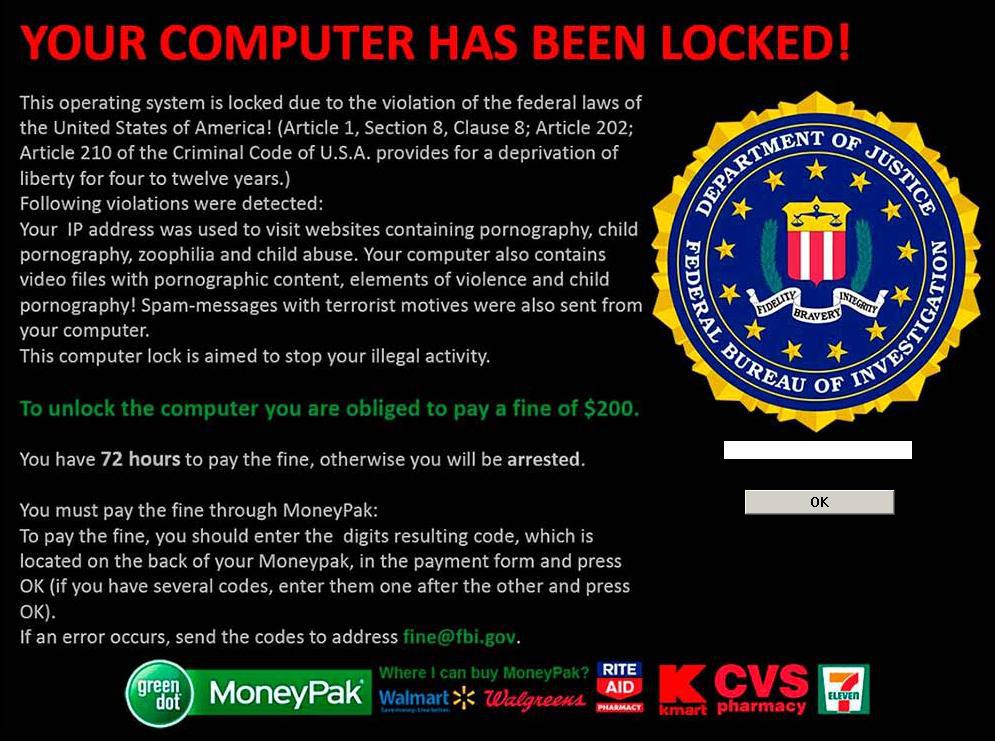
Maybe can you than tell why you need that screen, what you write now fits perfectly well on ransomware
Be aware, it is not important that you use it for ransomware, code shown here can be used by everybody. The ones who give you now the code can easily remove it, but not everybody is as clever as them.
Success
Cor
Tuesday, September 5, 2017 7:22 AM
.
Malicious is the coder, not the code. If I write a simple code that searches for all files in a directory and tries to delete them, well, that's a "malicious" code... :)
By the way, I've found a solution myself, using another way...
Maybe can you than tell why you need that screen, what you write now fits perfectly well on ransomware
Be aware, it is not important that you use it for ransomware, code shown here can be used by everybody. The ones who give you now the code can easily remove it, but not everybody is as clever as them.
Success
Cor
Sorry I didn't understand your last post. Really.
Just asking if there's a way to know if a Form in my Application is fully visible or not.
I don't see anything strange with my post.
If Forum Admins think this post is somehow "malicious" or "illegal", they can close it right now.
This is not a virus. Everyone can go in Task Manager and close my Application, then uninstall it and get rid of it, so what's the problem ?
No problem at all for me. As said before, in my Application I've found a solution without the need of knowing if a Form is actually visible or not. Just curious to know if there was a solution.
Tuesday, September 5, 2017 9:03 PM
.
Malicious is the coder, not the code. If I write a simple code that searches for all files in a directory and tries to delete them, well, that's a "malicious" code... :)
By the way, I've found a solution myself, using another way...
Maybe can you than tell why you need that screen, what you write now fits perfectly well on ransomware
Be aware, it is not important that you use it for ransomware, code shown here can be used by everybody. The ones who give you now the code can easily remove it, but not everybody is as clever as them.
Success
Cor
Hahaha....Send that to Kim Jung Un!
La vida loca