Note
Access to this page requires authorization. You can try signing in or changing directories.
Access to this page requires authorization. You can try changing directories.
Question
Friday, February 8, 2019 1:06 PM
Hi All,
I am testing the Windows 10 kiosk mode. I have created an configuration profile that uses the single-app, full-screen kiosk, Auto logon and as application type "Add Kiosk browser".
I have created an App installation profile and targeted my test device with the installation set to required. This is where it goes wrong , it will not install the Kiosk browser. There is no device install status.
The error message I get on the Windows Desktop is "We weren't able to start your app" error code 0x80073cf1
The error on the Kiosk configuration profile is "Full screen kiosk app status" error details "App not found"
These errors make sense since the Kiosk browser app is not installed at all according to Intune reporting. However when I logon to this machine with a normal user account I can see the Kiosk Browser is installed.
Any feedback is highly appreciated.
regards,
Jeroen Dijkman
All replies (3)
Monday, February 11, 2019 4:10 AM | 1 vote
Hello Jeroen,
It works in my environment.
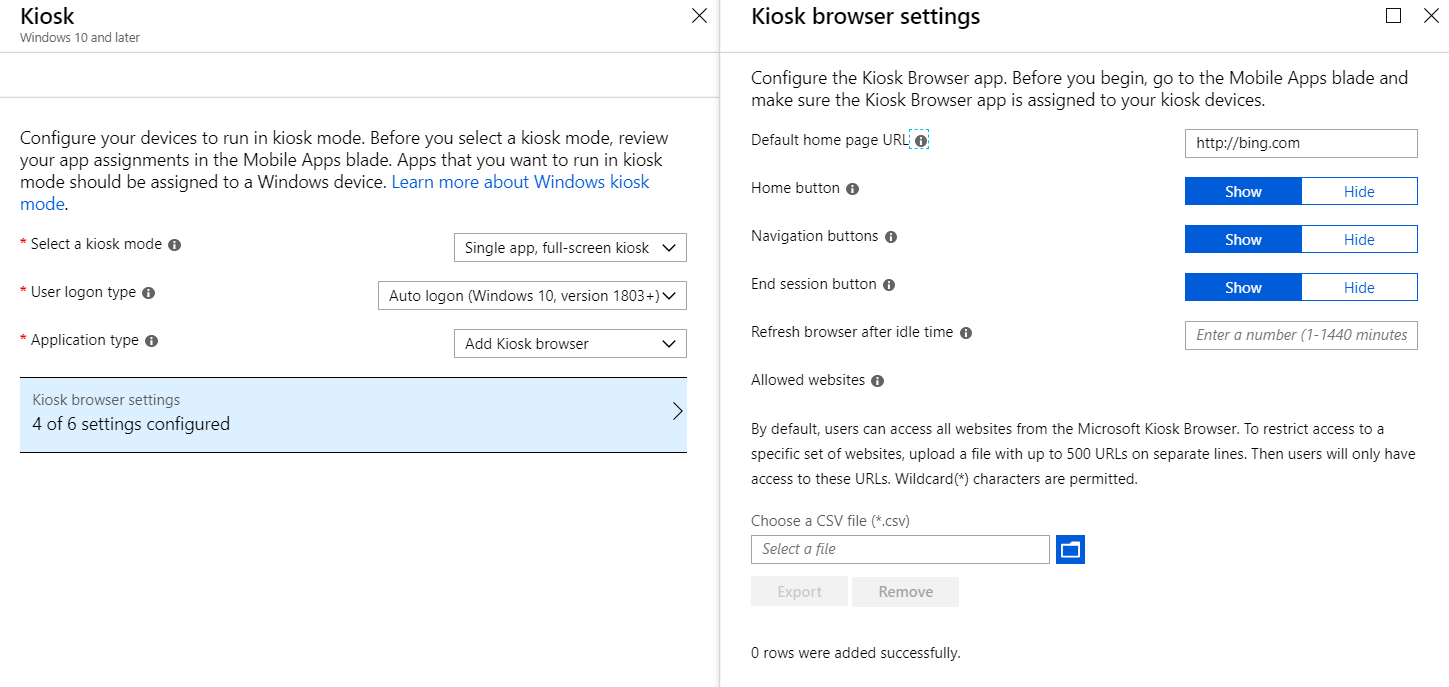
Firstly, I assigned the Kiosk browser to the device group with Required assignment type. Then, I create the Kiosk profile, and assign it to the same device group.
I signed in to the device, and sync the device manually. After I verified the Kiosk browser has already been installed successfully, I reboot the device. The device can be auto logon, and open the Kiosk browser in full screen.
I would recommend to reboot the device, and then check if it's get normal.
Best regards,
Andy Liu
Please remember to mark the replies as answers if they help.
If you have feedback for TechNet Subscriber Support, contact [email protected].
Wednesday, February 13, 2019 2:52 PM
Hi Andy,
Well the process you described is exactly how I have done it. But it keeps giving me the message that it cannot open the Kiosk Browser app.
I really have no clue on how to perform a deeper analysis. Are there any logs that I can check?
regards,
Jeroen
Thursday, February 14, 2019 1:29 AM | 1 vote
Hello Jeroen,
1. Please make sure the Kiosk Browser has already been installed successfully on the Windows device. You can verify it by launching it after you sign in to the system with the account.
2. In Intune portal, please navigate to Client apps - Apps - Kiosk Browser - Device install status, the status should be Installed for the device. If NOT, please syncing your device manually. You can refer here for manually sync.
3. Verify that User Account Control (UAC) is turned on on the Windows device
4. If you test Kiosk in a VM on the Hyper-V, please don't connect to the VM remotely, or using Enhanced session. Please make sure the Enhanced session is NOT selected.
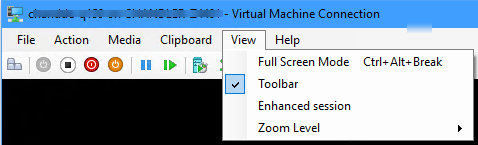
5. Finally, if the above still doesn't help, would you please uninstall the Kiosk Browser, and then sync the device manually again. By the way, was the device joined in Azure AD, or just registered in Azure AD?
Best regards,
Andy Liu
Please remember to mark the replies as answers if they help.
If you have feedback for TechNet Subscriber Support, contact [email protected].