Note
Access to this page requires authorization. You can try signing in or changing directories.
Access to this page requires authorization. You can try changing directories.
Question
Sunday, April 5, 2015 12:12 PM
HI
i created a sitecollection with DocumentCenter Template and created documentlibrary,
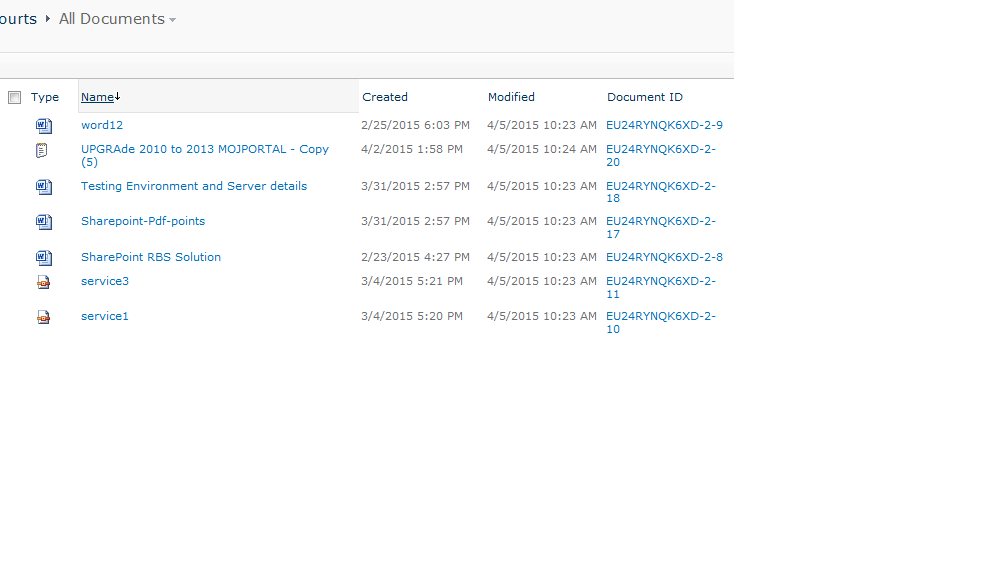
after i upload documents i want to see created column should display seconds with created time
how it is possible to show seconds also with time.
adil
All replies (5)
Sunday, April 5, 2015 6:11 PM ✅Answered | 1 vote
Create a Calculated column and display it instead of the Created column.
If it's for display purposes, then the easiest way is to convert the date into any format / pattern you like:
=TEXT(Created,"MM/DD/YYYY hh:mm:ss AM/PM")
If you want the column to be sortable by the user, list the year first and leave off the "AM/PM" and display using 24 hours:
=TEXT(Created,"YYYY/MM/DD hh:mm:ss")
You could also display the "Created with seconds" column and sort the view on the original Created column.
Mike Smith TechTrainingNotes.blogspot.com
Books: SharePoint 2007 2010 Customization for the Site Owner, SharePoint 2010 Security for the Site Owner
Wednesday, May 6, 2015 7:43 AM ✅Answered
Hi adil,
As far as I know, SPFieldDateTime doesn't allow to store milliseconds so you will have to create your own SPFieldType.
You can have a look at these articles:
Best Regards,
Eric
TechNet Community Support
Please remember to mark the replies as answers if they help, and unmark the answers if they provide no help. If you have feedback for TechNet Support, contact [email protected].
Sunday, April 5, 2015 6:58 PM
HI
also its any way to show milliseconds after seconds in created column
adil
Sunday, April 5, 2015 8:09 PM
You should just need to stick 'fff' on the end, ie.
=TEXT(Created,"YYYY/MM/DD hh:mm:ss.fff")
Monday, April 6, 2015 6:30 AM
NO
its now show seconds when i try with fff
adil