Note
Access to this page requires authorization. You can try signing in or changing directories.
Access to this page requires authorization. You can try changing directories.
Question
Tuesday, April 3, 2018 5:57 AM
One of our windows 2012 R2 OS on a HP DL380 GEN8 server after a power outage now boots to a "Choose an option" blue screen. We tried the troubleshoot option and tried safe mode etc. We tried sfc scan and chkdsk also, after everything it still boots to the same blue screen. We can confirm that the disks are fine as we checked the status using raid utility. Just that the OS boots to this blue screen and waits there. Any help from the community here is greatly appreciated.
Initially after the power outage, the server was stuck at the choose F1 or F2 option as the server disabled the disks to prevent data loss. We selected t F2 to accept data loss and boot to OS.
All replies (4)
Wednesday, April 4, 2018 4:12 AM ✅Answered | 1 vote
We had raised a ticket with Microsoft regarding this and the step they provided helped us. Executing below steps after booting in to the repair mode from installation media fixed it. We can use the recovery mode inbuilt in windows 2012 server too also I guess, the troubleshoot mode.
- Go again to the command prompt using installation disk and use the following commands:
- Start the machine and press any key to boot from the disk.
- On the first Windows Setup window, click Next.
- Now click on Repair your computer.
- Click on Troubleshoot.
- Click on Command Prompt.
- Write the following commands:
** a. cd C:\Windows\System32\config**
** b. Ren DEFAULT DEFAULTOLD**
** c. Ren SAM SAMOLD**
** d. Ren SECURITY SECURITYOLD**
** e. Ren SOFTWARE SOFTWAREOLD**
** f. Ren SYSTEM SYSTEMOLD**
** g. xcopy C:\Windows\System32\config\RegBack**
Tuesday, April 3, 2018 3:06 PM
Might try booting the install media and Repair your computer
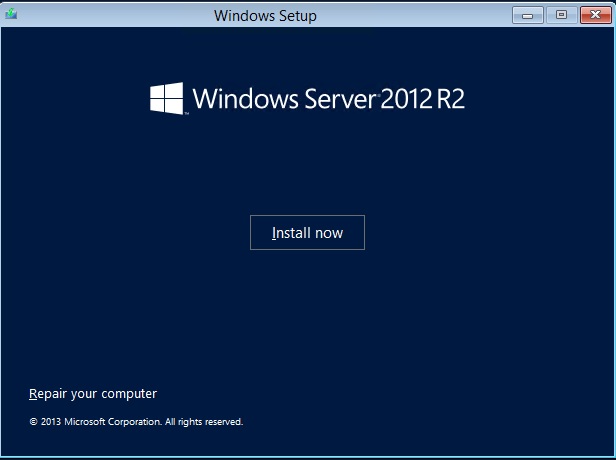
Regards, Dave Patrick ....
Microsoft Certified Professional
Microsoft MVP [Windows Server] Datacenter Management
Disclaimer: This posting is provided "AS IS" with no warranties or guarantees, and confers no rights.
Wednesday, April 4, 2018 10:06 AM
Hi Rony,
Thanks for your posting here and sharing the resolution!
If there is anything else we can do for you, please feel free to post in the forum.
Wish you have a nice day!
Best regards,
Michael
Please remember to mark the replies as an answers if they help.
If you have feedback for TechNet Subscriber Support, contact [email protected]
Tuesday, November 6, 2018 1:56 PM
Hi Michael,
Even after doing the above steps, server 2012R2 is still landing to the same blue screen asking for Choose an option.
Please suggest