Note
Access to this page requires authorization. You can try signing in or changing directories.
Access to this page requires authorization. You can try changing directories.
Question
Tuesday, February 12, 2013 5:10 PM
switch (name)
{
case "a":
return "Alia";
break;
case "b":
return "Brian";
break;
default:
return "";
break;
}
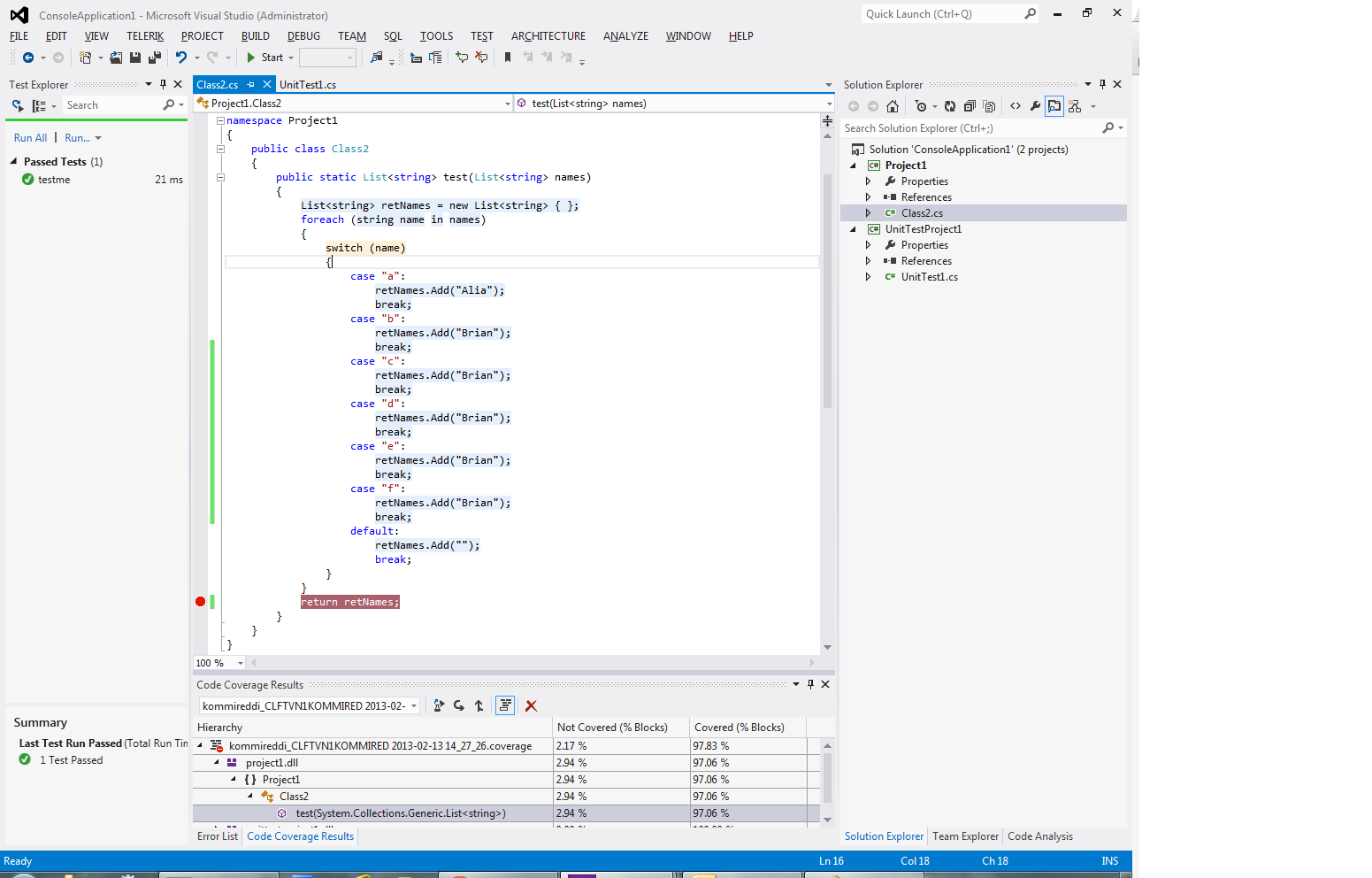
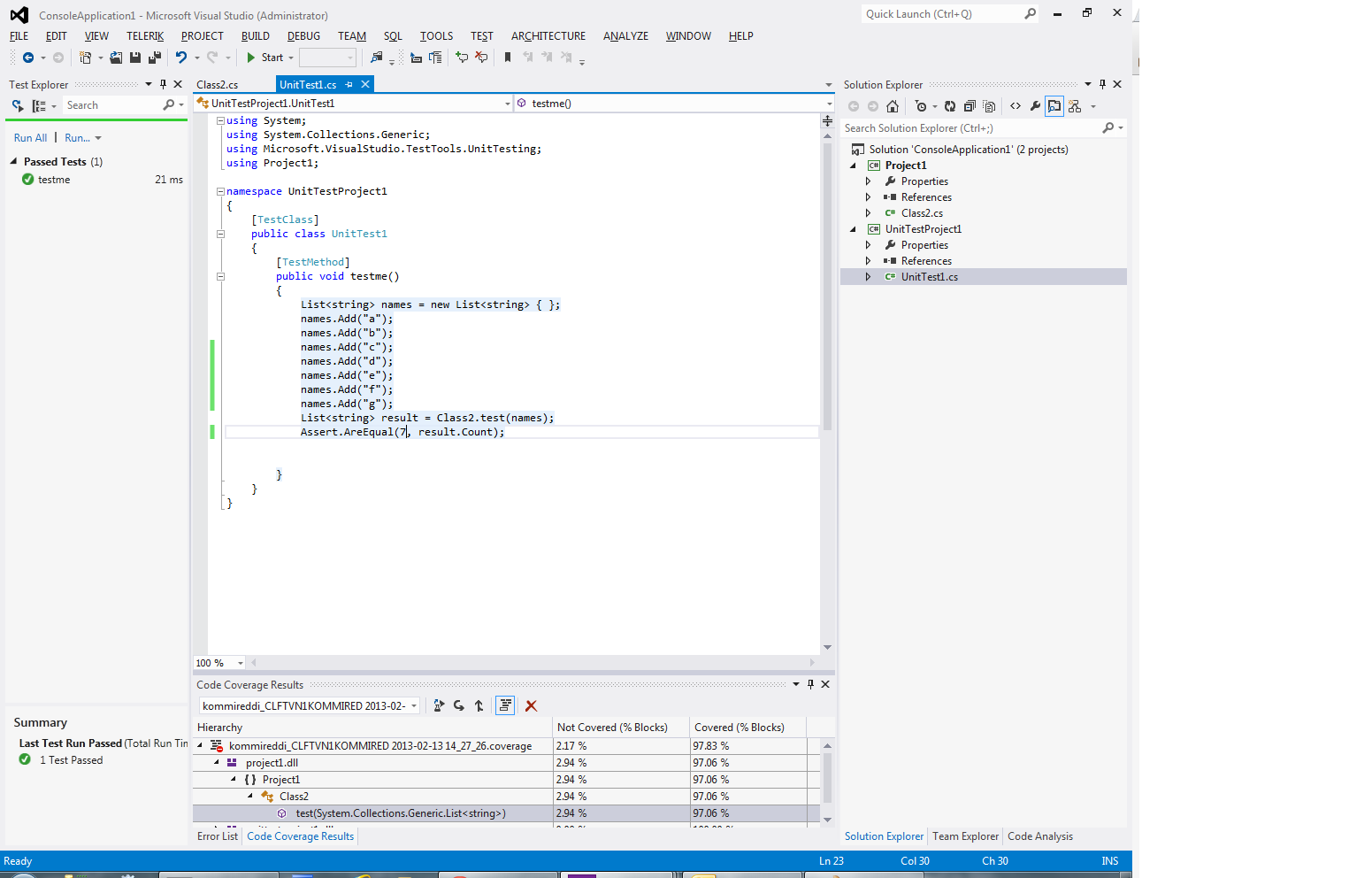
I am not getting 100% coverage, even if I have a unit test which covers all the case statements including the default.
All replies (4)
Wednesday, February 13, 2013 3:22 AM
Hello SoumyaK,
Thank you for your post.
I do some research and find some threads with similar issue:
“I am not getting 100% coverage, even if I have a unit test which covers all the case statements including the default.”
What version of VS do you use?
Maybe the issue discussed in the threads above is still not fixed. In order to confirm if the issue is related to VS, if possible I suggest that you can provide us your unit test method and your code coverage result screenshot so that we can repro your issue comeletely on my side to check the result.
Please attach your project, you can upload it to the sky drive, and then share the download link in your post. We try to check it with our computers.
Best regards,
Amanda Zhu [MSFT]
MSDN Community Support | Feedback to us
Develop and promote your apps in Windows Store
Please remember to mark the replies as answers if they help and unmark them if they provide no help.
Wednesday, February 13, 2013 9:30 PM
Here are my sample class, unit test and code coverage: The switch statement is highlighted as not covered in orange. I am using Visual studio 2012.
Thursday, February 14, 2013 9:54 AM
Hello SoumyaK,
I have created a solution with a Class Library project and unit test project based on your code in your picture in VS 2012 and VS2010 Ultimate. After I run the unit test and see the code coverage, I found that all codes are covered.
Reference:
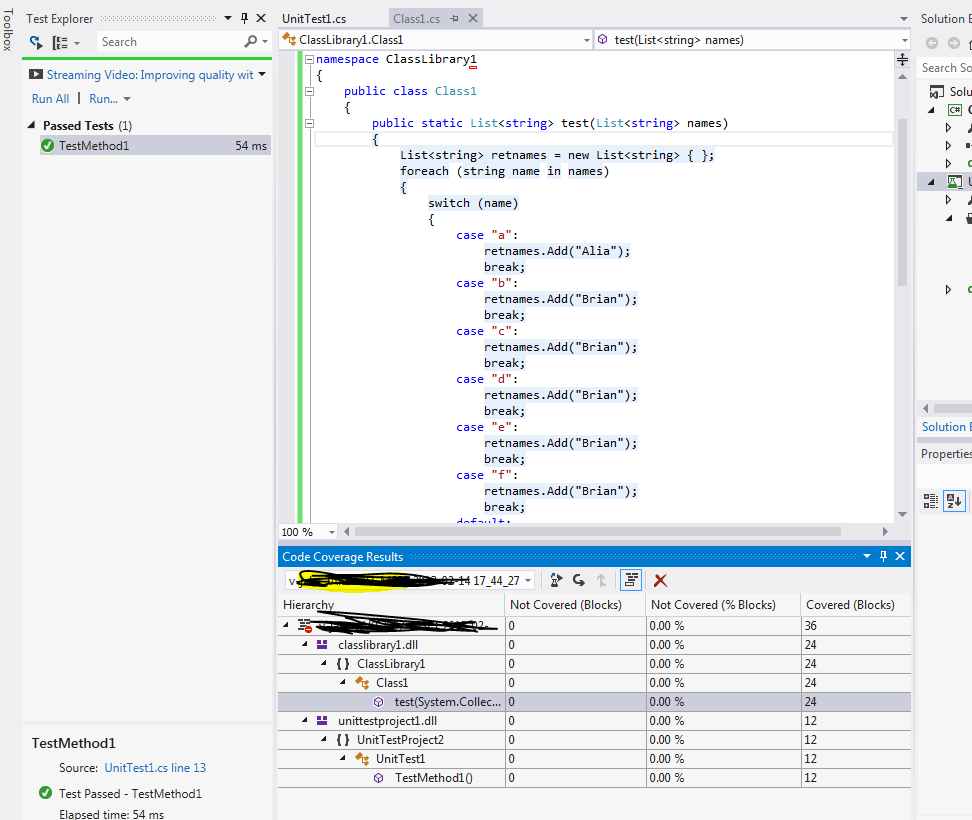
I don’t get your issue on my side.
I suggest that you can try the scenario on another machine with VS2012 to check the result.
If you still get this issue, I’m afraid that I don’t have other good idea about this issue, but you could submit this feedback to Microsoft Connect feedback portal: http://connect.microsoft.com, Microsoft engineers will evaluate them seriously. Thanks for your understanding.
If you have submitted a feedback, you can post the link here, which will be beneficial for other community members who have similar questions.
Best regards,
Amanda Zhu [MSFT]
MSDN Community Support | Feedback to us
Develop and promote your apps in Windows Store
Please remember to mark the replies as answers if they help and unmark them if they provide no help.
Tuesday, March 12, 2013 4:33 PM
I tested on other machines. Some of them have 100% coverage while others dont. Is it then a setting in Visual studio?