Note
Access to this page requires authorization. You can try signing in or changing directories.
Access to this page requires authorization. You can try changing directories.
Question
Friday, May 10, 2013 6:31 AM
Hi,
I need to send alert from sharepoint site through email and also by sms. Currently the email part is working fine. I would like to know how to configure and send sms alert from the system. Please guide me on this
Thanks and Regards,
Alagappan
All replies (4)
Friday, May 10, 2013 6:39 AM ✅Answered | 1 vote
Hi Alagappan,
Following url provides the steps to configure sms from sharepoint
http://kb4sp.wordpress.com/2010/09/08/setting-up-sharepoint-to-work-with-an-sms-provider/
http://davidlimsharepoint.blogspot.in/2011/02/setting-up-sms-alert-on-sharepoint-2010.html
Regards Roy Joyson
Please remember to mark your question as "answered"/"Vote helpful" if this solves/helps your problem
Roy Joyson
Friday, May 10, 2013 6:42 AM ✅Answered
Hello ,
Please refer link - http://techwirenews.com/2011/10/26/alerts-in-microsoft-sharepoint-2010/
and also - http://technet.microsoft.com/en-in/library/ee428323(v=office.14).aspx
Hope this helps you!!!
Regards,
Friday, May 29, 2015 6:51 AM
Hi
This company have services for adding sms service to your sharepoint. Its easy to add. Just add an URL. You need a account for sending.
Contact site:
Regards Magnus
Tuesday, January 31, 2017 5:07 AM
Hi Alagappan,
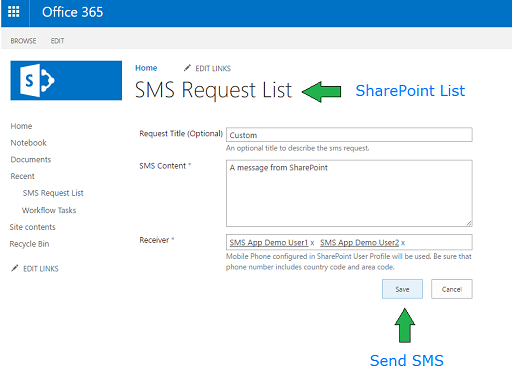
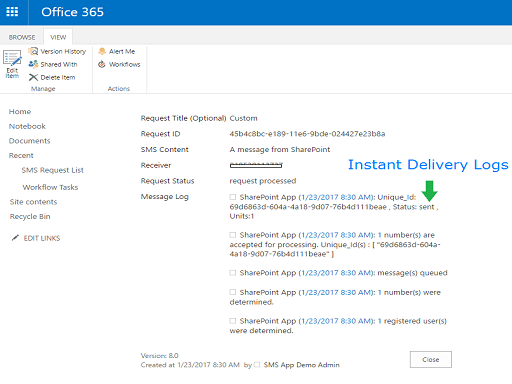
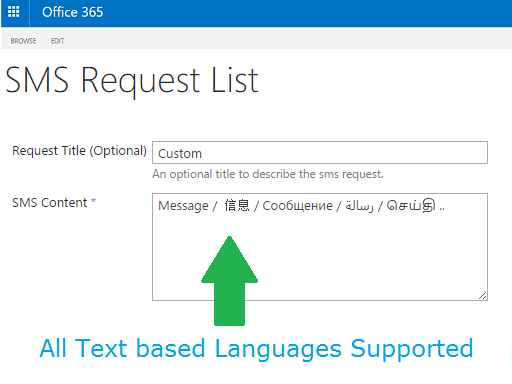
SharePoint App Store has an App (add-in) : SMS for Office (Send SMS Via SharePoint List)
- There are zero configurations required from your end (no creating accounts with SMS providers)
- Install the add-in and you will get a SharePoint list in your site, where you can start sending SMS.
- For SMS Alerts , you would have to make use of SharePoint Designer workflow to create an list item entry in the SMS List. (You can use the default SharePoint Create a list item action here)
- A complete list of features is available in the company website here : https://timeparity.com/smsforoffice
** Click here for Office Store Link**