Note
Access to this page requires authorization. You can try signing in or changing directories.
Access to this page requires authorization. You can try changing directories.
Question
Wednesday, September 26, 2018 8:43 AM
I've been struggling, for the last few weeks, to track my recent documents. Despite showing 50 recent documents nothing I have created after August 8th this year is showing.
The file I have open today shows as recent but it will be missing from the list when I close and open Excel. The same occurs in Word.
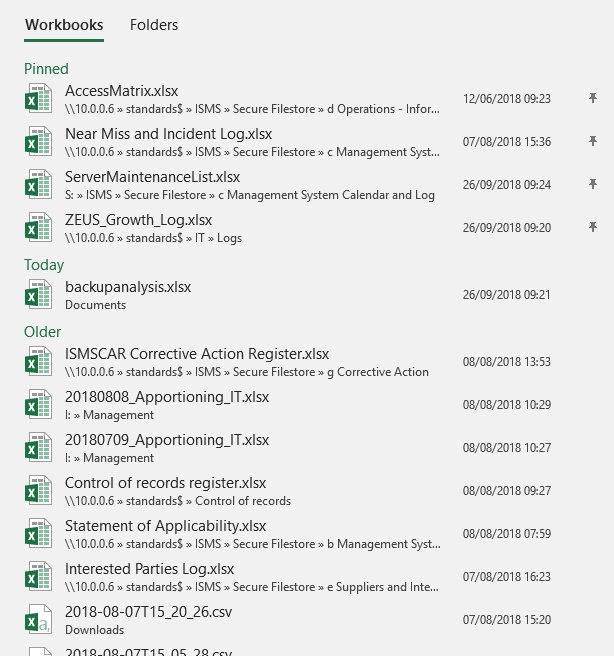
That being said, recent documents do show in the left hand "quick access" list.
I've checked my advanced settings but can see no reason for this strange cut-off on the 8th of August.
Can anyone suggest a way that I can get my recent items back? Short of removing and reinstalling office I'm stumped.
All replies (8)
Thursday, September 27, 2018 7:48 AM
Hi Armairtus,
Did all files store in local computer?
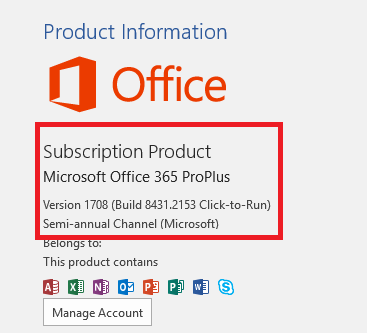
Please go to File- Account and provide the detail version number of Excel you're using:
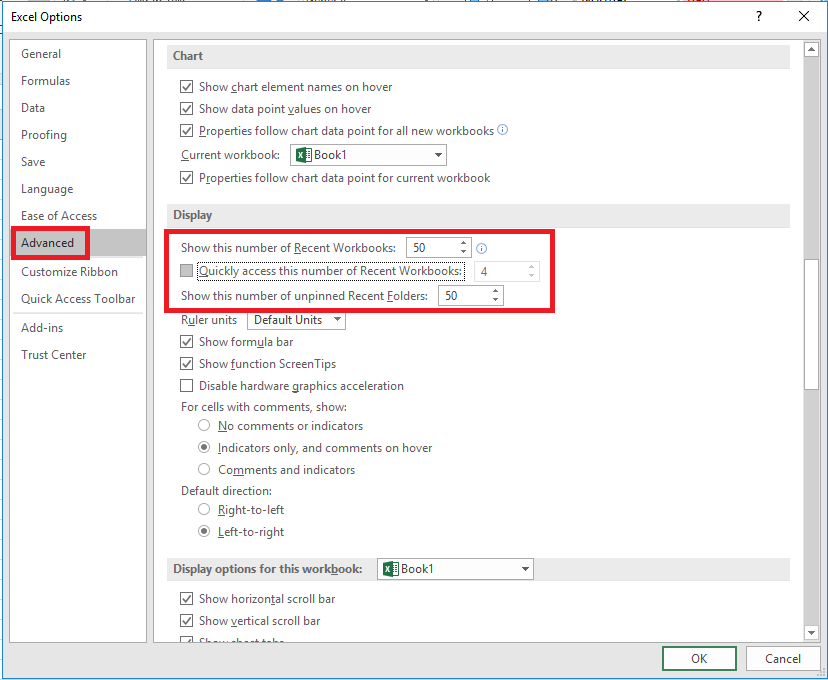
I also suggest you go to File- Options- Advanced- increase number of recent files:
I also suggest you open Registry Editor and go to: Computer\HKEY_CURRENT_USER\Software\Microsoft\Office\16.0, please rename the Key 16.0 to 16.0OLD.
Then reopen Excel or Word and check the result.
Please try these methods and let me know the result, I'm glad to help you.
Regards,
Emi
Please remember to mark the replies as answers if they helped. If you have feedback for TechNet Subscriber Support, contact [email protected].
Click here to learn more. Visit the dedicated forum to share, explore and talk to experts about Microsoft Teams.
Friday, September 28, 2018 8:57 AM
Hi,
Just checking in to see if the information was helpful. Please let us know if you would like further assistance.
Regards,
Emi
Please remember to mark the replies as answers if they helped. If you have feedback for TechNet Subscriber Support, contact [email protected].
Click here to learn more. Visit the dedicated forum to share, explore and talk to experts about Microsoft Teams.
Friday, September 28, 2018 9:25 AM
Thank you for the response Emi.
My files are held both locally and on the network.
I am using Office Professional 2016.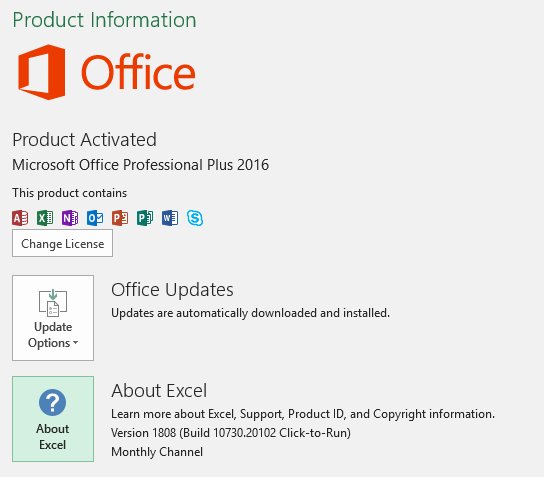
I had already set my file retention to 50.
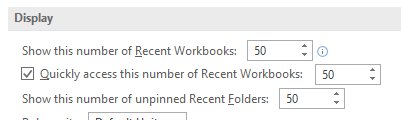
Finally, I have renamed the suggested registry key.
Now that Office has recreated a fresh key I can see none of my recent documents. This has understandably reset all of my Office settings, which is arguably more frustrating than only seeing documents from August 8th.
I'm going to revert back to the previous registry key so that I get my old settings back.
Thanks,
Armaitus
Friday, September 28, 2018 9:28 AM
Hi Armaitus,
Please let me know the result, after back to previous registry key.
Regards,
Emi
Please remember to mark the replies as answers if they helped. If you have feedback for TechNet Subscriber Support, contact [email protected].
Click here to learn more. Visit the dedicated forum to share, explore and talk to experts about Microsoft Teams.
Friday, September 28, 2018 9:51 AM
When I reverted back to the original key, I see this: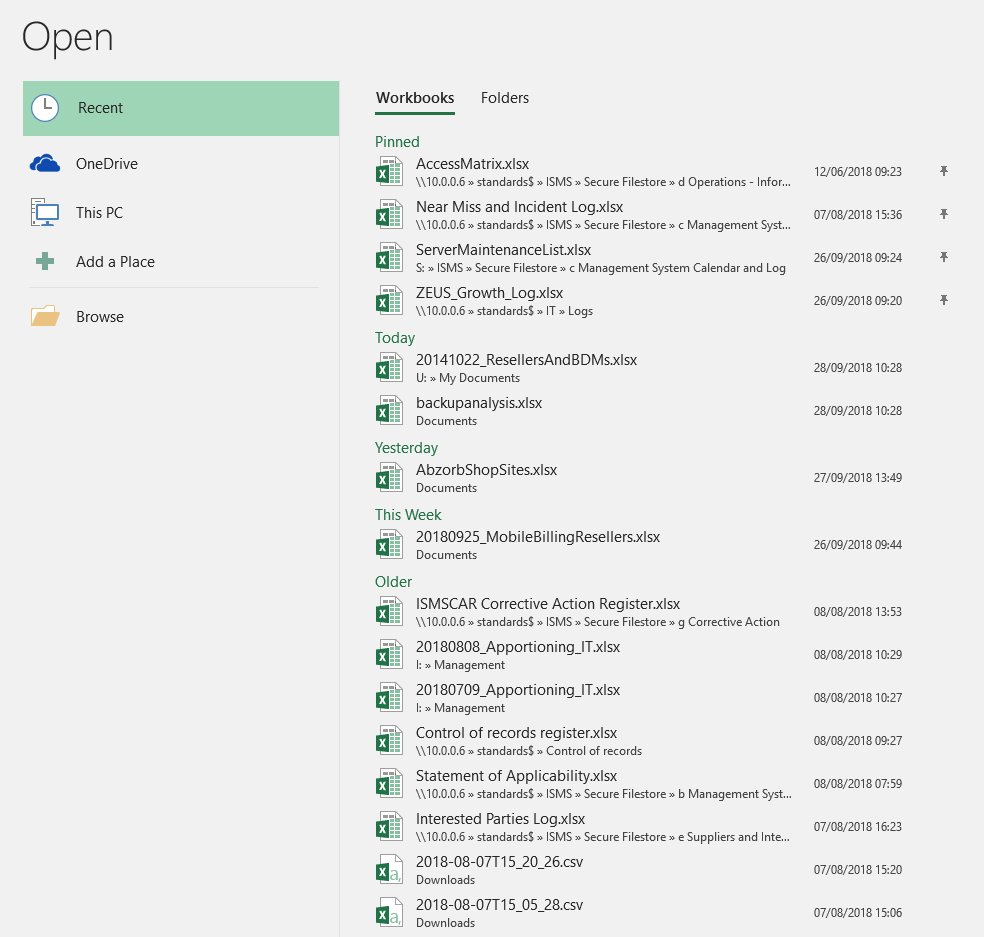
I opened a file from my network share (U drive is mapped to a networked file store) which you can see listed under "Today" alongside a local file IO have been working on this week.
"Yesterday" shows the only other spreadsheet I worked on yesterday and "This week" shows a file I created on Tuesday.
Looking in my "Pinned" section though, the 2nd sheet down is a document that gets updated regularly - and yet the date/time shows as August 7th. The document was actually last updated on September 19th.
I opened that sheet and saved it and now the correct date/time is displayed.
I now suspect that the problem is actually the date/times displayed for documents rather than the retention in Excel.
As an example, take a look at the "Older" list above.
20180808_Apportioning_IT.xlsx was last updated on September 4th but displays 08/08/2018 10:29
20180709_Apportioning_IT.xlsx was last updated on July 9th but displays 08/08/2018 10:27
I create one of these "Apportioning" sheets every month, using the previous months' sheet as a foundation.
The September file, 20180904_Apportioning_IT.xlsx doesn't show in my recent workbooks at all.

All of which is very confusing.
The files I open and save now, seem to retain the correct date/time when saved but there is a window from August 8th to date where my recent files are either missing OR display the incorrect date/time.
Thursday, February 14, 2019 9:52 AM
I have the same issue it just started today. (although weirdly also 08/08 2018 is when it is showing files for!)
What was the solution here?
Thursday, February 14, 2019 10:48 AM
Hi Richard,
I wish I could tell you. None of the suggestions provided here worked for me and as you can see, the responses dried up.
Regards,
Ben
Friday, November 1, 2019 11:54 AM
Hi,
I had this same problem yesterday in Word - all my recent files were suddenly from May! So I had a look at the reg key mentioned by Emi above, but drilled down to \Word\User MRU, where I found 2 keys full of recent files, not just one. The one that contained my actual recent files began with AD_, but the one Word was now using started with ADAL_. I exported both and then copied the contents of the AD_ key to ADAL_ in Notepad++ (the registry wouldn't just let me rename the AD_ key). I then ran the file back in and, hey presto, my recent files list was back! Bit of a tedious process, but it worked.
Hope that helps if it happens again,
Alison