Note
Access to this page requires authorization. You can try signing in or changing directories.
Access to this page requires authorization. You can try changing directories.
Question
Tuesday, October 10, 2017 11:35 AM
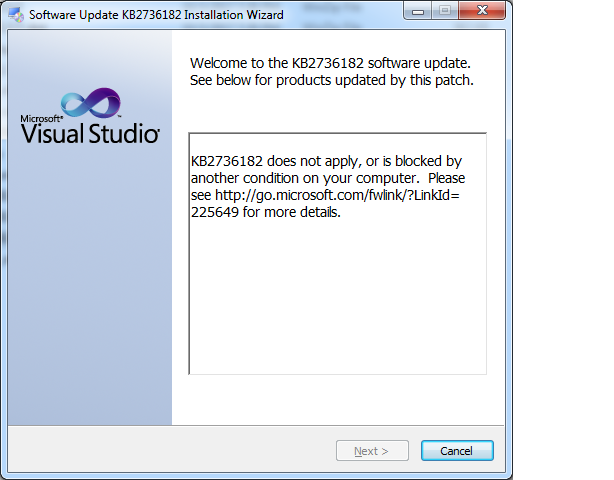
we Installing Visual Studio 2010 SP1 (KB2736182) showing error " KB2736182" does not apply, or is blocked by, another condition, on your computer.
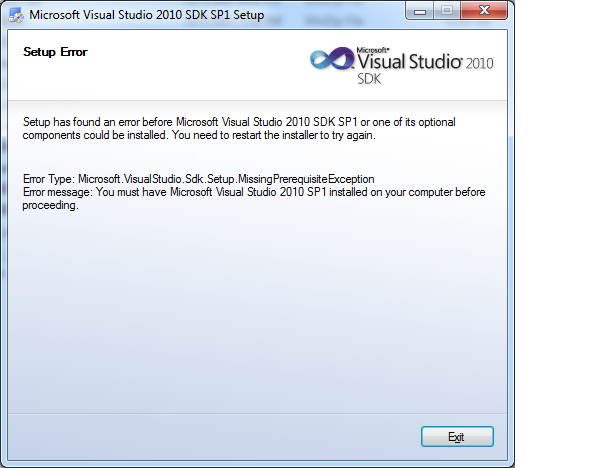
we installing Visual Studio 2010 SDK SP1 setup:-
Error Type: Microsoft.visual Studio.Sdk.Missing prerequisite Exception
Error message: You must have Microsoft Visual Studio 2010 SP1 installed on your computer before proceeding
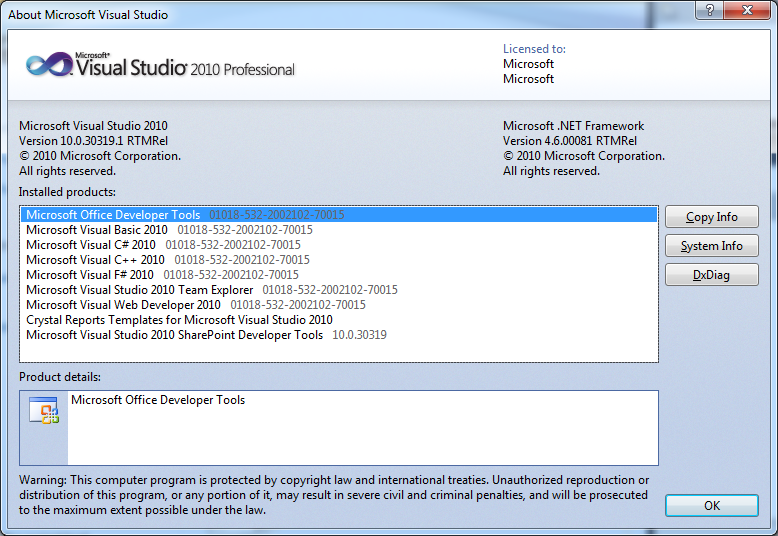
My Microsoft Visual Studio 2010 Version: 10.0.30319.1 RTMRel
All replies (9)
Wednesday, October 11, 2017 7:01 AM
Hi Vijay,
Thank you for posting in MSDN forum.
Please try with following steps:
1. Go to Control Panel. do a visual studio 2010 product repair from the Programs and features.
2. Disable AV software and firewall temporarily.
3. rerun the patch Visual Studio 2010 Service Pack 1 (KB2736182) and install it correctly.
Best Regards,
MSDN Community Support
Please remember to click "Mark as Answer" the responses that resolved your issue, and to click "Unmark as Answer" if not. This can be beneficial to other community members reading this thread. If you have any compliments or complaints to MSDN Support, feel free to contact [email protected].
Thursday, October 12, 2017 10:27 AM
Sorry Dear
Same problem occur.
Friday, October 13, 2017 6:29 AM
Hi Vishwakarma Vijay,
My understanding is that it has the specific Environment requirements.
For example, if I just install it in my windows 10 without VS2010 and VS2010 sp1, I also get the same issue.
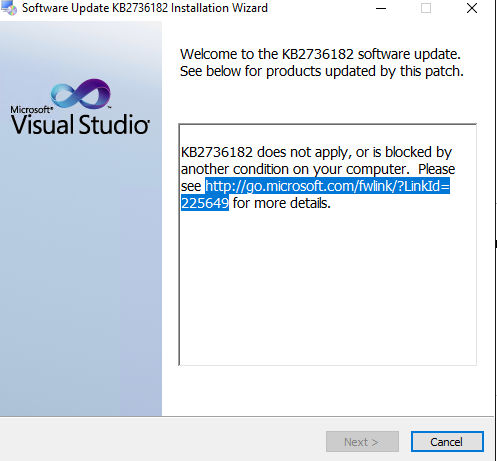
But based on the requirement here:
This release includes an update to Visual Studio 2010 SP1 Test Tools with compatibility fixes for Windows 8 and Visual Studio 2012
I think it was used for specific VS and Windows Environments.
It also shared some information about the requirements.
Sincerely,
Jack
MSDN Community Support
Please remember to click "Mark as Answer" the responses that resolved your issue, and to click "Unmark as Answer" if not. This can be beneficial to other community members reading this thread. If you have any compliments or complaints to MSDN Support, feel free to contact [email protected].
Wednesday, October 18, 2017 10:55 AM
The Log file of KB2736182
<center>
Installation Log
</center>
| Message Types: | <input id="errCB" type="checkbox" /><label class="pointer" for="errCB">Errors</label> <input id="vbeCB" type="checkbox" /><label class="pointer" for="vbeCB">Verbose</label> <input id="msgCB" type="checkbox" /><label class="pointer" for="msgCB">Messages</label> | |
| Message Details: | <input id="tCB" type="checkbox" /><label class="pointer" for="tCB">Date Time</label> | <input class="button" type="button" value="Summary" /> <input class="button" type="button" value="Expand All" /> <input class="button" type="button" value="Collapse All" /> |
<center>© 2009 Microsoft Corporation. All rights reserved. Terms of Use.</center><form action="" class="messages" id="messages">
[10/18/2017, 16:15:15] OS Version Information: ...
[10/18/2017, 16:15:15]OS Version = 6.1.7601, Platform 2, Service Pack 1
[10/18/2017, 16:15:15]OS Description = Windows 7 - x64 Service Pack 1
[10/18/2017, 16:15:15] OS Version Information
[10/18/2017, 16:15:15] Environment details: ...
[10/18/2017, 16:15:15]CommandLine = d:\8a6b6641b6c61c655eb395\Setup.exe
[10/18/2017, 16:15:15] Environment details
[10/18/2017, 16:15:15]Loading localized engine data for language 1033 from d:\8a6b6641b6c61c655eb395\1033\LocalizedData.xml
[10/18/2017, 16:15:16] Entering Function: LocalizedData::CreateLocalizedData...
[10/18/2017, 16:15:16] exiting function/method
[10/18/2017, 16:15:16] succeeded
[10/18/2017, 16:15:16] Entering Function: EngineData::CreateEngineData...
[10/18/2017, 16:15:16]Current SetupVersion = 1.0
[10/18/2017, 16:15:16]SetupVersion specified in ParameterInfo.xml is '1.0'
[10/18/2017, 16:15:16]patch VS10SP1-KB2736182.msp added
[10/18/2017, 16:15:16]Adding Item type "Patches", local path (not applicable)
[10/18/2017, 16:15:16]No ProcessBlock element
[10/18/2017, 16:15:16]No ServiceBlock element
[10/18/2017, 16:15:16]Using Simultaneous Download and Install mechanism
[10/18/2017, 16:15:16] exiting function/method
[10/18/2017, 16:15:16] succeeded
[10/18/2017, 16:15:16] MaintenanceMode determination: evaluating EnterMaintenanceModeIf...
[10/18/2017, 16:15:16]evaluating EnterMaintenanceModeIf:
[10/18/2017, 16:15:16]returning false
[10/18/2017, 16:15:16] MaintenanceMode determination evaluates to 'not in maintenance mode'
[10/18/2017, 16:15:16] Operation Type: ...
[10/18/2017, 16:15:16]Operation: Installing
[10/18/2017, 16:15:16] Operation Type
[10/18/2017, 16:15:16] Package details: KB2736182...
[10/18/2017, 16:15:16]Package Name = KB2736182
[10/18/2017, 16:15:16]Package Version = 10.0.40219
[10/18/2017, 16:15:16] Package details
[10/18/2017, 16:15:16] User Experience Data Collection Policy: ...
[10/18/2017, 16:15:16]User Experience Data Collection Policy: UserControlled
[10/18/2017, 16:15:16] User Experience Data Collection Policy
[10/18/2017, 16:15:16]Loading file - d:\8a6b6641b6c61c655eb395\UiInfo.xml
[10/18/2017, 16:15:16]Add to schema collection schema file - d:\8a6b6641b6c61c655eb395\SetupUi.xsd
[10/18/2017, 16:15:16]Successfuly found file d:\8a6b6641b6c61c655eb395\1033\SetupResources.DLL
[10/18/2017, 16:15:16]Successfuly found file d:\8a6b6641b6c61c655eb395\Strings.xml
[10/18/2017, 16:15:16] exiting function/method
[10/18/2017, 16:15:16] succeeded
[10/18/2017, 16:15:16] Global Block Checks: Checking for global blockers...
[10/18/2017, 16:15:16] Global Block Checks no blocking conditions found
[10/18/2017, 16:15:16]OpenFileMapping fails with last error: 6
[10/18/2017, 16:15:16]The handle to the section is Null
[10/18/2017, 16:15:16]OpenFileMapping fails with last error: 6
[10/18/2017, 16:15:16]The handle to the section is Null
[10/18/2017, 16:15:16] Applicability for Installing: evaluating each item...
[10/18/2017, 16:15:16] Determining state: of d:\8a6b6641b6c61c655eb395\VS10SP1-KB2736182.msp...
[10/18/2017, 16:15:16]evaluating ApplicableIf:
[10/18/2017, 16:15:16] Exists: evaluating...
[10/18/2017, 16:15:16]MsiXmlBlob: this patch is not applicable
[10/18/2017, 16:15:16] Exists evaluated to false
[10/18/2017, 16:15:16] Determining state of d:\8a6b6641b6c61c655eb395\VS10SP1-KB2736182.msp - not applicable
[10/18/2017, 16:15:16] Applicability for Installing determination is complete
[10/18/2017, 16:15:16] Applicability Result Count: ...
[10/18/2017, 16:15:16]Number of applicable items: 0
[10/18/2017, 16:15:16] Applicability Result Count
[10/18/2017, 16:15:16]KB2736182 does not apply, or is blocked by another condition on your computer. Please see http://go.microsoft.com/fwlink/?LinkId=225649 for more details.
[10/18/2017, 16:15:27]The operation was cancelled by the user
[10/18/2017, 16:15:27]Final Result: Installation failed with error code: (0x80070642), "User cancelled installation. " (Elapsed time: 0 00:00:11).
</form>
Thursday, October 19, 2017 6:53 AM
Hi Vishwakarma Vijay,
Actually you could get information here from Srishti.
This update is only applicable for Visual Studio 2010. Although you can install it on any machine, it is meant for Windows 8 machines with Visual Studio 2010 installed on it. The fixes we are providing in this update are already part of the Visual Studio 2012 product and hence you don't need any update to get the same.
If you are using any of Visual Studio's testing tools (Coded UI Tests, Microsoft Test Manager, Load test etc.) on a Windows8 VS 2010 machine, please go ahead with this update.
Best Regards,
Jack
MSDN Community Support
Please remember to click "Mark as Answer" the responses that resolved your issue, and to click "Unmark as Answer" if not. This can be beneficial to other community members reading this thread. If you have any compliments or complaints to MSDN Support, feel free to contact [email protected].
Friday, October 27, 2017 7:07 AM
Friday, October 27, 2017 7:25 AM
Hi Vishwakarma Vijay,
It has the specific requirement if you want to install this SDK. You have to install the VS2010 SP1.
For example we have an old VS2010 Environment:
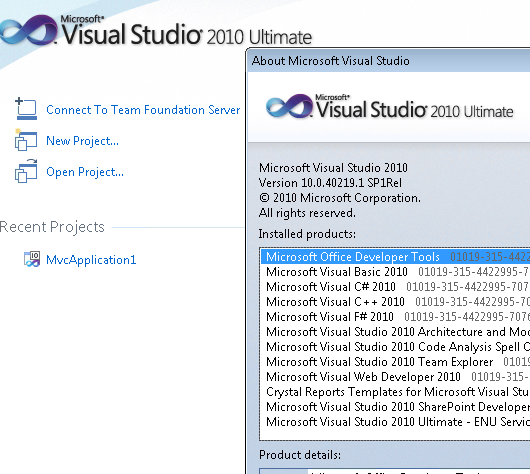
And then I try to install this SDK sp1:
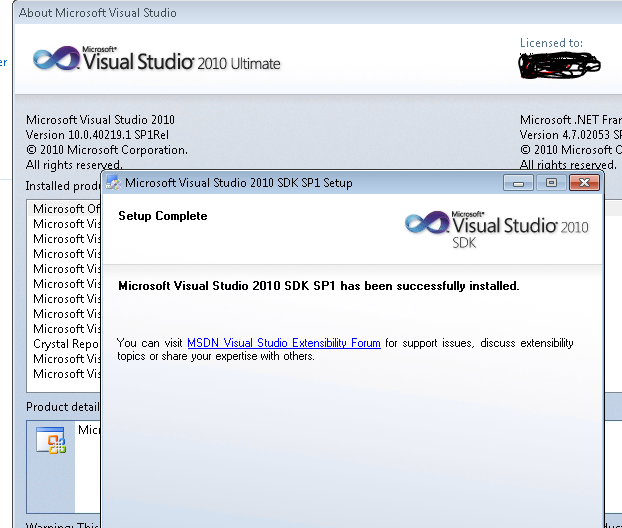
So if you want to install SDK sp1, yo have to install the SP1 firstly.
Note: The VS2010 sp1 was not the same package as Visual Studio 2010 SP1 (KB2736182).
You could download VS2010 SP1 here:
https://my.visualstudio.com/Downloads?q=visual%20studio%202010&wt.mc_id=o~msft~vscom~older-downloads
If any reply was helpful for you, you could mark it as the answer. If not, please feel free to share it, I will follow up it in time:)
Best Regards,
Jack
MSDN Community Support
Please remember to click "Mark as Answer" the responses that resolved your issue, and to click "Unmark as Answer" if not. This can be beneficial to other community members reading this thread. If you have any compliments or complaints to MSDN Support, feel free to contact [email protected].
Monday, October 30, 2017 6:18 AM
Thanks Jack
but above download link show
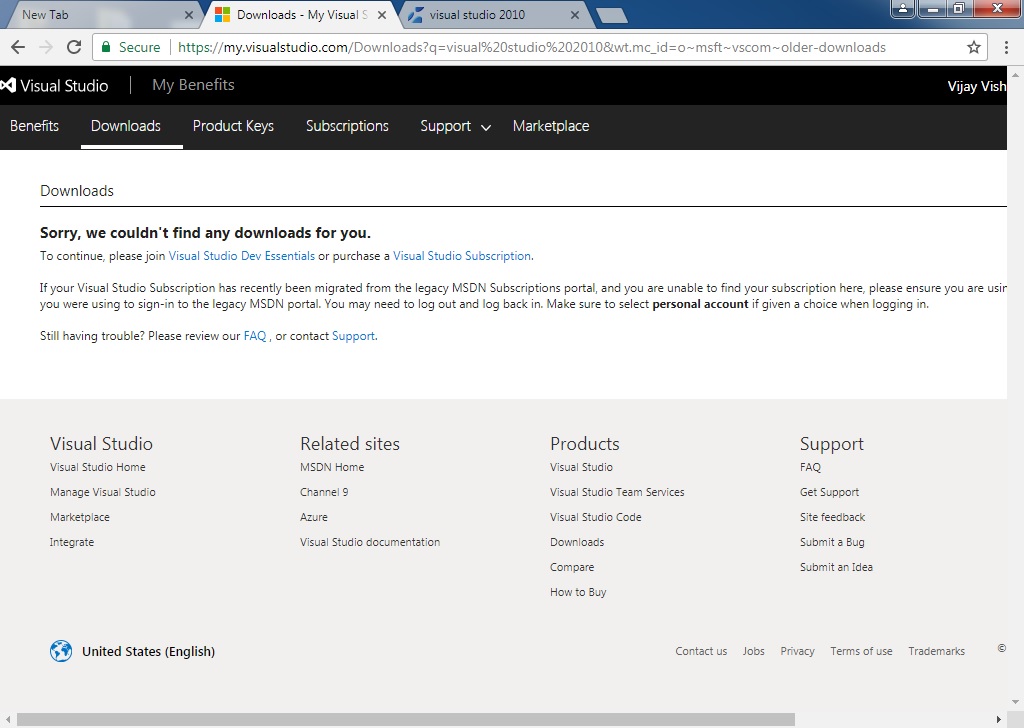
than what we do?
Monday, October 30, 2017 8:27 AM
Hi Vishwakarma Vijay,
Before you visit that page, did you get a log-in window?
As far as I know, it would require a subscription account.
See: https://www.visualstudio.com/my/myvsfaq
Anyway, it was not different from the previous issue, the previous issue is that you didn't install the sp1, so you need to install it before you install that sdk.
If you have no account, just see above FAQ.
Just search VS2010 after you sign in it:
https://my.visualstudio.com/downloads/featured
You would find the Visual Studio 2010 Service Pack 1.
Best Regards,
Jack
MSDN Community Support
Please remember to click "Mark as Answer" the responses that resolved your issue, and to click "Unmark as Answer" if not. This can be beneficial to other community members reading this thread. If you have any compliments or complaints to MSDN Support, feel free to contact [email protected].