Note
Access to this page requires authorization. You can try signing in or changing directories.
Access to this page requires authorization. You can try changing directories.
Question
Friday, January 27, 2017 9:47 AM
Hey,
I am trying to edit the displayed error messages that appears when my users failed to login.
Example:
A users password has expired and the password complexity is too week.
The error message will say invalid new password. how can i change this to something else? like, you're password needs to be atleast 8 char long.
All replies (2)
Saturday, January 28, 2017 6:04 AM
Well, I'd suggest you follow this guidance in the messages:
https://public.wsu.edu/~brians/errors/weak.html
https://public.wsu.edu/~brians/errors/your.html
But to get to the question, I don't know any way to do that.
Ed Crowley MVP "There are seldom good technological solutions to behavioral problems."
Celebrating 20 years of providing Exchange peer support!
Tuesday, January 31, 2017 7:17 AM
Hi,
If users failed to login, the following message will be shown.
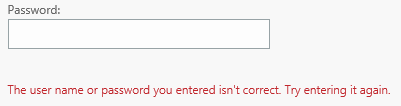
If user's password has expired, when user login OWA, this page will be shown to let users know his password has expired.
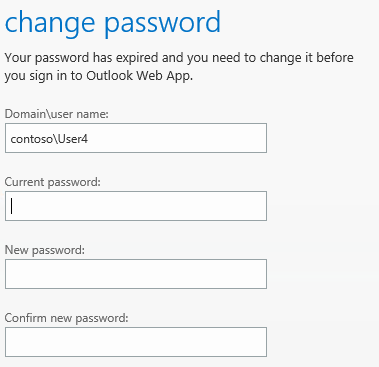
When users failed to change password, the following message will be shown.
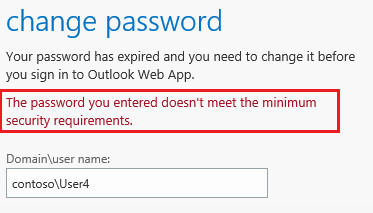
For now, I didn't find any methods to edit all the warning messages above. If you want to let users know the password complexity requirements, you can try something in this thread.
Best Regards,
Lynn-Li
TechNet Community Support
Please remember to mark the replies as answers.
If you have feedback for TechNet Subscriber Support, contact [email protected].