Note
Access to this page requires authorization. You can try signing in or changing directories.
Access to this page requires authorization. You can try changing directories.
Question
Monday, January 6, 2020 2:29 AM
This post explains how to deploy autopilot profile on Hybrid Azure AD joined devices.
Issue Description
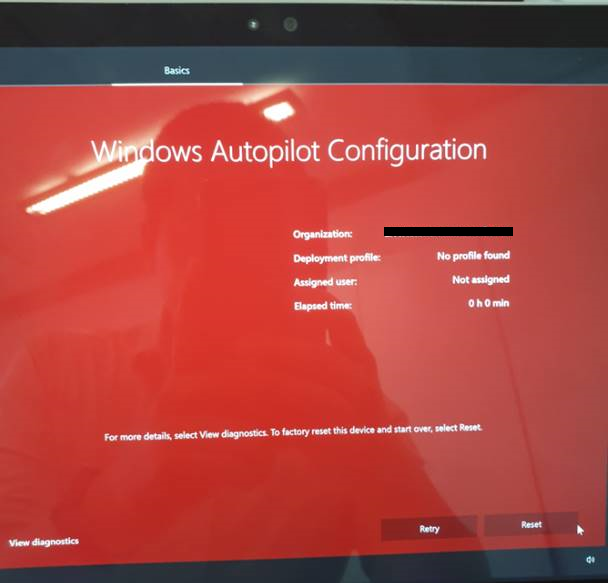
The OS image is deployed successfully on the Surface device by using SCCM task sequence, but during Autopilot stage, it fails with red screen. It finds the Azure AD tenant correctly, but not the Deployment profile.
Cause
White glove is not supported in combination with the JSON formatted autopilot profile by using SCCM task sequence.
The white glove provisioning process leverages self-deploying capabilities which is not supported in “Windows Autopilot for existing devices” scenario.
Workarounds
It’s recommended to separate the OS image deployment and autopilot profile deployment.
In this case, the OS image can be deployed by using SCCM task sequence, but not along with autopilot profile.
Before deploying OS image, the device information needs to be uploaded in Intune, and the autopilot profile should be configured and deployed from Intune.
References
Hope the above information can be helpful. If you need further assistance on this issue, feel free to post a question via clicking "Ask a question" at the top left of this page, we will try our best to help you!