Note
Access to this page requires authorization. You can try signing in or changing directories.
Access to this page requires authorization. You can try changing directories.
Question
Friday, September 4, 2015 8:13 AM
Hi Everyone,
I'm deploying (or at least trying to) MUI for windows 10.
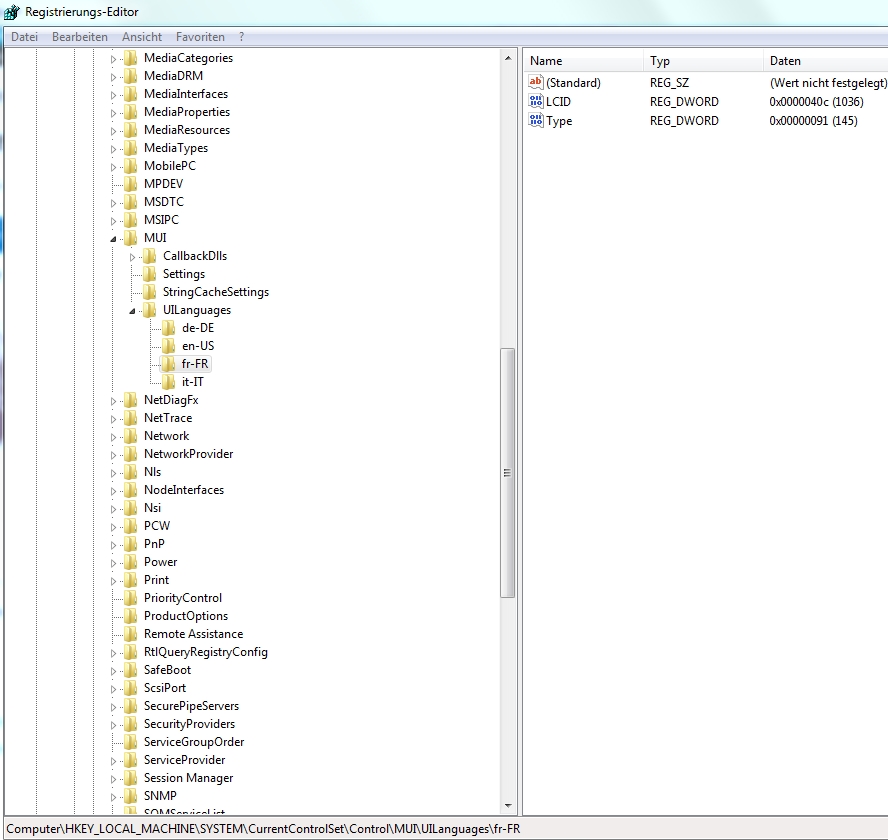
My problem is the DETECTION RULE, I've found out that when you installa a MUI in the registry of windows it's added under:
HKEY_LOCAL_MACHINE\SYSTEM\CurrentControlSet\Control\MUI\UILanguages
And there you can find for example: it-IT, de-DE , ....
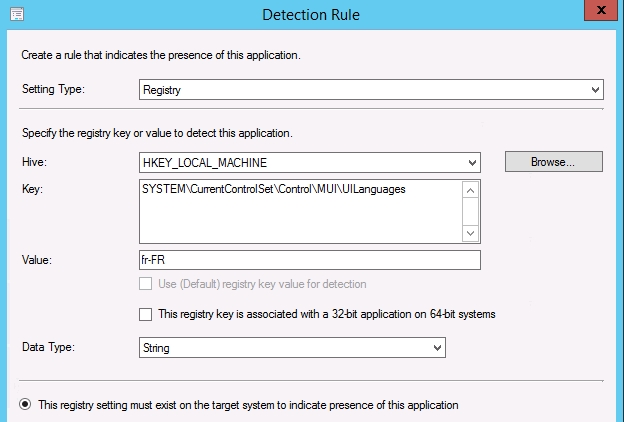
My problem is that I've tryed to put in the detection rule to find out the ""folder"" fr-FR, but it doesnt work.
Maybe im doing something wrong, the actual detection rule that I'm using is this one:
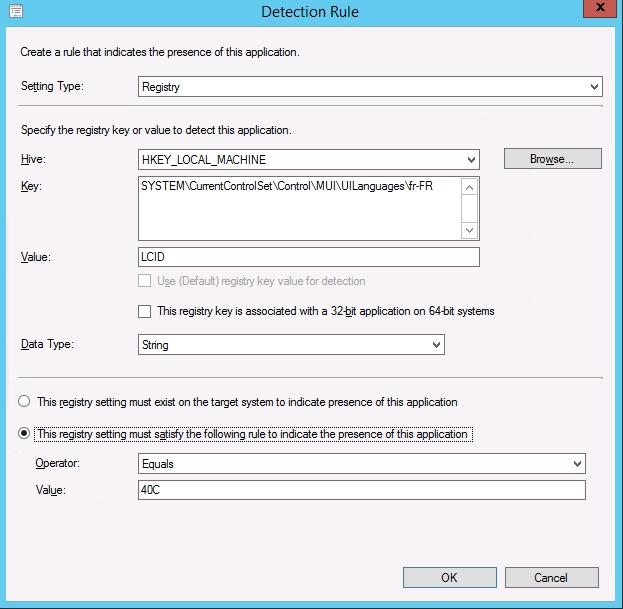
I've also tryed to use as detection method the value of the LCID key (REG_DWORD) but no luck...
All replies (4)
Friday, September 4, 2015 8:19 AM ✅Answered | 1 vote
It should work when you just enter SYSTEM\CurrentControlSet\Control\MUI\UILanguages\fr-FR in the "Key" field (i.e. don't add anthing to "Value").
Torsten Meringer | http://www.mssccmfaq.de
Friday, September 4, 2015 8:34 AM
I will try this way in the afternoon :)
Thanks in advice.
Friday, September 4, 2015 11:40 AM
The 40c shown in regedit is a hex representation of the number. If you want to compare it, you need to use the decimal representation which is 1036. Also, since it's a DWORD, you need to do an integer comparison, not a string comparison.
Jason | http://blog.configmgrftw.com | @jasonsandys
Friday, September 18, 2015 6:28 AM
Worked like a charm.
Thank you