Note
Access to this page requires authorization. You can try signing in or changing directories.
Access to this page requires authorization. You can try changing directories.
Question
Thursday, October 17, 2019 10:14 PM
Every now and again we can't save to our 'home' drives (H:) from Office products.
We start Word, type a document and hit save. Select the H drive and we get a bogus message...
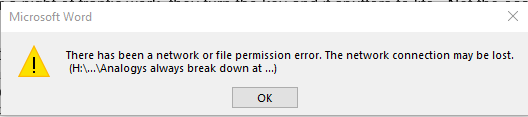
Network error (maybe) or permission error (definitely not).
We then start Excel and type in some text and hit Save. And we get this...
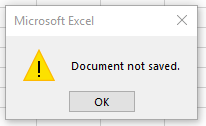
Start Notepad and we know it will save and it does. So not a network or permission error. Network monitoring shows no network issues (no dropped packets etc etc).
When we use File Explorer to look at the H drive, the test Excel will always show the file has been 'saved' with 0 KB. Note the Notepad test worked just fine...

When this problem happens, it is repeatable. I can go and try and save in Excel again and again, but it won't save. But I might go a month before I see this problem again. We have one or two users (out of about 60) complaining of this each week.
It seems this problem has been going on for YEARS. Here's a post from 2010... https://community.spiceworks.com/topic/99258-user-can-t-save-any-office-documetns-to-a-network-share
Does anyone have a solution (for 2019).
Thanks, Neal
All replies (6)
Thursday, October 17, 2019 10:29 PM
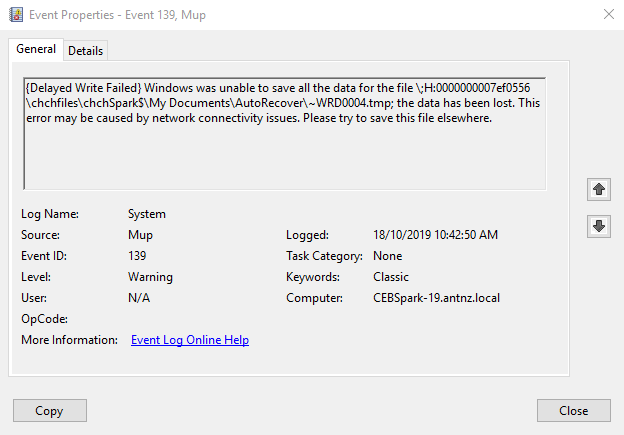
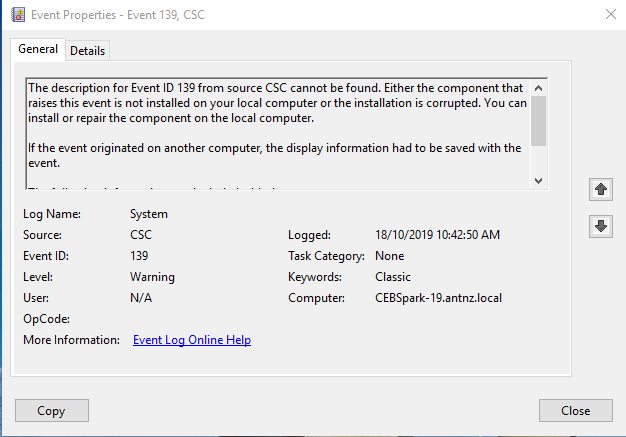
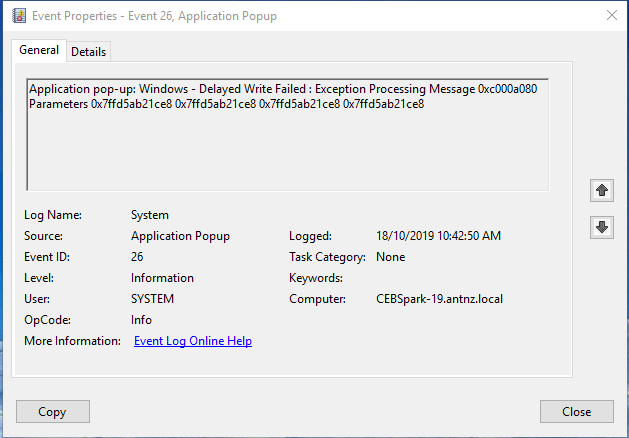
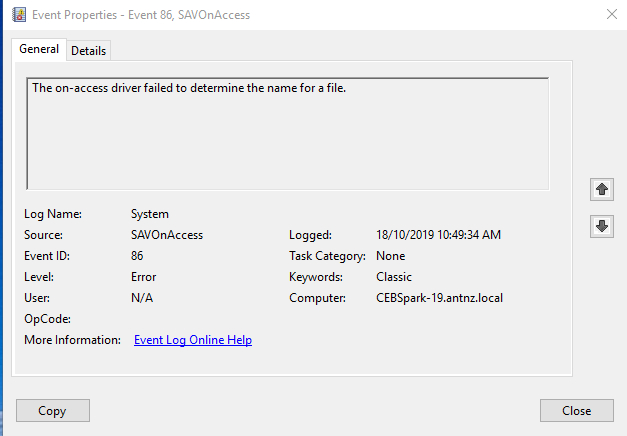
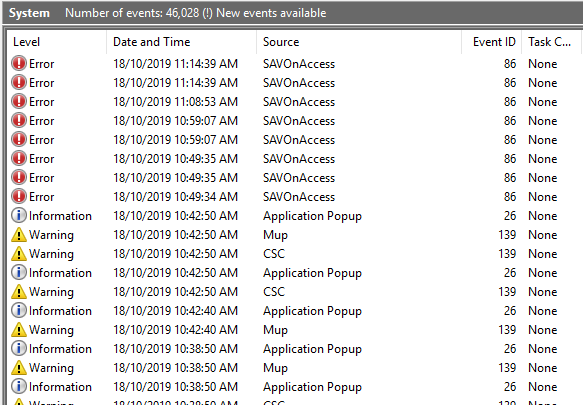
Just found some clues in the Event logs, system log...
Friday, October 18, 2019 10:19 AM
Hi,
Based on your description and these logs, I find that Word/Excel has difficulties saving temporary files and writing data into files in Drive H.
What's version of Office 2019 you are using? Where is the Drive H located? Is the Drive H a mapped driver?
According to error message, you can follow the steps in KB291156. You can use UNC Path of network share in the Save Dialog Box to have a check. If you use mapped driver, you can create a new mapped driver to have a check.
In addition, please make sure you have installed the latest Windows updates. Consider to temporarily disable all third-party protection safeware and Office add-ins in Word/Excel Options.
If you have any updates, feel free to post back to let us know. I would be glad to follow up to help you.
Best Regards,
Herb
Please remember to mark the replies as answers if they helped. If you have feedback for TechNet Subscriber Support, contact [email protected].
Click here to learn more. Visit the dedicated forum to share, explore and talk to experts about Microsoft Office 2019.
Tuesday, October 22, 2019 12:48 AM
Office 2019 on Premises, not Office 365. Build 16.0.10346.20002 32 bit
H drive is a mapped network drive, mapped by Group Policy. When Office can't save to it, non office programs like Notepad can. Also can open in File Explorer and save etc.
The KB article you sent me to is for Word 2003 and Word 2010. It can't still be happening in 2019. Also that is not a fix, so no, your reply is not the answer.
Thanks, Neal
Tuesday, October 29, 2019 7:22 PM
Had this happen to another couple of users yesterday. Same thing. Only Office can't save to mapped network drive. While the error is happening, can save from Notepad, can go to the drive, make a new folder, save a file etc, but back to Office, can't save.
Is there some kind of logging that can be turned on or a log somewhere that might help?
Thanks, Neal
Tuesday, November 19, 2019 5:18 PM
I have the same issue, exactly, with several users. Only occurred after I installed Office 2019. Any updates to this issue?
Tuesday, June 23, 2020 3:03 AM
No, still goes on.
If it were a permissions issue, it would never save. But this pops up randomly for some users. Might go away after a reboot, might not. Will be OK for a few weeks, then come back again.
Key is that it's an Office issue. Word can't save, start Notepad and it can save, Word still can't.