Note
Access to this page requires authorization. You can try signing in or changing directories.
Access to this page requires authorization. You can try changing directories.
Question
Tuesday, February 27, 2018 11:41 AM
Dear Support,
On one of the Hyper-v servers i receive te following error code.
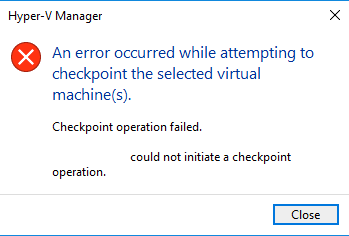
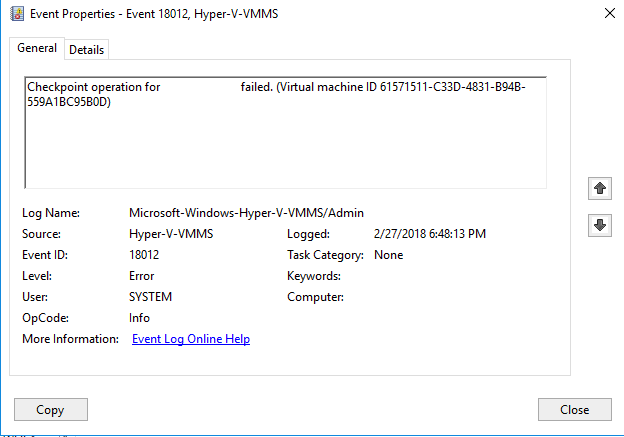
An error Occurred while attempting to checkpoint the selected Virtual machine(s).
Checkpoint operation failed.
'OOS-TIR-FS1' could not initiate a checkpoint operation.
The guest host is an domain server with Windows 2016 server. Just for your information.
For backupping I use the software Veeam. The other serves are working correctly.
Please advise.
What could be the case?
Greetz
Jeffrey de Jong.
All replies (5)
Wednesday, February 28, 2018 7:15 AM ✅Answered | 1 vote
Hi ,
There could be many reasons:
1.After VM migration between hosts, when one host suddenly goes out, few problems can appear.
2.Sometimes two VMs shows up on Hyper-V host with the same name, one is On and one is Off (one must be removed).
3.Sometimes there is a problem with performing a backup. The problem is connected with a problem with performing a checkpoint of the VM. The operation ends up with above errors. The reason is that folder permissions with disk files are not properly granted. To be precise VM does not have permissions to its own disks folder.
For your reference:
Snapshot - General access denied error (0x80070005).
Best regards,
Candy
Please remember to mark the replies as answers if they help.
If you have feedback for TechNet Subscriber Support, contact [email protected].
Wednesday, February 28, 2018 4:09 AM
Check memory utilization of that time.
Thursday, March 1, 2018 9:17 AM
Hi ,
Just want to confirm the current situations.
Please feel free to let us know if you need further assistance.
Best Regards,
Candy
Please remember to mark the replies as answers if they help.
If you have feedback for TechNet Subscriber Support, contact [email protected].
Friday, March 29, 2019 5:54 PM | 1 vote
Hi Candy,
thank you for your suggestion , I just want to add I was having the same issue and I could fix it by restarting hyperv v manager service and give permission again to replica folder for account used for snapshot,
Ras
Friday, July 26, 2019 1:10 PM
Hello,
I went through the same issue and I was able to fix it on my own, so I just want to contribute and share another possible solution.
In my case, while I was receiving the same error I did research for possible solutions they all seem great but seem like those solutions were sending me in a wild chase. I honestly just felt like deleting my VM and re starting it if anything (my HV Vm is just for testing and contain no data).
So the error was the VM was not able to create a new checkpoint, therefore I test another vm to see if my host was able to create checkpoints and while that seem to work then it meant the problem was isolated. I check the settings of the vm not able to restart and create more checkpoints and under settings > hard drive> virtual hard disk, the path in there seem a little off, it was for sure not the one I had save it in. So, I just click on browse found the folder where I originally had saved my vm, click on apply changes, ok and restarted and it was able to start again, and error was gone.
Step by step:
1. click on settings on the vm having this issues
2. click on hard drive
3. under virtual hard disk click on browse
4. remap it to its original folder
5. once the folder is selected click on apply
6. click ok
7. start vm
the vm should not give you any troubles.
hope this helps!