Exchange Online
A cloud-based service included in Microsoft 365, delivering scalable messaging and collaboration features with simplified management and automatic updates.
This browser is no longer supported.
Upgrade to Microsoft Edge to take advantage of the latest features, security updates, and technical support.
' cx='32' cy='32' r='32' /%3E%3Ctext x='50%25' y='55%25' dominant-baseline='middle' text-anchor='middle' fill='%23FFF' %3EMP%3C/text%3E%3C/svg%3E)
I've started migrating mailboxes from our on prem Exch 2019 hybrid environment up to Exchange Online.
So far so good with the actual migrations, all has gone smoothly as expected.
I've noted a few anomalies post migration I wasn't expecting however.
I was hoping someone might be able to shed some light on these.
Query 1 - Migrated user mailbox and migrated shared mailbox.
Both users and shared mailboxes that users access have been migrated successfully to EO at the same time, and the shared mailbox delegate permissions remain intact in EO.
When the user tries to access the shared mailbox via Outlook (mailbox previously auto-mapped when originally added on prem) the user cannot access the mailbox.
The workaround - add the mailbox as an additional mailbox to the user profile which solves the issue.
Given that the permissions are intact in EO, is this expected behaviour?
Query 2 - Migrated user mailbox accessing on prem shared mailbox.
Full access permissions granted to the shared mailbox for the migrated mailbox user post migration.
The shared mailbox can be accessed via Outlook client via the migrated user mailbox profile, which was auto-mapped before migration.
Shared mailbox is not auto-mapped in the migrated user profile when accessed via OWA, nor is it accessible when added as a "Shared Folder" - access denied message displayed.
Both of these scenarios are unexpected to me, can anyone explain these behaviours please?
TIA
A cloud-based service included in Microsoft 365, delivering scalable messaging and collaboration features with simplified management and automatic updates.
The administration and maintenance of Microsoft Exchange Server to ensure secure, reliable, and efficient email and collaboration services across an organization.
The administration of a hybrid deployment that connects on-premises Exchange Server with Exchange Online, enabling seamless integration and centralized control.

From what I have seen, typically an hour at most. OWA will work much quicker if they want to access that way - opening another mailbox

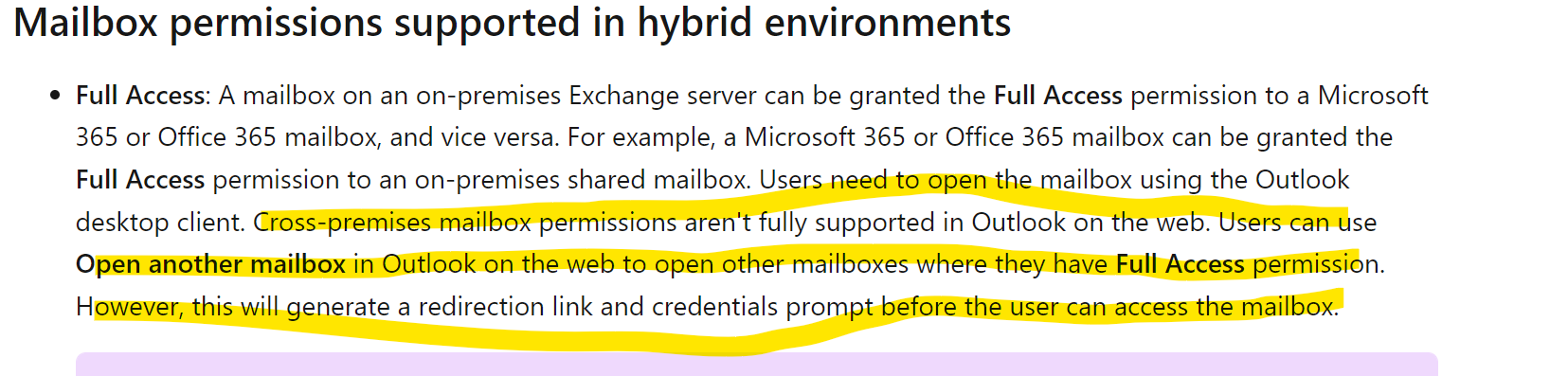
For the second scenario, this is expected in Exchange Hybrid.
Cross-premises Full Access is supported with Outlook desktop, but cross-premises mailbox permissions are not fully supported in Outlook on the web.
For auto-mapping, Microsoft also notes that it does not work correctly across premises until the related mailboxes are moved to Exchange Online. If both mailboxes are already in Exchange Online but auto-mapping is missing, removing and adding the Full Access permission again can recreate the auto-mapping information.
Microsoft reference: https://learn.microsoft.com/en-us/exchange/permissions
Thanks Andy, appreciated
Thanks Andy.
I do now recall reading that documentation many months ago to be fair.
Shared mailbox access via OWA is not a major issue in my case, just good to know this is expected behaviour.
The first scenario is the one that is the most troublesome.
If I were to remove/re-add the permissions on the shared mailbox for the affected users in EO, how long before the changes took effect client side in Outlook?
The first one happens occasionally. I prefer to remove the full mailbox perms and add them back so they auto-map if desired. If not, your solution works.
For the second one, that is expected.
https://learn.microsoft.com/en-us/exchange/permissions#mailbox-permissions-supported-in-hybrid-environments