Developer technologies | Visual Studio | Setup
The process of installing, configuring, and customizing Visual Studio to support development workflows across languages, platforms, and workloads.
This browser is no longer supported.
Upgrade to Microsoft Edge to take advantage of the latest features, security updates, and technical support.
' cx='32' cy='32' r='32' /%3E%3Ctext x='50%25' y='55%25' dominant-baseline='middle' text-anchor='middle' fill='%23FFF' %3ELR%3C/text%3E%3C/svg%3E)
Previously I had the 2019 and 2022 versions of VS community on my pc. After uninstalling the 2019 version, and opening my projects in the 2022 version, I was asked to update to the 4.8 framework. Ok, I set 4.7.2, done.
But the project does not start because the only possible choice in the Project Property / Startup Object is “Sub Main”. But I don’t have a Sub Main. My Startup Object in all my project was a Form01 when I worked in VS 2019.
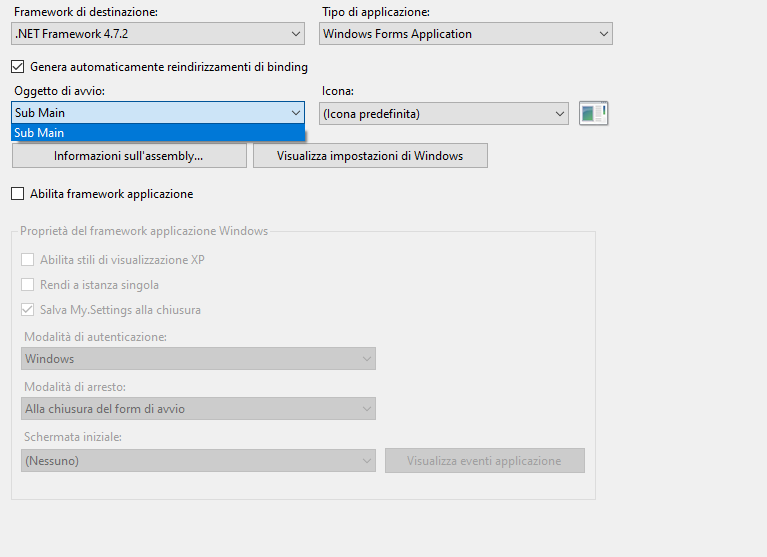
If I change the “Enable framework application” checkbox, vs2022 prompts “start object must be a Form with Enable framework application option selected".
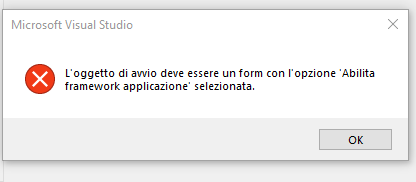
But I can’t set a Form as start object, given that the only option in startup object textbox is Sub Main.
Any advice?
The process of installing, configuring, and customizing Visual Studio to support development workflows across languages, platforms, and workloads.
An object-oriented programming language developed by Microsoft that can be used in .NET.
A family of Microsoft suites of integrated development tools for building applications for Windows, the web, mobile devices and many other platforms. Miscellaneous topics that do not fit into specific categories.
' cx='32' cy='32' r='32' /%3E%3Ctext x='50%25' y='55%25' dominant-baseline='middle' text-anchor='middle' fill='%23FFF' %3EM%3C/text%3E%3C/svg%3E)
One should verify that Enable application framework option in the project properties is Checked. If that is the case you'll see the form. If you want Sub Main in a Module as startup: doubleclick in solution explorer on the projectname and change the <startupObject> in projectname.modulename where the sub Main is found
Answer accepted by question author
' cx='32' cy='32' r='32' /%3E%3Ctext x='50%25' y='55%25' dominant-baseline='middle' text-anchor='middle' fill='%23FFF' %3EJL%3C/text%3E%3C/svg%3E)
Hi @Luigi Raffaele Sapone ,
In Visual Studio 2022 when using VB.NET, WinForms, and .NET Framework, this might be a bug.
The problem is under investigation.
Can't select startup object in VB.net - VS 2022
As a temporary solution, you can open the solution in VS 2019, set the Startup form, save, close VS 2019, and then re-open the solution in VS 2022.
Best Regards.
Jiachen Li
----------
If the answer is helpful, please click "Accept Answer" and upvote it.
Note: Please follow the steps in our documentation to enable e-mail notifications if you want to receive the related email notification for this thread.
But you'll remain with a .Net Framework solution, not a .Net Core one.