Hi Tom,
So,
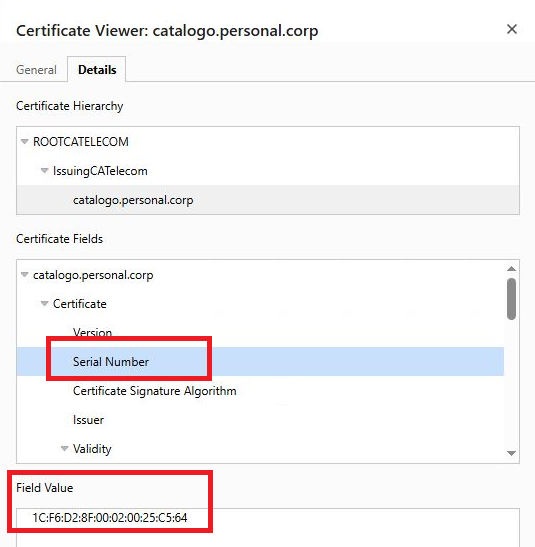
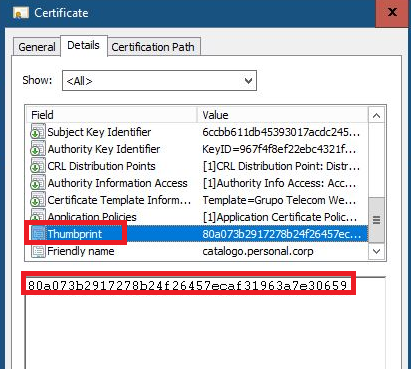
In Chrome, opened the certificate details and we verified the Thumbprint or Serial Number.
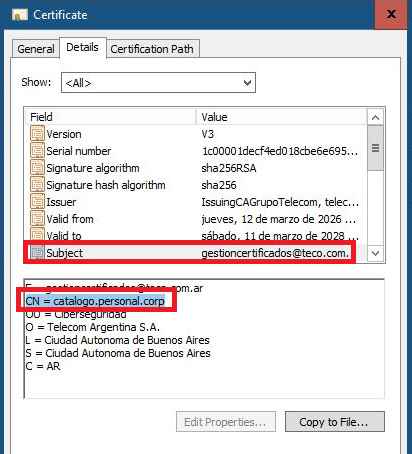
But in Subject, the Certificate, shows:
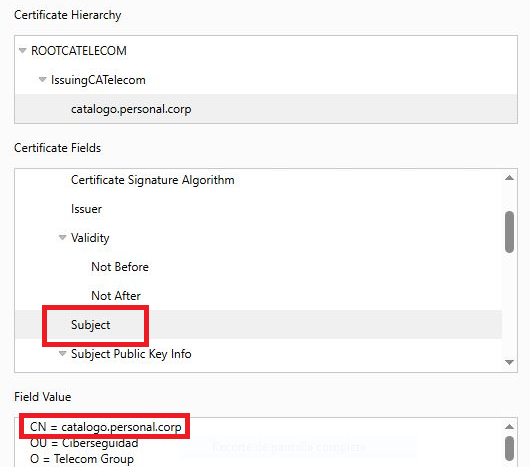
At this point, we have some doubts!!!!.
I shouldn't say: befancatalogo.personal.corp???.
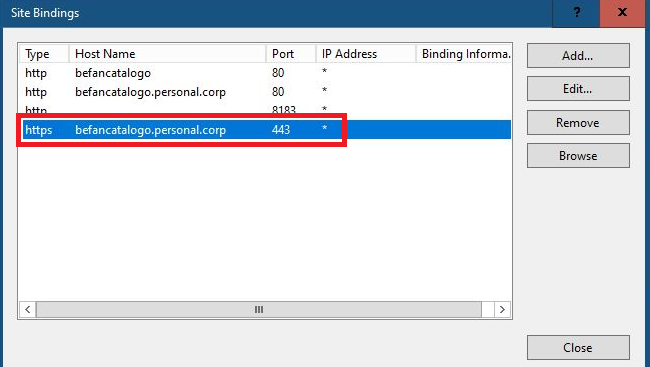
On the IIS server, opened the certificate selected in the HTTPS binding and verified the Thumbprint or Serial Number there.
It show:
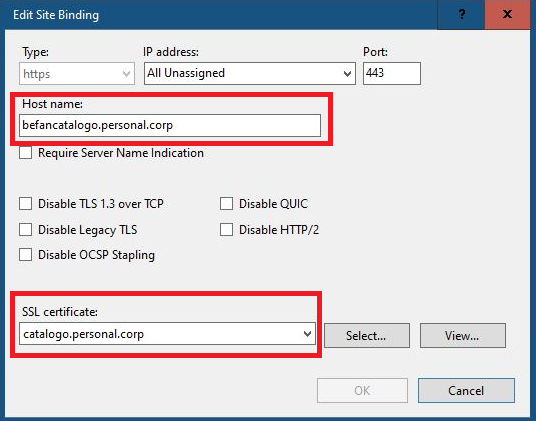
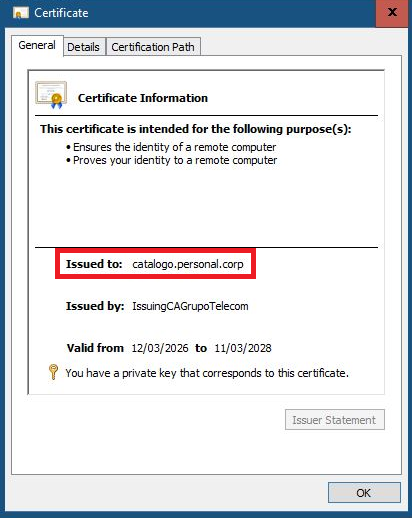
We are seeing that it says issued for: catalogo.personal.corp!!!.
And we have the same doubt again, I shouldn't say: befancatalogo.personal.corp???.
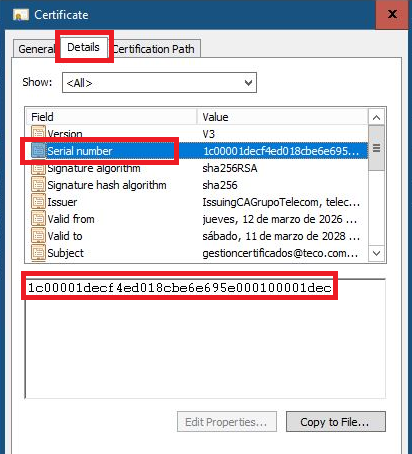
In Details;
Field - Serial number:
Field Subject:
Field thumbprint
We are thinking that the field that the Certificate takes is CN!!!!.
In CN, It should say: befancatalogo.personal.corp!!!.
Now, It say: catalogo.personal.corp
What do you Think????.
Another question we are having is about the Certificate Hierarchy!!!.
We should be able to see the details of the Certificate???.
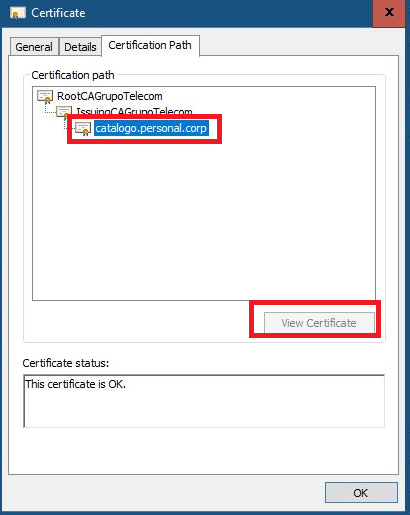
The "view certificate" option is grayed out!!!.
The certificate serial number displayed in the Google browser does not match the serial numbers on the certificates; we understand that Root - Intermediate!!!!.
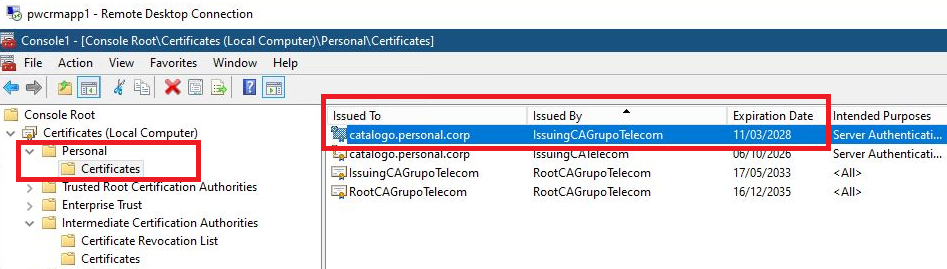
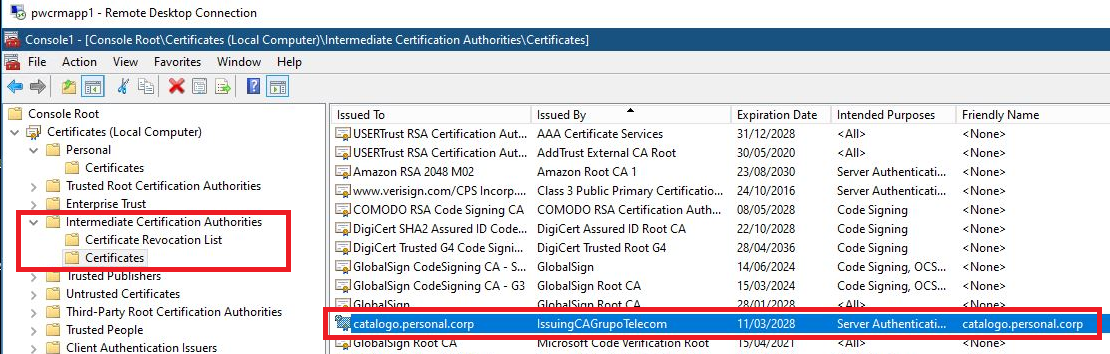
In other words, the same certificate, in:
Personal Certificates
Intermediate Certification Authorities
Certificates
Perhaps the Intermediate Certificate should be different?
' cx='32' cy='32' r='32' /%3E%3Ctext x='50%25' y='55%25' dominant-baseline='middle' text-anchor='middle' fill='%23FFF' %3ELP%3C/text%3E%3C/svg%3E)



' cx='32' cy='32' r='32' /%3E%3Ctext x='50%25' y='55%25' dominant-baseline='middle' text-anchor='middle' fill='%23FFF' %3ETT%3C/text%3E%3C/svg%3E)