I'm a Java Developer, I know nothing about C# or .NET or WinUI 3. with the help of gpt I managed to create winui 3 application, it is not much at all: 2 labels, 1 input text, 2 buttons and another textbox that shows logs. here is a picture of running using F5:
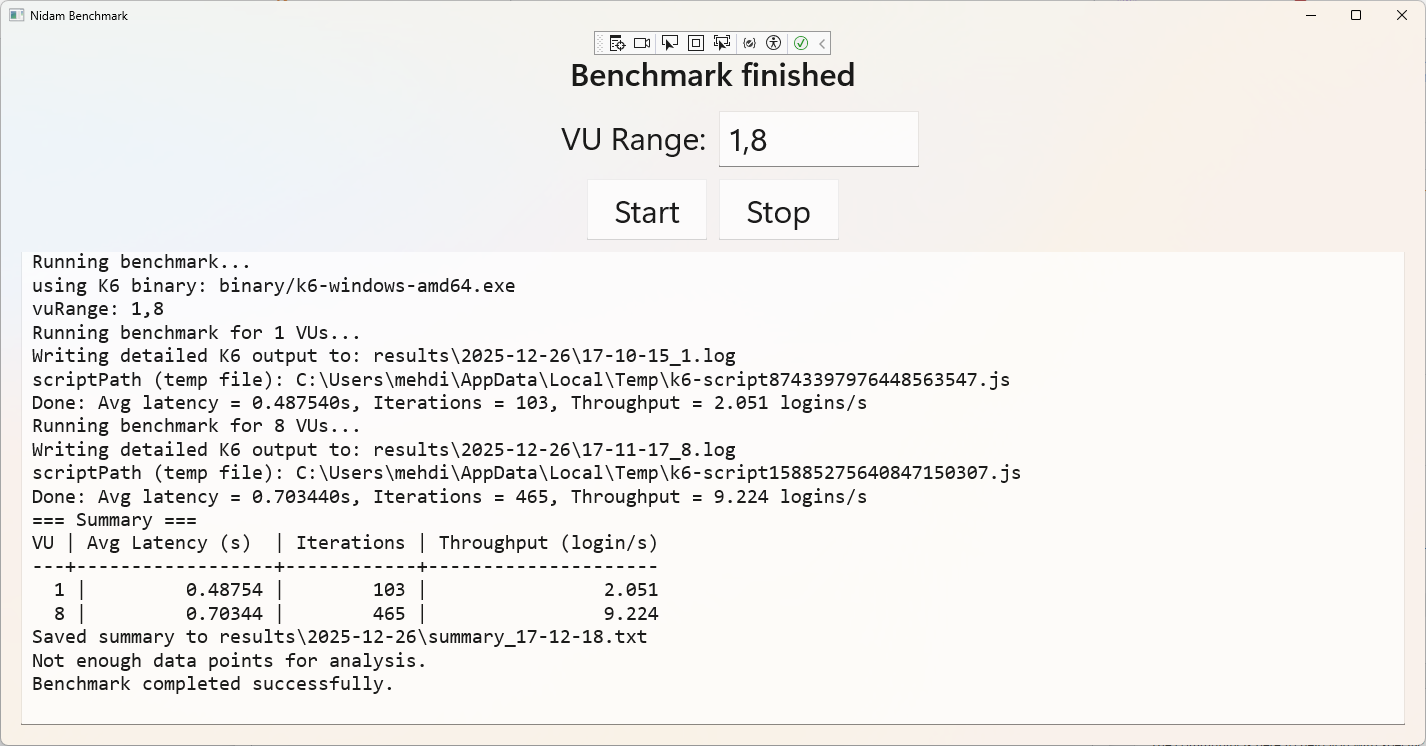
as you can see it works. now I would like to package it, again with the help of gpt, I ended up with configuration:
<Project Sdk="Microsoft.NET.Sdk">


  <PropertyGroup>

    <OutputType>WinExe</OutputType>

    <TargetFramework>net8.0-windows10.0.19041.0</TargetFramework>

    <TargetPlatformMinVersion>10.0.17763.0</TargetPlatformMinVersion>

    <RootNamespace>Nidam_Benchmark</RootNamespace>

    <ApplicationManifest>app.manifest</ApplicationManifest>


	<RuntimeIdentifiers>win-x64</RuntimeIdentifiers>

	  <StartupObject></StartupObject>

	  <PlatformTarget>x64</PlatformTarget>

    <UseWinUI>true</UseWinUI>

    <EnableMsixTooling>true</EnableMsixTooling>


	  <SelfContained>true</SelfContained>


	  <WindowsAppSDKSelfContained>true</WindowsAppSDKSelfContained>


    <Nullable>enable</Nullable>

  </PropertyGroup>


  <ItemGroup>

    <Content Include="Assets\SplashScreen.scale-200.png" />

    <Content Include="Assets\LockScreenLogo.scale-200.png" />

    <Content Include="Assets\Square150x150Logo.scale-200.png" />

    <Content Include="Assets\Square44x44Logo.scale-200.png" />

    <Content Include="Assets\Square44x44Logo.targetsize-24_altform-unplated.png" />

    <Content Include="Assets\Wide310x150Logo.scale-200.png" />

  </ItemGroup>


  <ItemGroup>

    <Manifest Include="$(ApplicationManifest)" />

  </ItemGroup>


  <!--

    Defining the "Msix" ProjectCapability here allows the Single-project MSIX Packaging

    Tools extension to be activated for this project even if the Windows App SDK Nuget

    package has not yet been restored.

  -->

  <ItemGroup Condition="'$(DisableMsixProjectCapabilityAddedByProject)'!='true' and '$(EnableMsixTooling)'=='true'">

    <ProjectCapability Include="Msix" />

  </ItemGroup>

  <ItemGroup>

    <PackageReference Include="Microsoft.WindowsAppSDK" Version="1.8.251106002" />

  </ItemGroup>


  <!--

    Defining the "HasPackageAndPublishMenuAddedByProject" property here allows the Solution

    Explorer "Package and Publish" context menu entry to be enabled for this project even if

    the Windows App SDK Nuget package has not yet been restored.

  -->

  <PropertyGroup Condition="'$(DisableHasPackageAndPublishMenuAddedByProject)'!='true' and '$(EnableMsixTooling)'=='true'">

    <HasPackageAndPublishMenu>true</HasPackageAndPublishMenu>

  </PropertyGroup>


  <!-- Publish Properties -->

  <PropertyGroup>

    <PublishReadyToRun Condition="'$(Configuration)' == 'Debug'">False</PublishReadyToRun>

    <PublishReadyToRun Condition="'$(Configuration)' != 'Debug'">True</PublishReadyToRun>

    <PublishTrimmed Condition="'$(Configuration)' == 'Debug'">False</PublishTrimmed>

    <PublishTrimmed Condition="'$(Configuration)' != 'Debug'">True</PublishTrimmed>


  </PropertyGroup>

	<ItemGroup Condition="'$(Configuration)' != 'Debug'">

		<None Remove="run-benchmark.ps1" />

		<None Remove="stop-all.ps1" />

		<None Remove="stop-all-2.ps1" />


		<None Remove="jars\**\*" />

		<None Remove="react-ui\**\*" />


	</ItemGroup>


	<ItemGroup Condition="'$(Configuration)' == 'Debug'">


		<!-- PowerShell scripts -->

		<None Include="run-benchmark.ps1">

			<CopyToOutputDirectory>PreserveNewest</CopyToOutputDirectory>

		</None>


		<None Include="stop-all.ps1">

			<CopyToOutputDirectory>PreserveNewest</CopyToOutputDirectory>

		</None>


		<None Include="stop-all-2.ps1">

			<CopyToOutputDirectory>PreserveNewest</CopyToOutputDirectory>

		</None>


		<!-- JARs -->

		<None Include="jars\**\*">

			<CopyToOutputDirectory>PreserveNewest</CopyToOutputDirectory>

		</None>


		<!-- React UI -->

		<None Include="react-ui\**\*">

			<CopyToOutputDirectory>PreserveNewest</CopyToOutputDirectory>

		</None>

	</ItemGroup>


	<PropertyGroup Condition="'$(Configuration)'=='Release'">

		<WindowsPackageType>None</WindowsPackageType>

		<PublishSingleFile>true</PublishSingleFile>

	</PropertyGroup>


</Project>
packaging using this command line
dotnet publish -c Release -r win-x64 --self-contained true
and also
dotnet publish -c Release -r win-x64 --self-contained true /p:PublishSingleFile=true
and the resulting exe file is about 120 MB, which looks like it bundled the runtime needed for it to run without the user needing to install anything (this is a requirement). the problem is that when I open the exe file Nothing happens. at all. Can you PLEASE help me package this application that runs as intended with F5.
I can you give any code or information if required, it's nothing really just the xaml and c# class thing.
' cx='32' cy='32' r='32' /%3E%3Ctext x='50%25' y='55%25' dominant-baseline='middle' text-anchor='middle' fill='%23FFF' %3EMH%3C/text%3E%3C/svg%3E)

' cx='32' cy='32' r='32' /%3E%3Ctext x='50%25' y='55%25' dominant-baseline='middle' text-anchor='middle' fill='%23FFF' %3EHV%3C/text%3E%3C/svg%3E)
' cx='32' cy='32' r='32' /%3E%3Ctext x='50%25' y='55%25' dominant-baseline='middle' text-anchor='middle' fill='%23FFF' %3EDN%3C/text%3E%3C/svg%3E)