Microsoft Security | Intune | Configuration Manager | Other
Other Configuration Manager-related features and issues

This browser is no longer supported.
Upgrade to Microsoft Edge to take advantage of the latest features, security updates, and technical support.
' cx='32' cy='32' r='32' /%3E%3Ctext x='50%25' y='55%25' dominant-baseline='middle' text-anchor='middle' fill='%23FFF' %3EDD%3C/text%3E%3C/svg%3E)
Hello,
Following the documentation
https://learn.microsoft.com/en-us/troubleshoot/mem/configmgr/recommended-antivirus-exclusions
I have the following exclusions set on the Primary server
But its is still slow... anything missing?
Thanks,
Dom
Other Configuration Manager-related features and issues

what exactly do the fireye logs say it is doing? that is the only way to determine what it is doing and therefore add the right exclusions.
Thanks Garth,
We will check again as we have a case opened with FireEye Support and Microsoft to try to coordinate,
Thanks,
Dom

Hi @Duchemin, Dominique ,
Thanks for your update. And I am looking forward to hearing the news of the problem resolution. If the problem has been solved, please share your solution in this post. It will make someone who has the similar issue easily find the answer.
Best regards,
Amanda
Hello,
Still looking into it as the list of exceptions has been reviewed and completed...
Thanks,
Dom
' cx='32' cy='32' r='32' /%3E%3Ctext x='50%25' y='55%25' dominant-baseline='middle' text-anchor='middle' fill='%23FFF' %3EDD%3C/text%3E%3C/svg%3E)
Hello,
The list of exceptions has been agreed between Microsoft Support & FireEye support.
An improvement has been seen but still the response time from the console has been degraded by the addition of FireEye. At this time I am looking for estimate response time got by Configuration Manager Clients...
Also in the meantime we have been running perfmon on the drives... only the C: drive is showing peaks
for Avg. Disk Queue Length
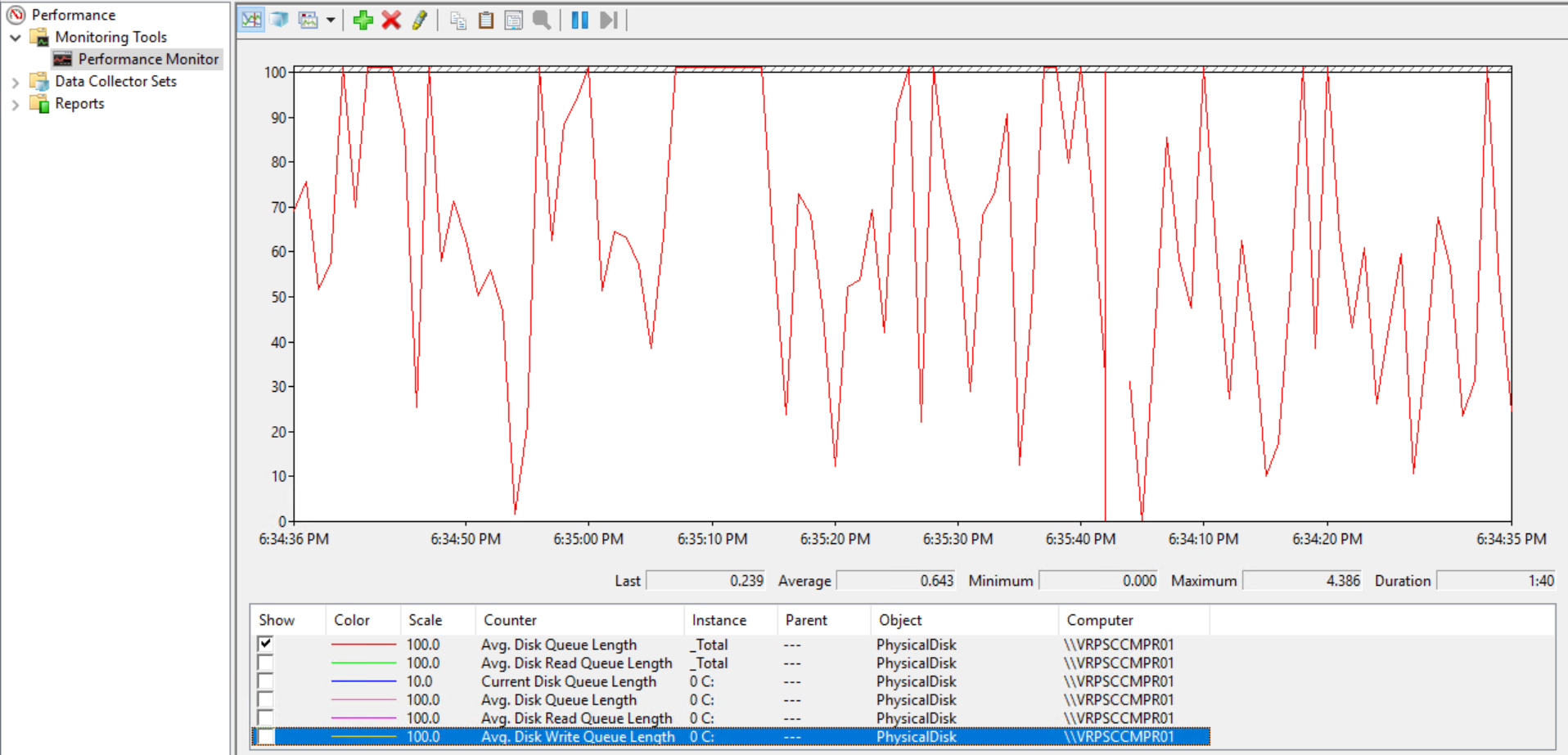
and it is about the same values for Avg. Disk Write Queue Length 0 C:.
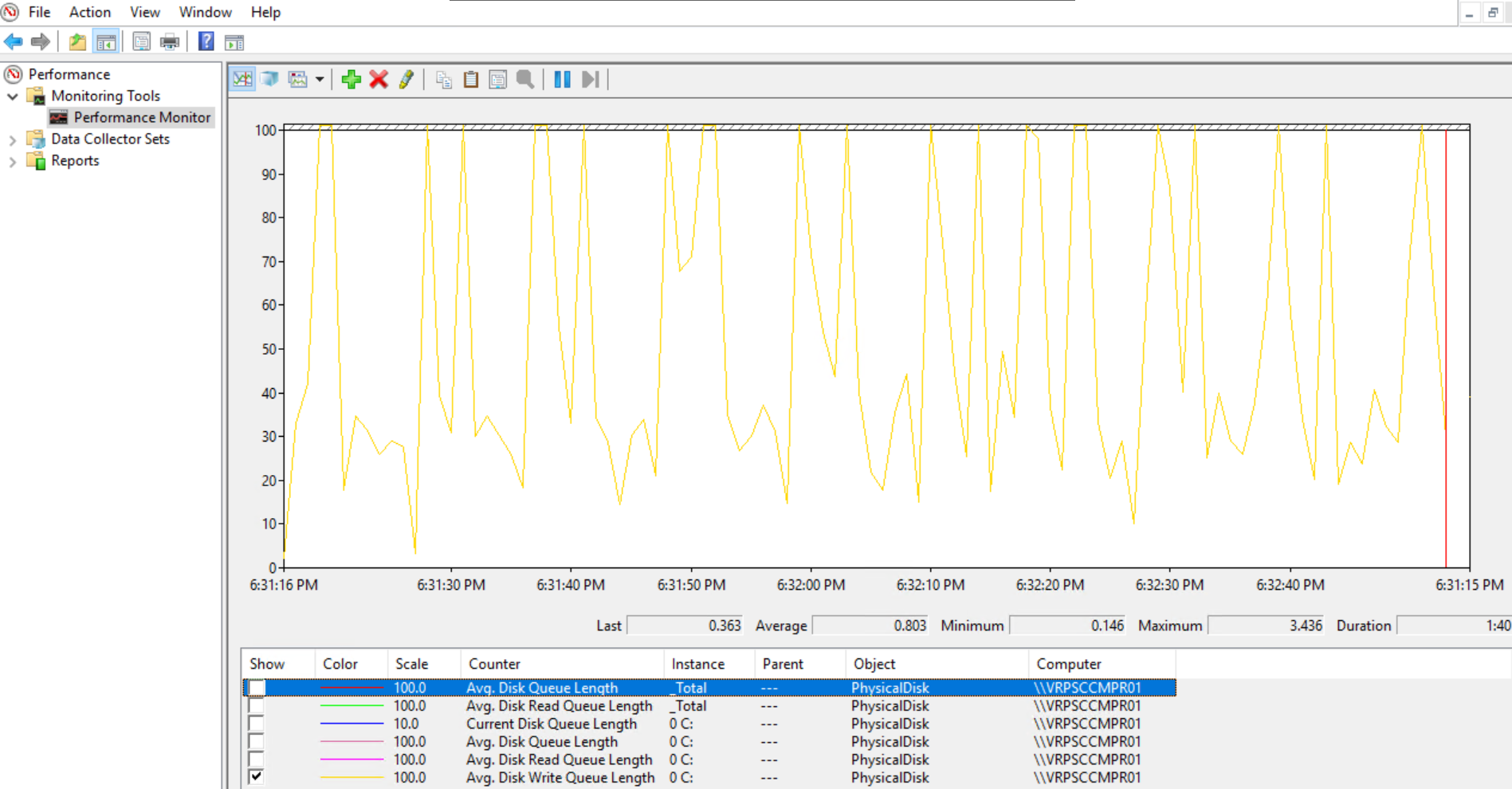
What to look for?
Thanks,
Dom