
Did you chek the answers from How to fix "Installation is forbidden by system policy" error when installing .NET Framework 4
(the last one)
This browser is no longer supported.
Upgrade to Microsoft Edge to take advantage of the latest features, security updates, and technical support.
' cx='32' cy='32' r='32' /%3E%3Ctext x='50%25' y='55%25' dominant-baseline='middle' text-anchor='middle' fill='%23FFF' %3EK%3C/text%3E%3C/svg%3E)
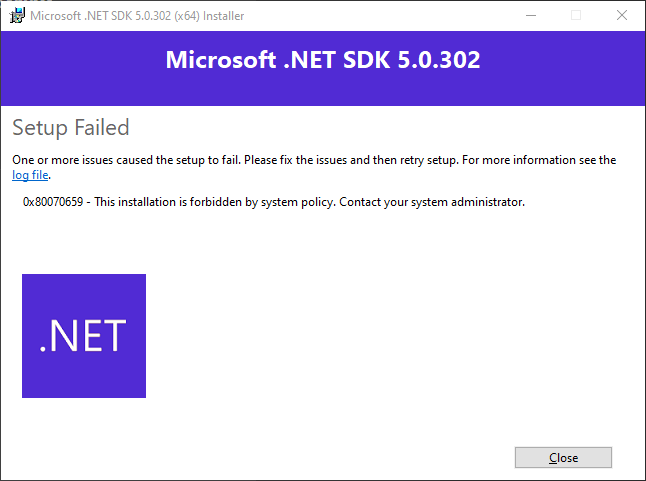
0x80070659 - This installation is forbidden by system policy. contact your system administrator
but I am the administrator, this is my personal computer
windows version - Windows 10 Home 21H1 19043.1110
An object-oriented and type-safe programming language that has its roots in the C family of languages and includes support for component-oriented programming.

Hi,
Thanks for posting on our forum!
Based on your error code, I would like to ask if the same error happened on other applications on your computer? And please follow the troubleshooting guidance that @Castorix31 has sent to you.
Thanks for your support!
BR,
Joan

Did you chek the answers from How to fix "Installation is forbidden by system policy" error when installing .NET Framework 4
(the last one)
' cx='32' cy='32' r='32' /%3E%3Ctext x='50%25' y='55%25' dominant-baseline='middle' text-anchor='middle' fill='%23FFF' %3EJM%3C/text%3E%3C/svg%3E)
I was getting this same error and tried the help suggestions in 4 or 5 topic replies. I contacted MS support and they checked all my system settings and found nothing wrong.
I was at the stage of trying anything. I turned off Smart App Control and my program installed perfectly.
Turned smart app control back on again and my program still works.
@Castorix31 , thank you! worked method 2 from the answer at the link