' cx='32' cy='32' r='32' /%3E%3Ctext x='50%25' y='55%25' dominant-baseline='middle' text-anchor='middle' fill='%23FFF' %3EJW%3C/text%3E%3C/svg%3E)

' cx='32' cy='32' r='32' /%3E%3Ctext x='50%25' y='55%25' dominant-baseline='middle' text-anchor='middle' fill='%23FFF' %3EDB%3C/text%3E%3C/svg%3E)
' cx='32' cy='32' r='32' /%3E%3Ctext x='50%25' y='55%25' dominant-baseline='middle' text-anchor='middle' fill='%23FFF' %3EJA%3C/text%3E%3C/svg%3E)
' cx='32' cy='32' r='32' /%3E%3Ctext x='50%25' y='55%25' dominant-baseline='middle' text-anchor='middle' fill='%23FFF' %3EJB%3C/text%3E%3C/svg%3E)
Hi
We have the same issue. With Windows Defender for 365 enabled, the WIDI connects, asks to pair and then just displays "Connecting to..." after entering the PIN.
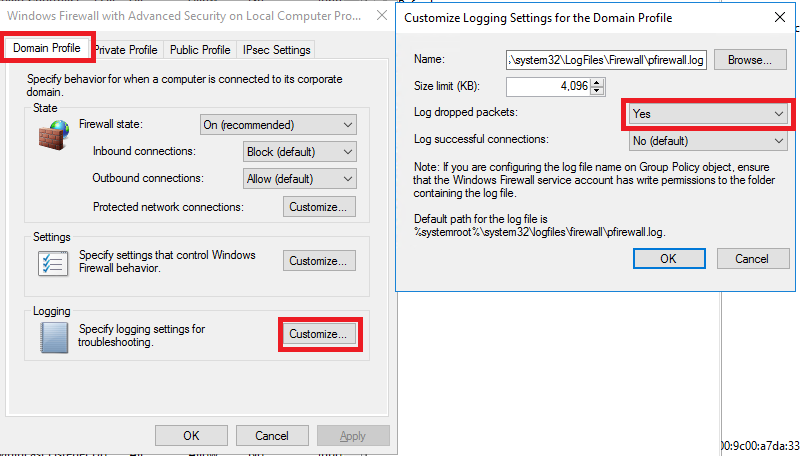
We added firewall rules on the Policy from this site: https://scloud.work/en/microsoft-wireless-display-adapter-not-connecting/?amp=1
Still no change. What we learned is that WIDI does not use ports, it functions on the Network Layer and if there is no other 3rd party involved, allowing WIDI on the firewall should allow the connection.
None of the Microsoft forums or self-help pages are helpful. The device is functional, it works on the IT side using DELL and McAfee (also has a custom rule applied from above link)
A vanilla Defender displays fine, but MDM controlled does not.
' cx='32' cy='32' r='32' /%3E%3Ctext x='50%25' y='55%25' dominant-baseline='middle' text-anchor='middle' fill='%23FFF' %3EA%3C/text%3E%3C/svg%3E)


' cx='32' cy='32' r='32' /%3E%3Ctext x='50%25' y='55%25' dominant-baseline='middle' text-anchor='middle' fill='%23FFF' %3EH%3C/text%3E%3C/svg%3E)